Smoke detector support
This update adds support for paired smoke detectors to improve safety and ensure smoke alarms reach caregivers and family members quickly—even if the Genus device is temporarily offline.
New: Pair a smoke detector with Genus
Smoke detectors can now be paired to a Genus device using the device connection flow.
How to pair
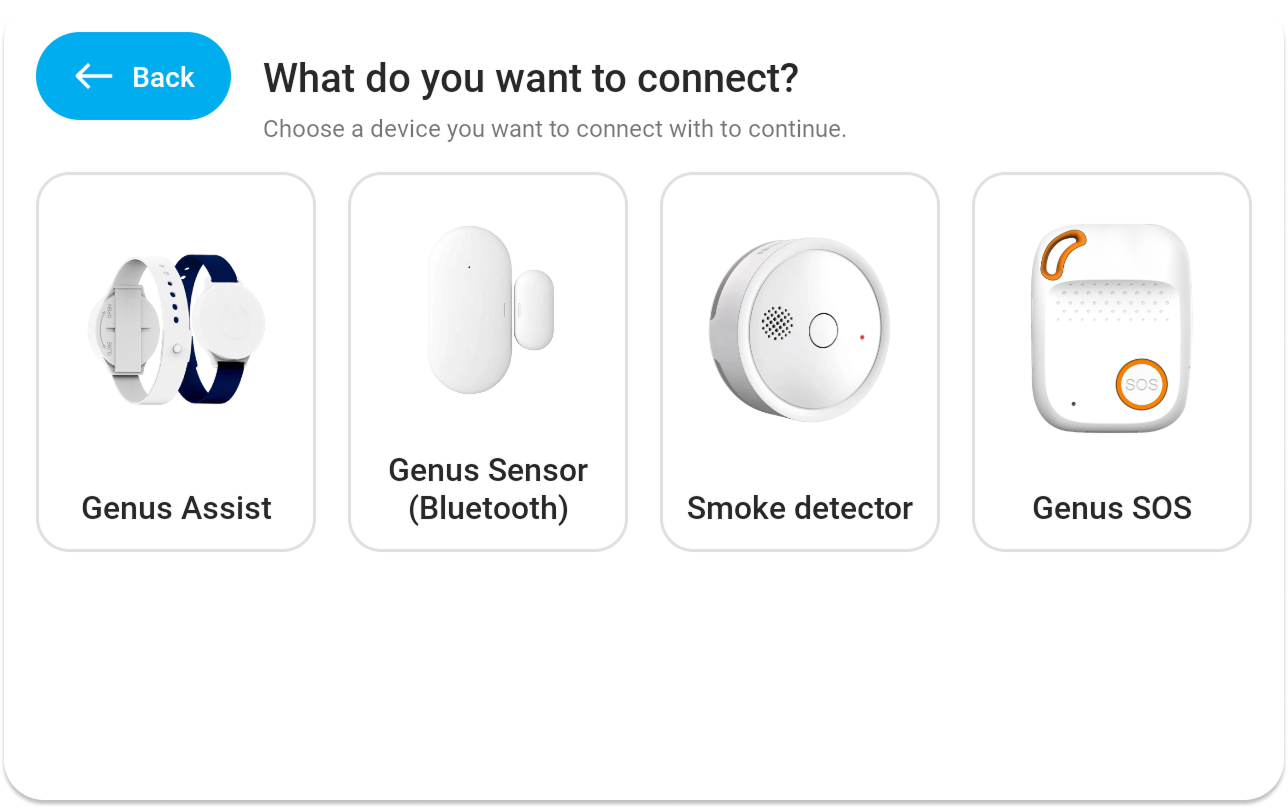
- On the Genus device, go to "Menu" > "Connect" > "Add a new device", select the Smoke detector" and let the Genus device start scanning for nearby devices.
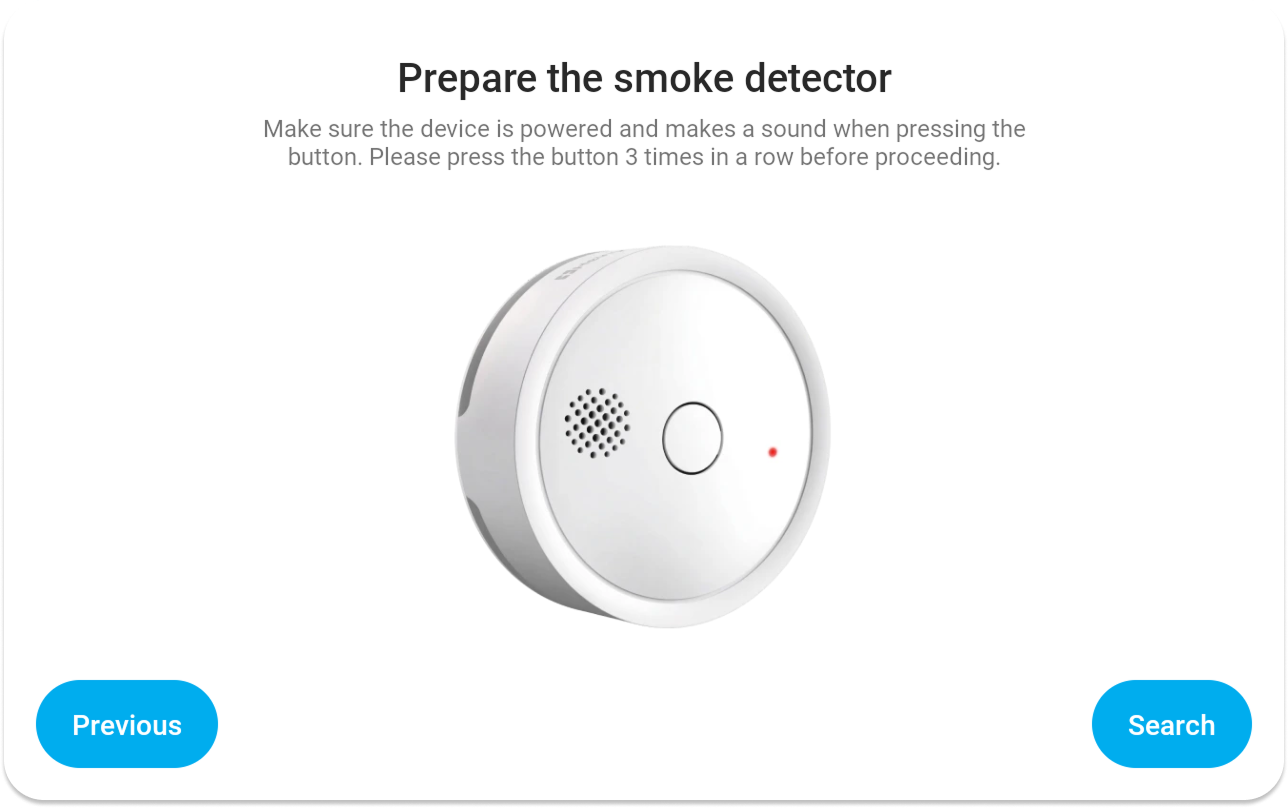
- Put the smoke detector into pairing mode by pressing its button 3 times quickly.
- Genus will discover the smoke detector and complete setup automatically.
After pairing: smoke detector works independently
Once paired, the Genus device will configure the smoke detector’s Wi‑Fi. After that, the smoke detector can operate independently of Genus.
This means:
- Smoke alarms will still be delivered to professional care even if the Genus device is offline.
Smoke alarm experience (client, family, and care teams)
When smoke is detected:
In the client environment
- A warning message is shown on the Genus device
- The warning is also spoken out loud to alert the client
- The smoke detector triggers a traditional siren alarm locally
For family and professional care
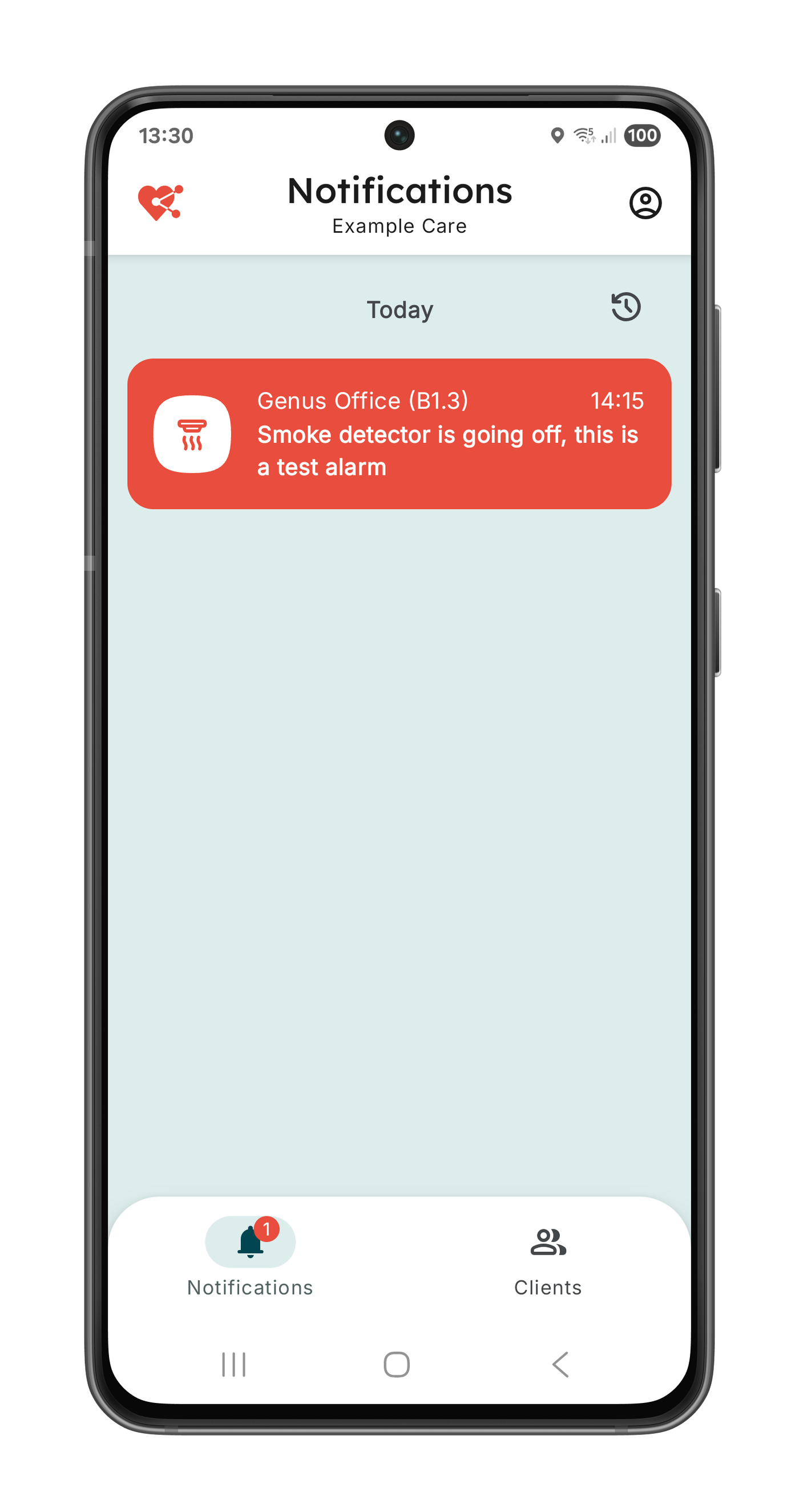
- Alarm notifications are sent to phones so recipients can act immediately.