
Community Portal update
🚀 New Features
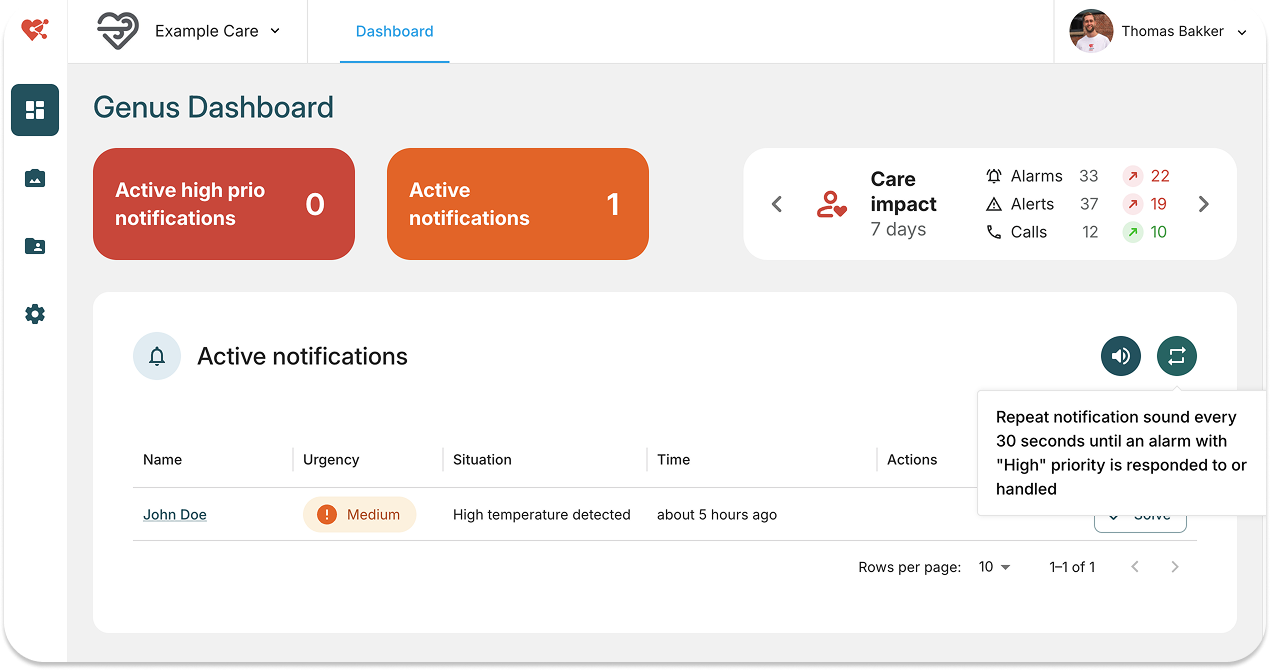
Notification Sound in Dashboard
- High-priority notifications now play a notification sound in the dashboard.
- An optional repeat sound can be enabled every 30 seconds for unresolved notifications.
- Settings for notification sound can be configured on the top right of the "Active notifications" card.
Call Button for Contact requests & Call Me
- A Call button is now displayed in the dashboard for alarms and call-me requests, allowing you to start a call instantly.
Cancel Contact requests from the Dashboard
- Contact requests can now be canceled directly from the dashboard, improving workflow efficiency.
New Error Page
- When something goes wrong, a dedicated error page is displayed.
- Users can copy a unique error code and include it in support requests—helping developers quickly identify issues.
Bug Fixes
- The client list is now sorted by last name by default.
- Fixed an issue where ONS integration was displayed even when it wasn’t enabled.
- Correct client names are now shown for recent messages.