Sep 24, 2025

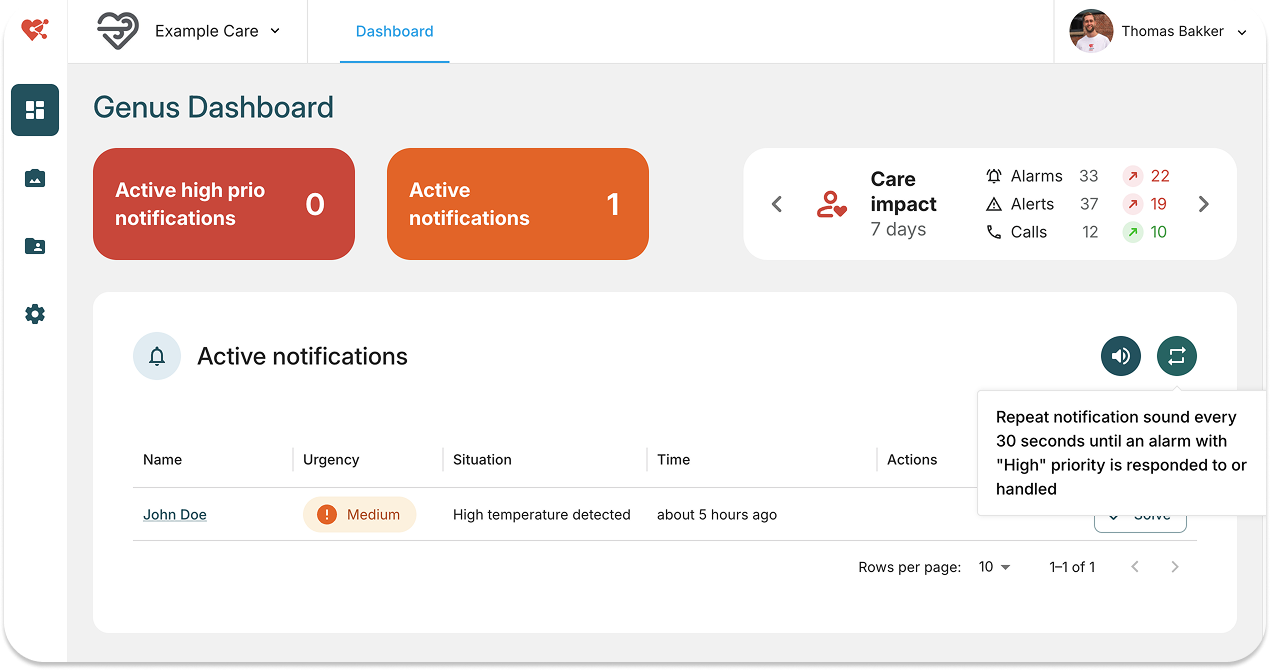
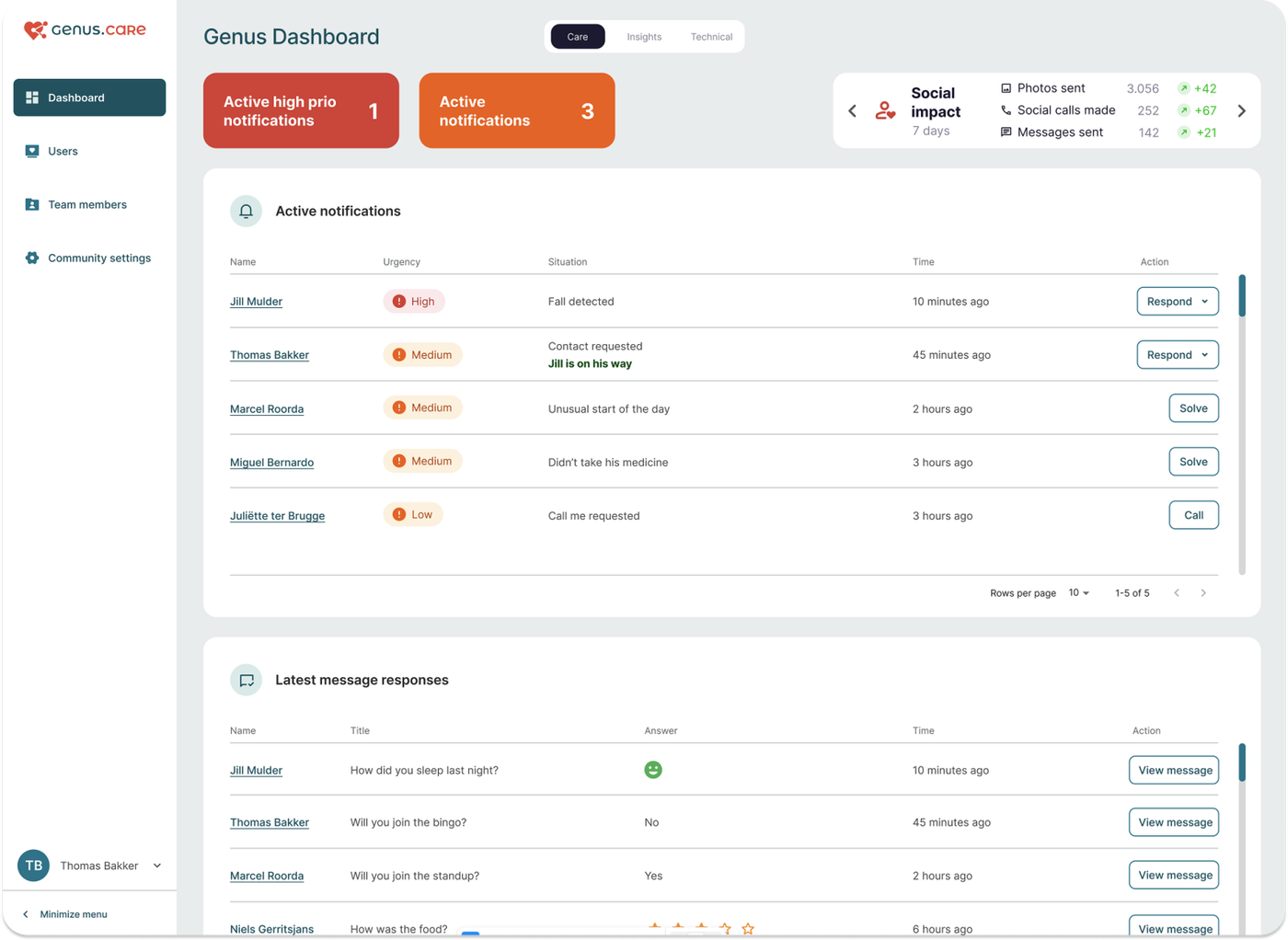
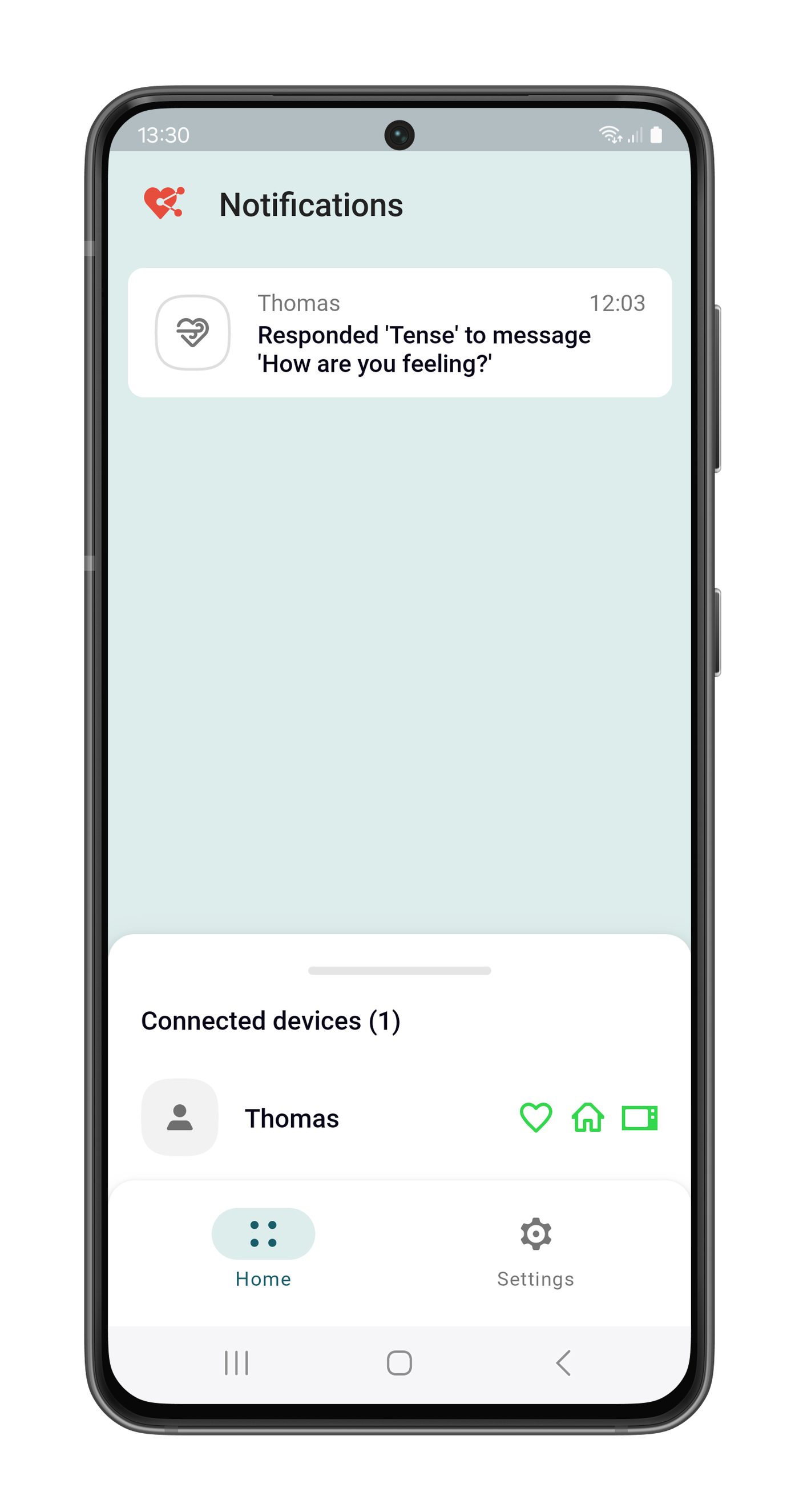
We’ve upgraded the alarm system to make alerts more informative and customisable.

New Features

  • Text-to-Speech for Alarms – Alarm messages and reactions are now spoken aloud using the Genus Text-to-Speech engine.
  • Custom Message Reactions – Personalise the response messages for different alarms.
  • Online Alarm Documentation – Access comprehensive alarm information and guidance through the online documentation. The documentation can be found at https://genus.care/docs/alarm-api 
Sep 24, 2025

We’ve enhanced the device calendar to make scheduling and event reminders more visible and interactive.

New Features

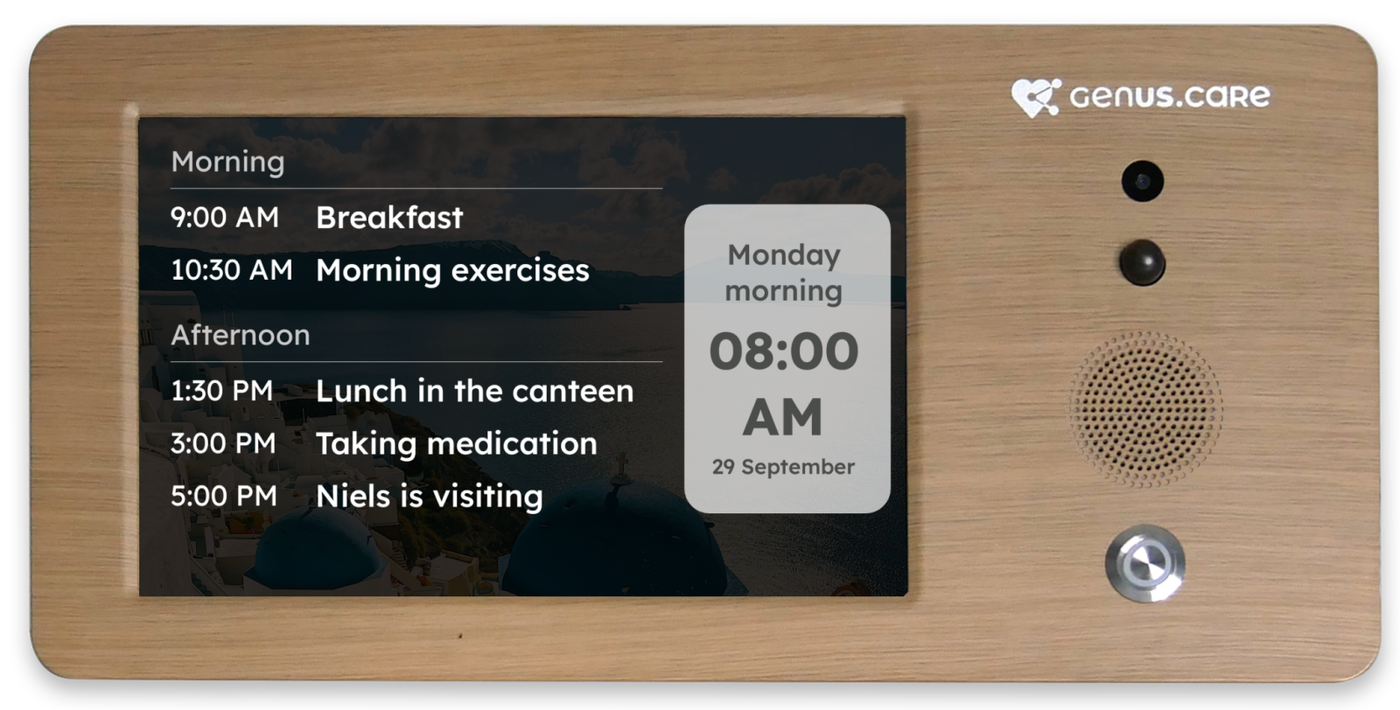
  • Full-Screen calendar display – The calendar now occupies the full screen and is always visible on the device.
  • Automatic event removal – Completed events are automatically removed from the display.
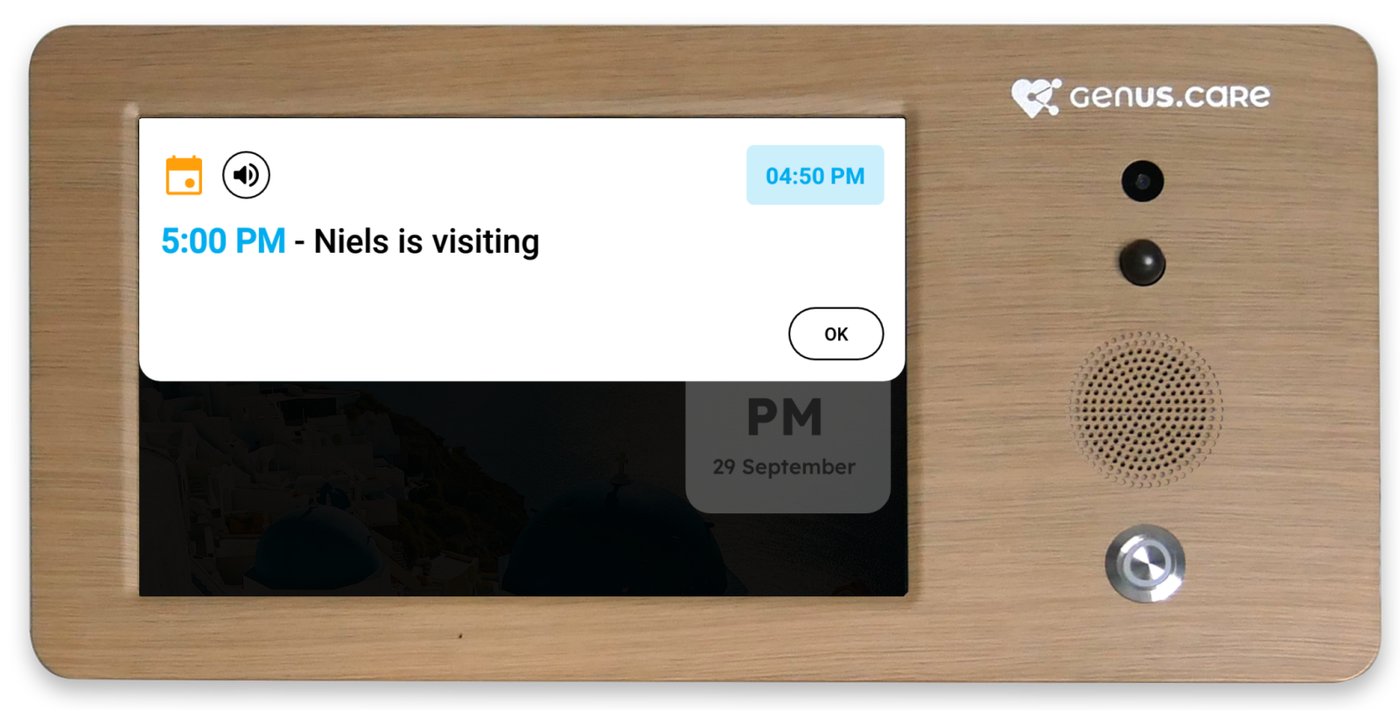
  • Event reminders with the Genus Text-To-Speech engine –
    • 10 minutes before an event, the device announces that the event is coming up.
    • When the event starts, the device announces the event
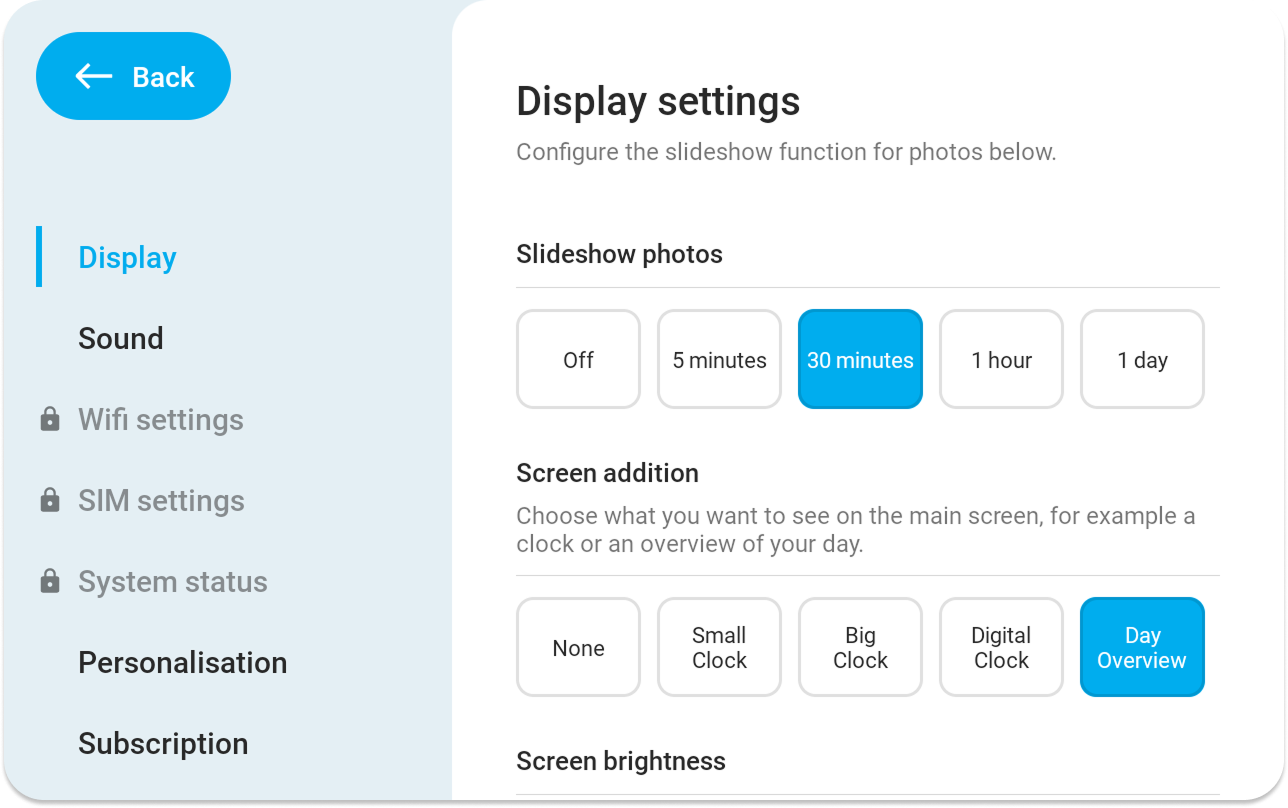
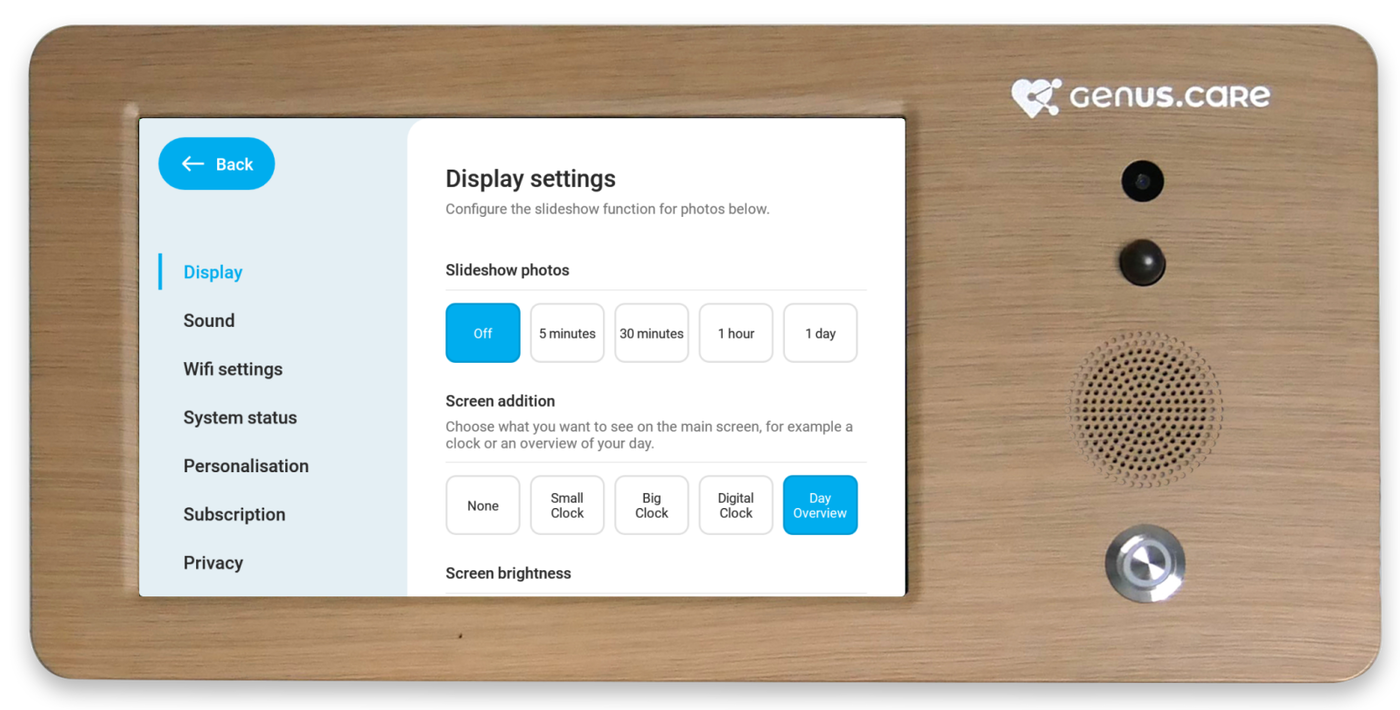
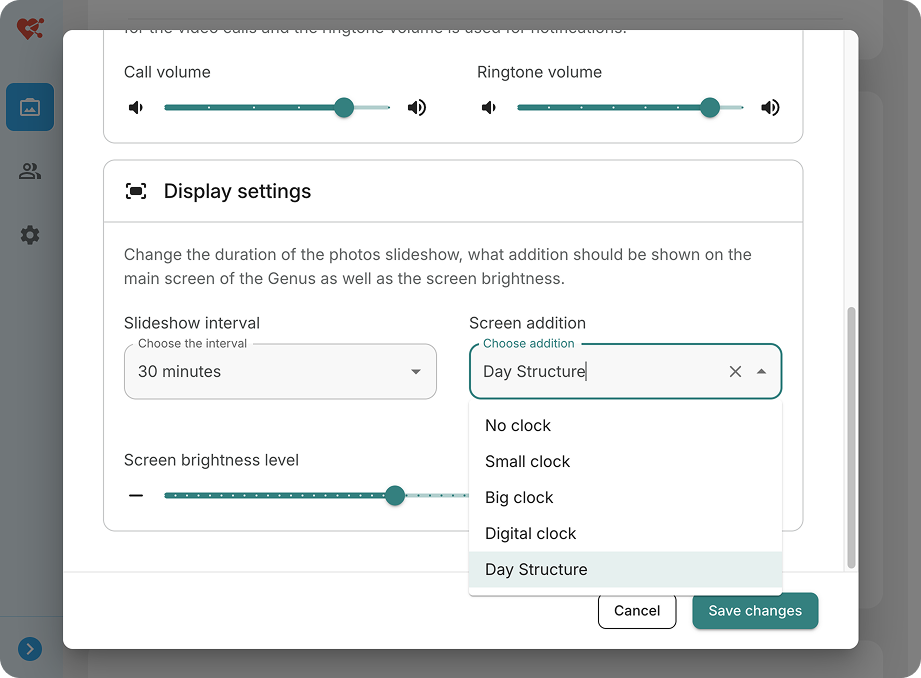
  • Configurable on device and portal – Calendar display can be activated directly on the device or through the Community Portal.

Configure it on the Genus by going to "Menu" > "Settings" > "Display" > "Screen addition" and selecting "Day overview"


Configure it in the Community Portal by going to a user > "Genus settings" > "Display settings"

Sep 05, 2025

We’ve expanded and improved how alarms integrate with external systems:

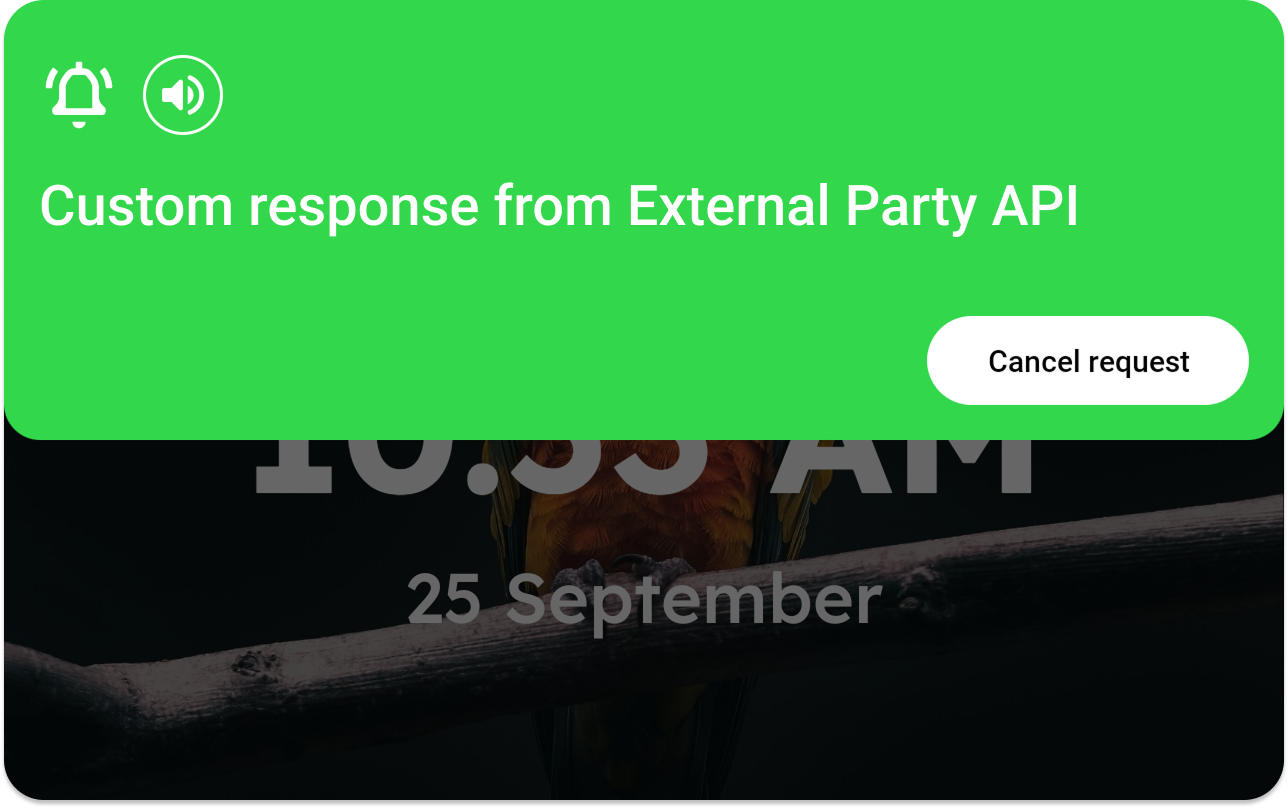
  • Create, react to & cancel alarms via API
    • External APIs can now create, react to and cancel alarms.
    • This also opens the door for alarm cancellation through the mobile apps in an upcoming release.
  • Smarter alarm handling
    • When an alarm is created, the Genus now sends its SIP address directly to the alarm server. This removes the need for other services to look it up thus improving speed and removing dependencies.
    • Cancelling an alarm on the Genus alarm server now also cancels it on the Genus device itself, keeping everything in sync.
  • Portal enhancements
    • The External Identifier is now system-agnostic and can be used anywhere a Genus ID is required.
    • When a Genus device is replaced, its External Identifier is carried over automatically—so alarm escalations continue without interruption.
Sep 03, 2025

We’ve made major improvements to the video calling experience:

  • All echo issues have been eliminated.
  • All audio artefacts have been eliminated.
  • Voices are a lot clearer resulting in a much more natural conversation.

Note: This change requires a firmware update. And will be rolled out gradually. The latest firmware update is Android11-rk3566-2025082818

Sep 03, 2025
  • Added support for ONS Planning alongside the existing ONS Agenda integration. These events will synchronise to the calendar of the Genus user.
  • The "Contact information" card in the user detail will now show which client from ONS has been connected to the Genus user.
  • Clicking "Edit" will now show a popup where you can search the client from ONS you want to connect. Clicking connect will link the ONS client to the Genus user.

Sep 03, 2025

You can now configure the screen brightness of the Genus! This is possible from the Genus itself or from the Community Portal by going to the user detail and scrolling to "Genus settings".

The brightness can be adjusted from 50% till 100%. Reason for this is to prevent a too low brightness where the screen is not readable anymore.

Genus

Community Portal

Sep 03, 2025
  • Genus now automatically reboots to install firmware updates when no call is active and no alarm is active
  • Firmware updates are now automatically checked every day
  • Firmware versions are now collected for statistics
  • In the updater app you can now manage firmware versions
  • Improved wifi speed checking during updates. The wifi will reconnect if it downloads to slowly
Aug 26, 2025
  • Visual bug fix: Fixed issue where clock is shown for a short time when booting up Genus or going out of the menu even though clock is disabled.
  • Microphone test: After testing the microphone in the system test, the test audio recording will now be correctly deleted
  • iOS: Fixed issue where notifications wouldn’t be shown correctly
Aug 25, 2025

We've expanded our Routines engine with the following things:

  • Added support for Zigbee SOS Buttons
  • Improved stability
  • Routines can now have the option to show a message on the Genus along with Text-To-Speech integration.
  • Added refrigerator open alarms: When the refrigerator is open for more than 60 seconds (configurable) the Genus will show (and speak out) a message telling the fridge is still open and should close.
Aug 14, 2025
  • Sensor data processing and storage have been moved to dedicated hardware servers.
  • This separation ensures that sensor activity no longer impacts overall system performance, keeping the platform fast and responsive.
Jul 30, 2025

We’re excited to announce a new update that makes it easier than ever to configure your healthcare device remotely via the portal. With this release, administrators and caregivers can now adjust key device settings directly from the Community Portal — no need for on-site changes.

New Features

  • Language Settings – Remotely select the preferred device language.
  • Clock Display Options – Choose between digital clock, analog clock, or hide the clock entirely.
  • Noise Cancellation for Video Calls – Enable or disable noise cancellation to improve call quality.
  • Call Volume Control – Adjust the volume level for ongoing calls.
  • Notification Volume Control – Manage the sound level for incoming messages.
  • Photo Slideshow Interval – Configure the time interval for rotating photos in slideshow mode.

Benefits

  • Faster and easier device management without needing physical access.
  • Improved flexibility to tailor the device experience for each user.
  • Enhanced call and notification experience with adjustable sound settings.

Other

  • For care organisations that need to switch between 2 existing Wi-Fi networks we can now push a new network configuration to the Genus installation base. After successfully connecting the Genus to the new Wi-Fi network it'll forget the old Wi-Fi network so the Genus will stay switched over.
Jul 28, 2025

We’ve refreshed the portal to align it with our other platforms. Here’s what’s new:

  • Streamlined Design – The look and feel is now consistent across all portals for a smoother experience.
  • Clearer Detail Screens – Topics are displayed on separate cards, making information easier to find and digest.
  • Cleaner Layout – The interface feels more modern, fresh, and uncluttered.
  • Smarter Filters – On the Users page, filters now take up less space and expand only when needed, giving you more room to focus on what matters.

Example card in the user detail containing all alarming settings in a glimpse. Visuals have also been added to give a better understanding of the impact of your settings.

Subscribe