

Messages that read themselves aloud
A message on the Genus only helps a client who is looking at the screen and can read it comfortably. A client who is in the kitchen, whose eyesight is failing or who finds reading tiring can miss a question from the nurse. The same goes for a reminder to take their medicines.
From the end of August 2024 the Genus can read messages aloud. A care professional chooses this per message in the Community Portal. The Genus speaks the message in the language it is written in, and the client can hear it again with one tap. The same update brought a large digital clock for the home screen.
What’s new
- Clients hear messages from the care team read aloud, and tap the speaker symbol to hear them again.
- Care professionals switch reading aloud on for each message they send from the Community Portal.
- Clients can choose a digital clock with large digits, in 12-hour or 24-hour form depending on the language.
- Distributors can give every new Genus of a care organisation the digital clock through the Business Portal.
For clients: messages read aloud on the Genus
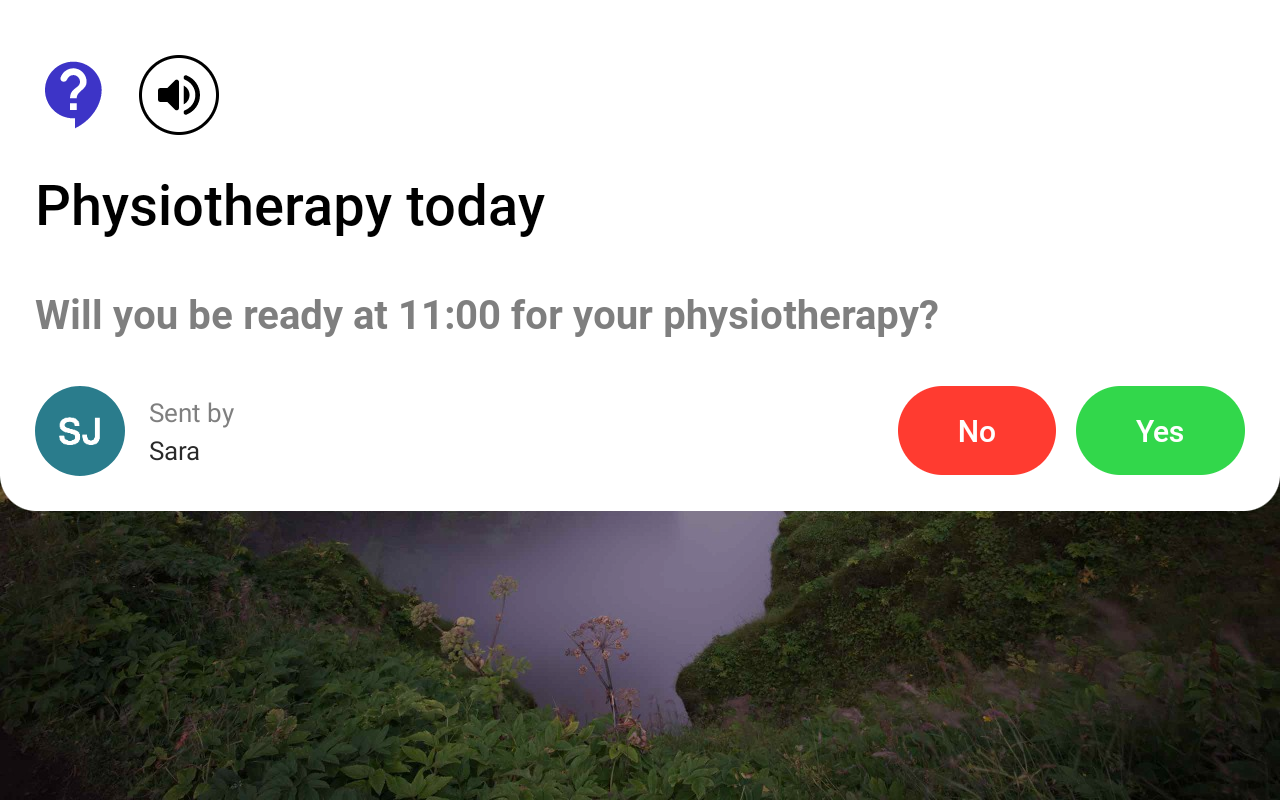
Section titled “For clients: messages read aloud on the Genus”A message that should be read aloud appears as usual, with the notification sound. The Genus then reads it to the client. For a question or a photo it reads the subject and the text; for a medicine reminder it reads the subject only.
A speaker symbol in the message shows that it can be heard. Tap it to hear the message again, for example after coming back into the room. If the client does not answer, the Genus reads the message again every five minutes, until it is answered or disappears from the screen.
For care professionals: reading aloud per message
Section titled “For care professionals: reading aloud per message”Reading aloud is chosen for each message, so a care team can keep it for the clients who need it.
- Open Send message for a client, or for several clients at once.
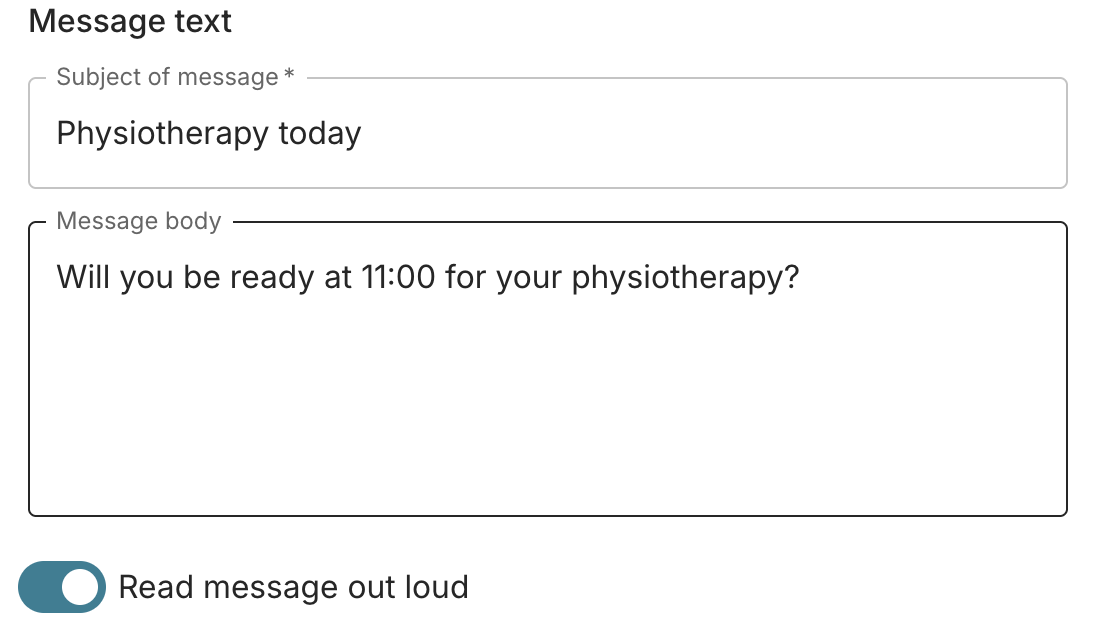
- Choose the message type and fill in the Subject of message and the Message body.
- Below the message body, switch on Speech message on Genus. Today this switch is called Read message out loud.
- Send the message as usual.
Repeating and scheduled messages can be read aloud too. The switch is also there when you change one; every repetition is then read aloud. Switching it off stops reading aloud for the repetitions that follow.
How reading aloud works today is described in messages.
On the Genus: a digital clock
Section titled “On the Genus: a digital clock”Some clients read a clock face with difficulty. The Genus can now show the time in large digits instead. Choose Digital under Menu → Settings → Display → Clock settings. Today this option is Digital Clock under Screen addition.
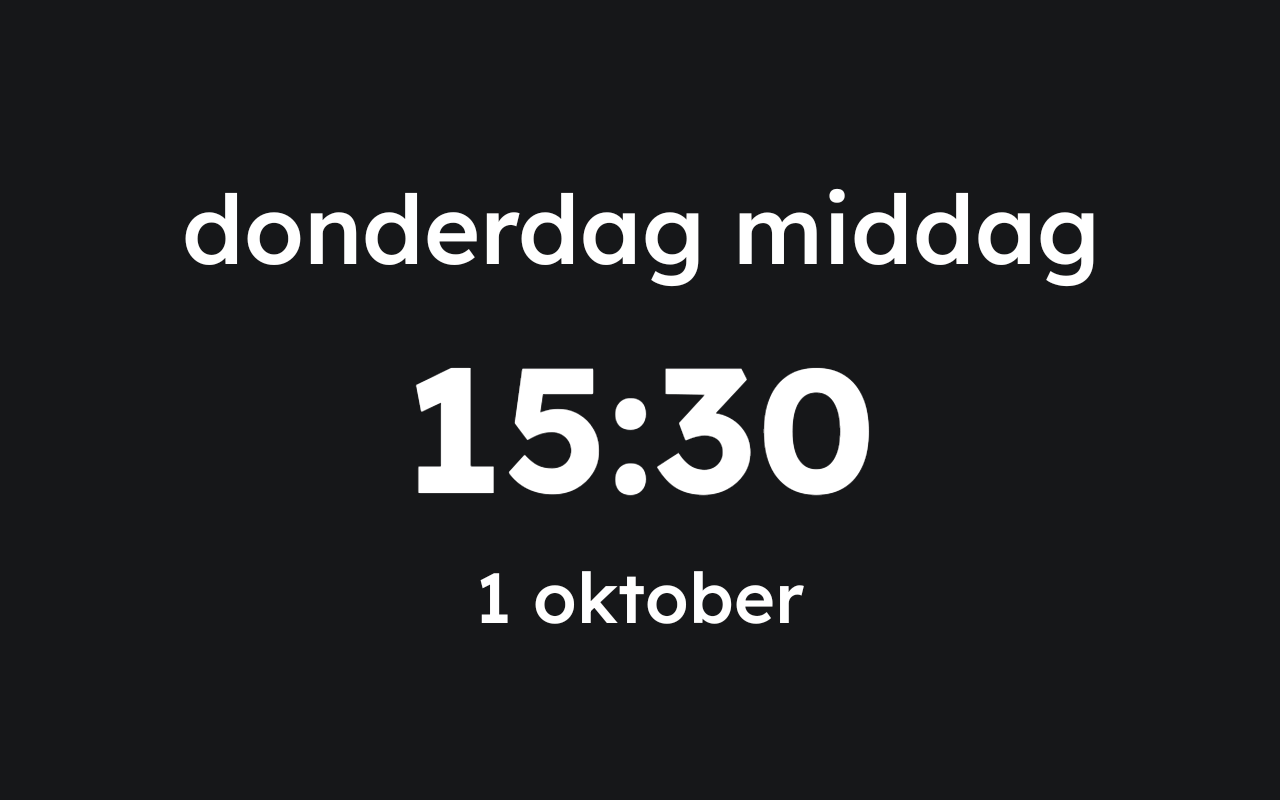
The digital clock fills the middle of the home screen, over the photos. The top line names the day and the part of the day, such as Thursday morning. Below it come the time and the date.

The clock follows the language of the Genus. In English it shows the time with AM or PM. In the other languages it uses the 24-hour clock, so nobody has to choose a format.
See a clock or the Day Overview for the clock options as they are today.
For distributors: the clock in the setup configuration
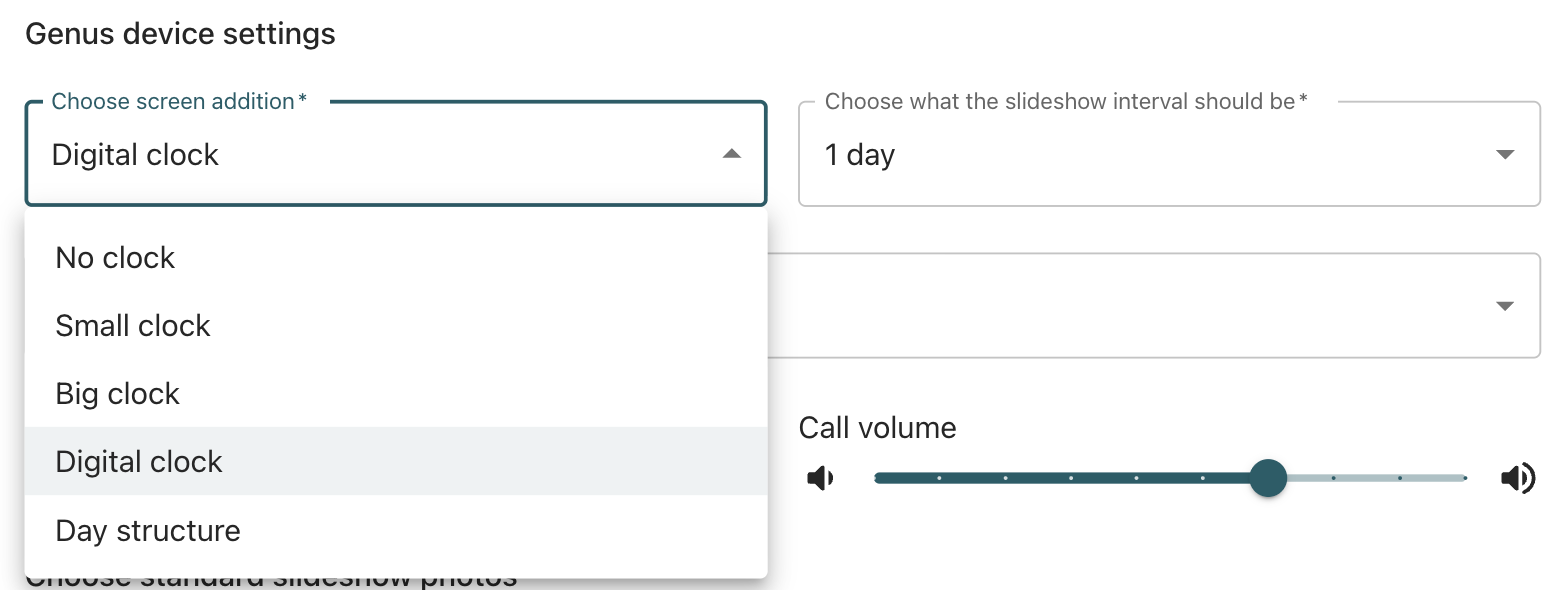
Section titled “For distributors: the clock in the setup configuration”A distributor or reseller can give every new Genus of a care organisation the digital clock from the start. In the Business Portal, open the community’s Configuration and choose Digital clock under Select what clock should be used. Each Genus that is then set up with the Deployer app for that community starts with the digital clock.
Today the page is called Configuration for setup and the field Choose screen addition.
See setup configuration per community.
Fixes and improvements
Section titled “Fixes and improvements”- Louder speech. Since Genus 3.1.1 (September) the Genus plays spoken messages louder, so they are easier to hear from across the room.
- Medicine reminders. When you choose the message type Medicine, the subject is filled in as Please take your medicines. You can change it.
- Evening on the clock. Since Genus 3.1.0 the line with the clock says evening from 18:00 until midnight.
Availability
Section titled “Availability”- The Community Portal and the platform were updated automatically at the end of August 2024.
- The Genus updates itself. Genus 3.1.0 (end of August) brought reading aloud, the digital clock and the evening correction; Genus 3.1.1 (September) made the speech louder.
- Reading aloud is available to care organisations for which Genus has switched it on.
- The Business Portal received the digital clock option automatically.