

Video calling, rebuilt
For many clients, a video call is the moment they see their family or their nurse. Someone who uses a walking aid, or who is in the kitchen when the Genus rings, cannot always reach it quickly.
In 2024 video calling was rebuilt. The Genus now rings for up to ten minutes. In April the old calling service was switched off, so every call runs on the new one. Over the summer the call page was reworked: it opens when a care professional calls from the Community Portal, and when an operator opens a call link from a connected system.
What’s new
- Clients have up to ten minutes to reach the Genus and tap Pick up.
- Care professionals see the client on a GC300 or GC320 the right way round, see the call time from the moment the client answers, and can switch camera, microphone and speaker on a phone or tablet.
- Integration partners can create a call link from the serial number of a Genus, open the call without a preview, and are told when the Genus is offline.
- Family members call from the Genus app as before. Nothing changes for them.
For clients: ten minutes to answer
Section titled “For clients: ten minutes to answer”Since Genus 2.2.1 (February 2024), an incoming video call rings for up to ten minutes, enough for someone who needs time to get up. The ringing stops as soon as the caller hangs up.
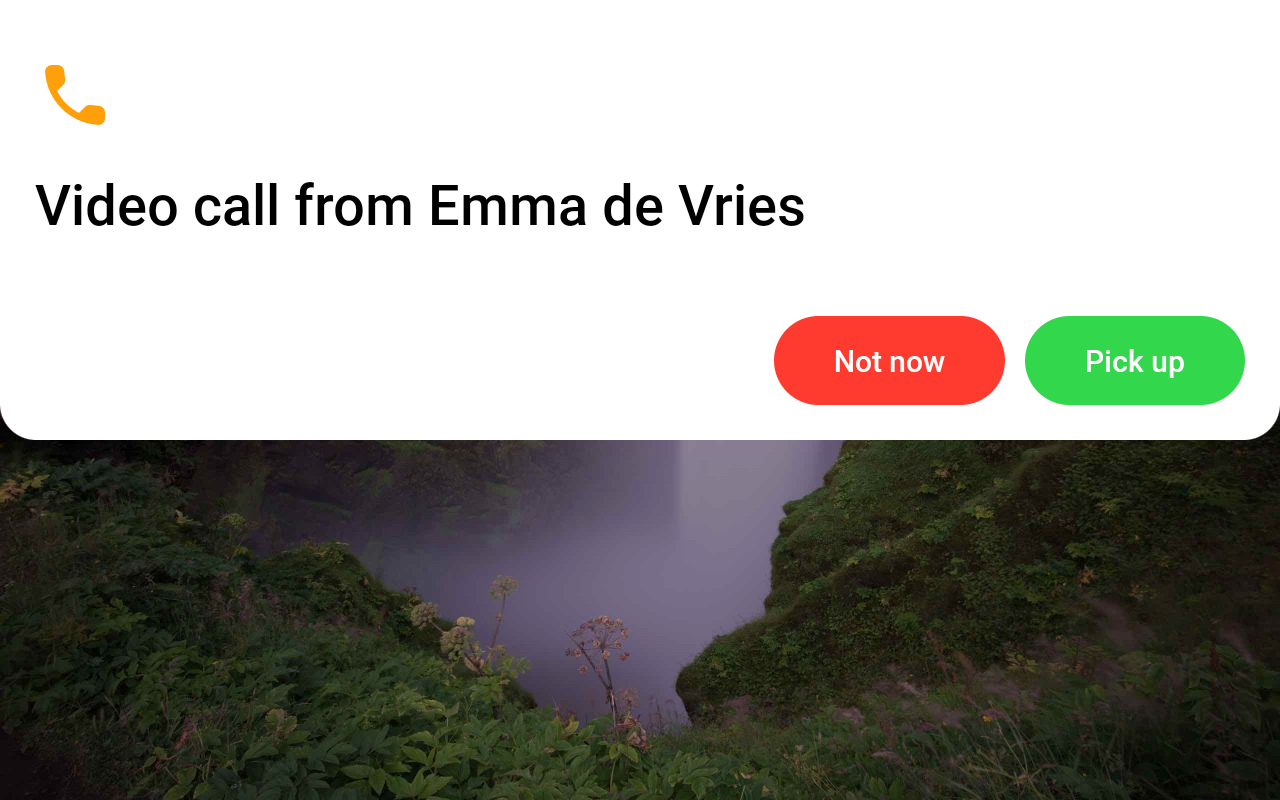
The client answers as before, with Pick up, or declines with Not now. How answering works today is described in calls and Call Me.
One calling service for every call
Section titled “One calling service for every call”In April 2024 the old video calling service was switched off, first on the platform and in Genus 3.0.0, then on the call page in May. Since then every call runs on the new service, whether it starts in the Genus app, in the Community Portal or in a connected system.
For care professionals: the call page
Section titled “For care professionals: the call page”A call from the Community Portal opens the call page in a new browser tab. How to start a call is described in video calls and livestreams. Between May and August the call page changed in five ways.
The client the right way round
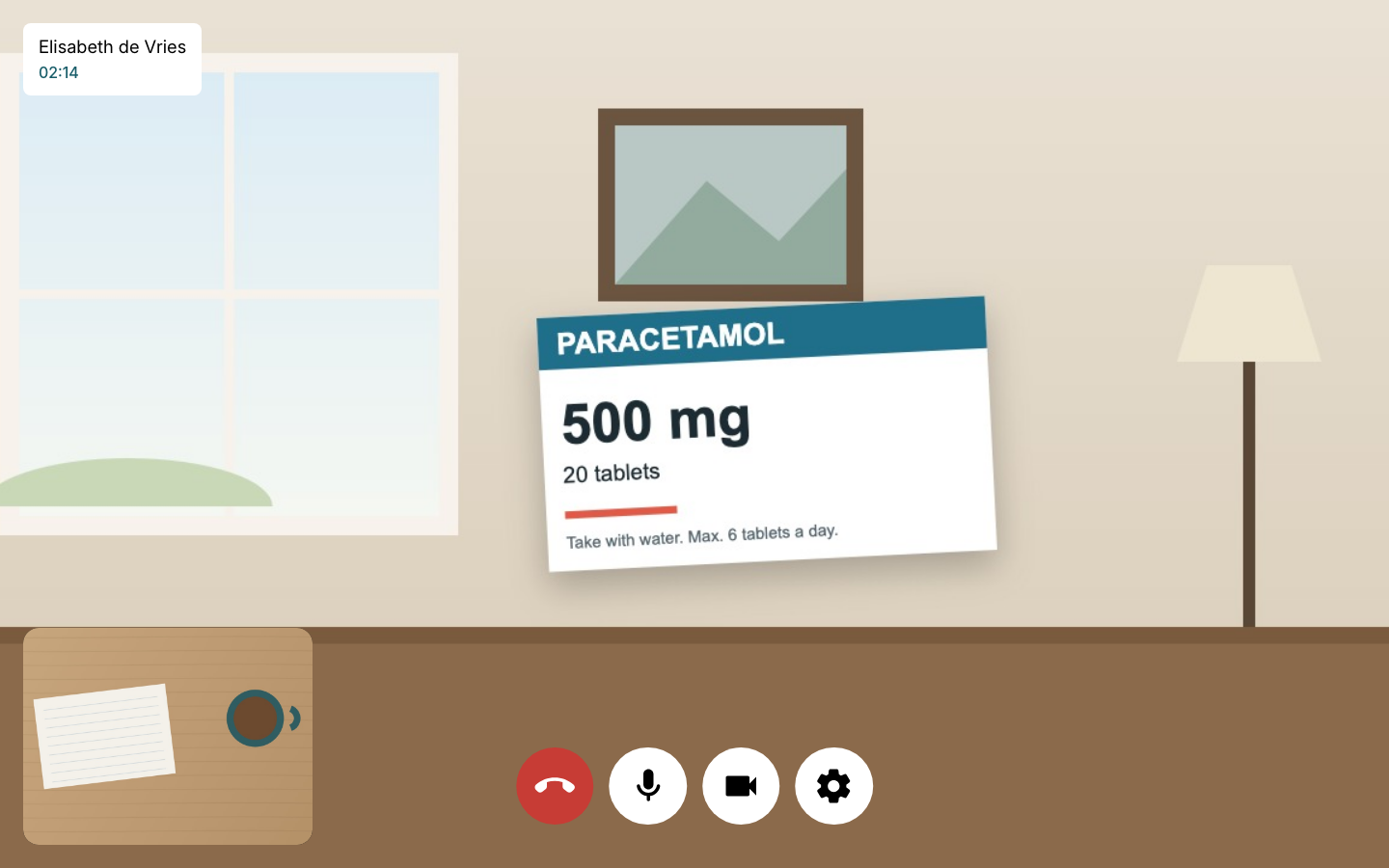
Section titled “The client the right way round”Since July, the call page shows the image of a GC300 or GC320 the right way round, so text that the client holds up to the camera, such as a medicine box or a letter, can be read.
Nothing changed for the GC200. The Genus needs version 3.0.7 or later.
Your own image now behaves like a mirror only when it comes from a front camera. The back camera of a phone or tablet is shown as it is.
The call time starts when the client answers
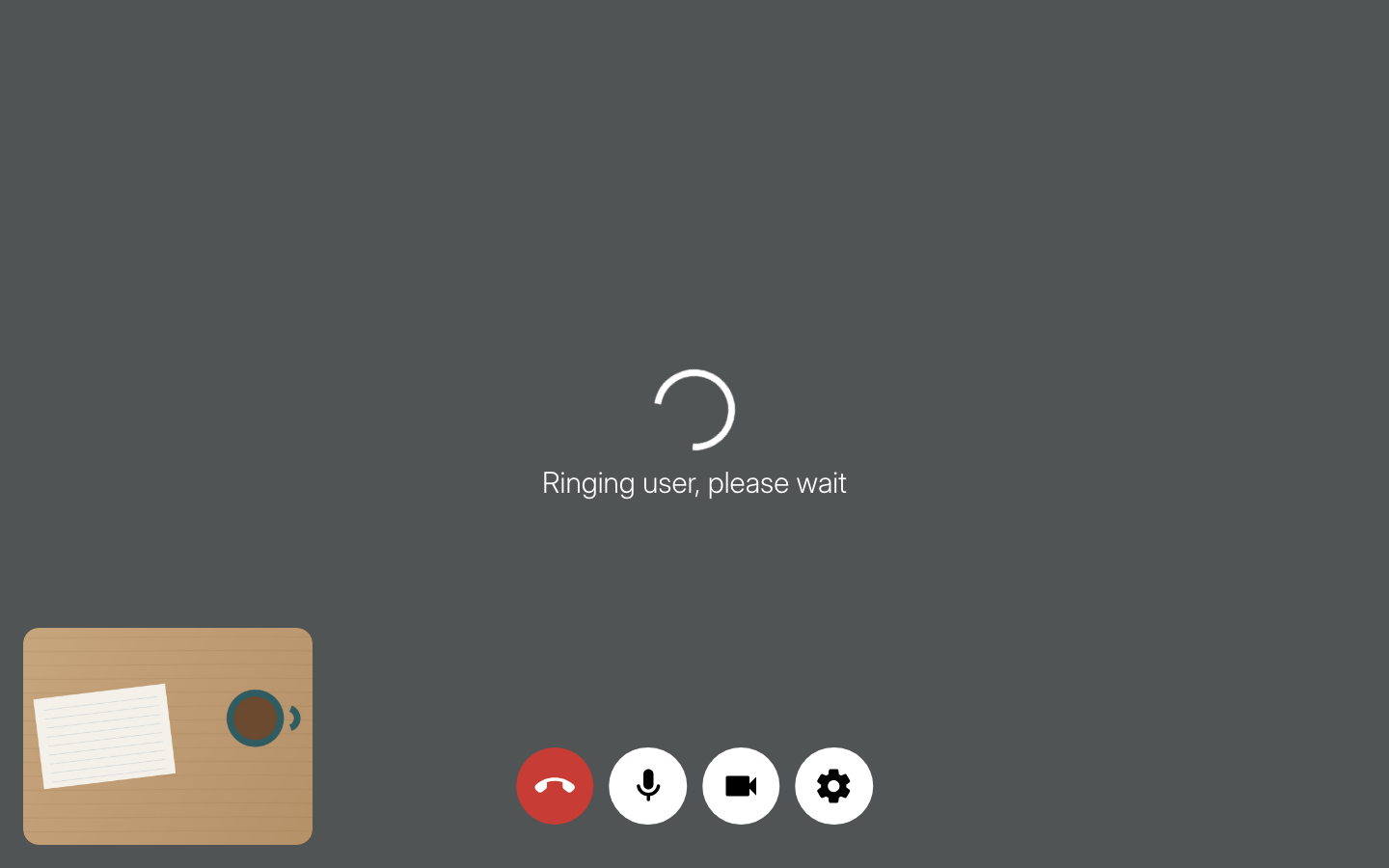
Section titled “The call time starts when the client answers”While the Genus rings, the call page shows Ringing user, please wait. Since July, the client’s name and the call time appear only once the client has answered, and the time counts from that moment.
Switching camera, microphone and speaker
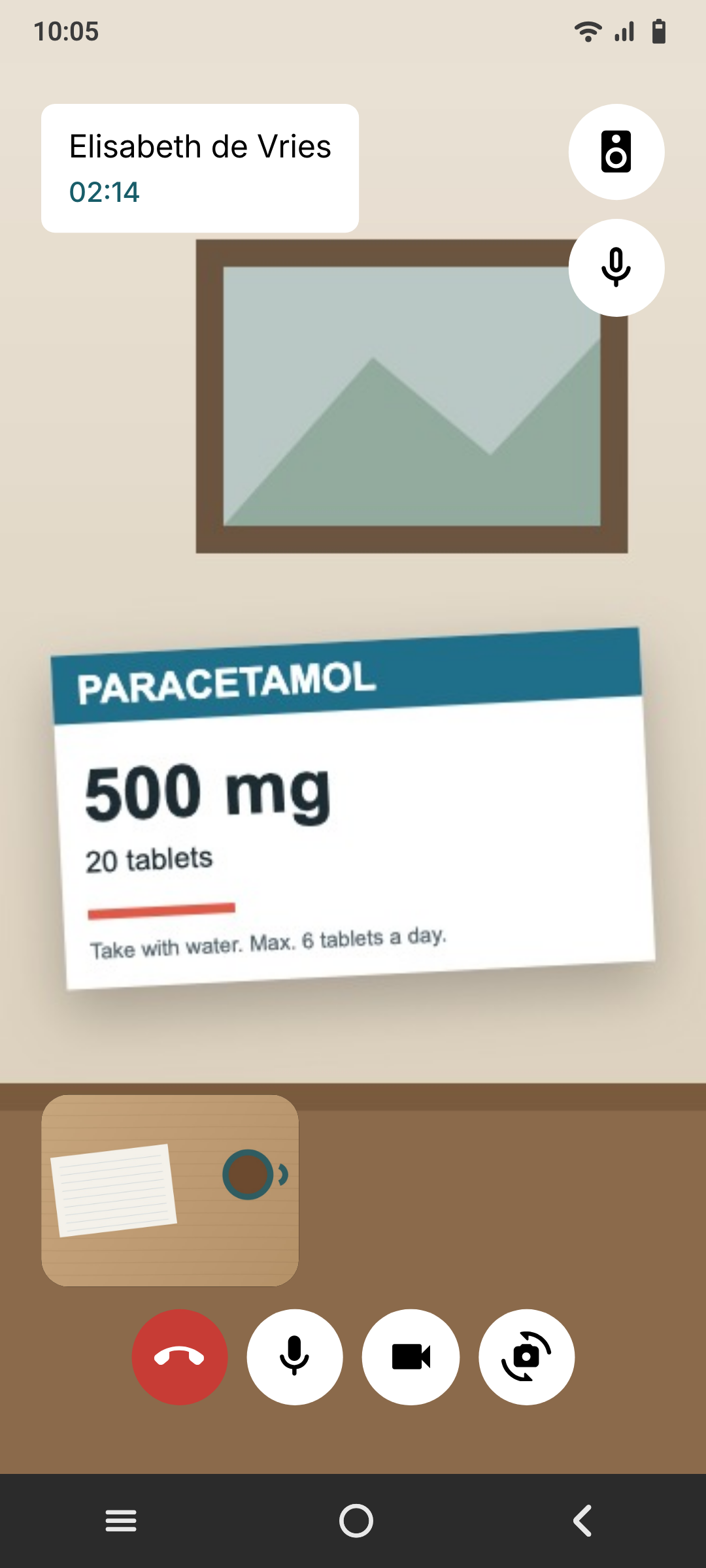
Section titled “Switching camera, microphone and speaker”On a computer, the settings button still opens Speakers, Microphone and Camera. Since July, the call page on a phone or tablet has its own buttons instead:
- an extra button among the call buttons at the bottom switches between the front and the back camera;
- when the phone has more than one speaker or microphone, for example with a headset connected, buttons at the top right choose which one to use.
Messages when something goes wrong
Section titled “Messages when something goes wrong”Since August, a problem during a call appears as a message at the top of the call page. Examples are Please check your network connection, we cannot establish a call and Your camera / microphone is currently in use by another application. When the browser stops the call from starting by itself, the message asks you to tap the screen.
Both cameras off at the start
Section titled “Both cameras off at the start”With Turn the user camera off by default, a call starts with the camera of the Genus off, for clients who first want to agree to being seen. Since July, your own camera starts off as well, so the client is not seen by someone they cannot see themselves.
For integration partners: calling by serial number
Section titled “For integration partners: calling by serial number”A connected system, such as an alarm platform, can ask Genus for a call link and open it for an operator. The details are in video calls through the API.
- By serial number. Since August 2024, a call link can be created from the serial number of the Genus, instead of an identifier that only Genus uses. The Genus must be linked to the care organisation of the API token.
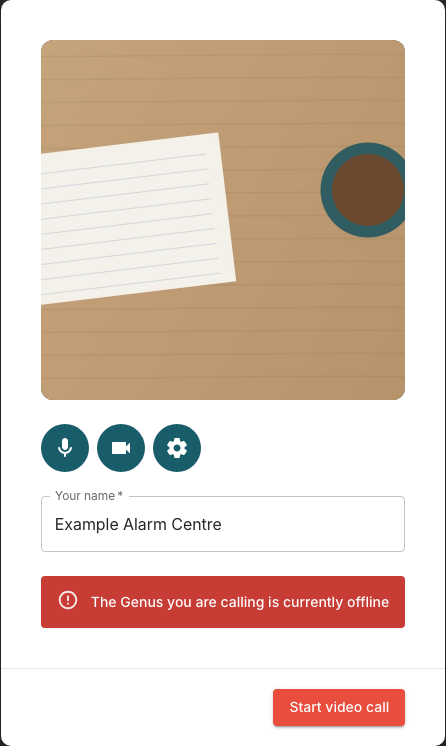
- Offline Genus devices. Since August, a link by serial number is refused when the Genus is offline. If the Genus has gone offline by the time a link is opened, the call page says The Genus you are calling is currently offline instead of starting a call the client cannot receive.
- Without a preview. Since May, a link can open the call straight away, without the preview in which the caller checks camera and microphone.
- Without video. A call that starts without the camera of the Genus now also starts with the operator’s camera off (July).
Fixes and improvements
Section titled “Fixes and improvements”- Better sound. Genus 3.0.1 (April) and 3.1.1 (September) improved the sound of calls.
- Sound settings. Between Genus 3.0.7 and 3.1.0 (July and August) the sound of calls was tuned. A separate noise cancellation setting followed in 2025; see clearer calls.
- A new look. In July the call page took on the Genus colours and logo.
Availability
Section titled “Availability”- The platform and the call page that the Community Portal opens were updated automatically between April and August 2024.
- The Genus updates itself. Genus 2.2.1 (February) brought the ten minutes of ringing and Genus 3.0.0 (April) the switch to the new calling service. Genus 3.0.1 (April) and 3.1.1 (September) improved the sound, Genus 3.0.7 (July) is needed for the image the right way round, and Genus 3.0.8 and 3.1.0 tuned the sound.
- Family members did not need to update the Genus app. Genus app 2.2.6 and 2.2.7 for Android and 2.1.1 for iPhone (September) removed the old calling service from the app.
- Integration partners use the new options through the Video Call API.