

Genus update: autumn 2025
This autumn the Genus began to ask clients how they feel and to alert the care team when the answer calls for it (“How are you feeling?”). The Community Portal got a dashboard that lists what needs a response, most urgent first (the dashboard), and its first guided tours (guided tours). Care professionals got the Professional App on Android, with teams and escalation (the Professional App). Integration partners can now raise and follow alarms through an API (alarms for integration partners), and video messages started to reach the Genus in December (video on the Genus). This page collects everything else that changed from October to December.
The Genus
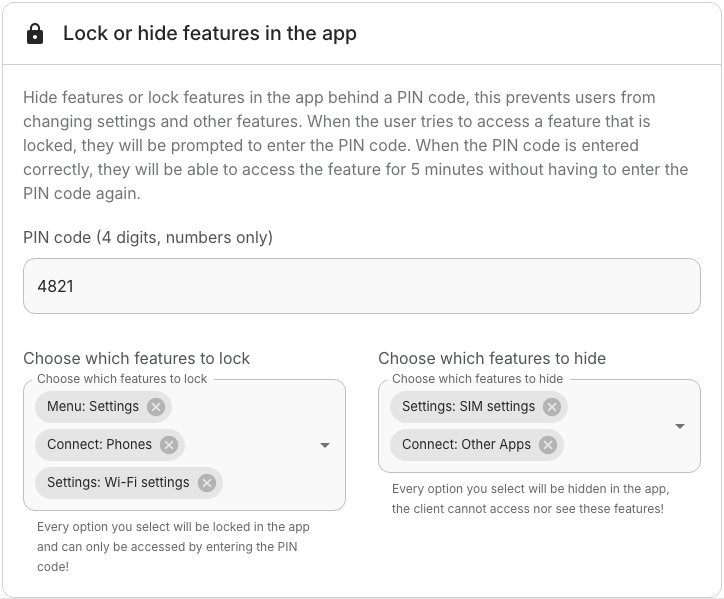
Section titled “The Genus”Features can now be hidden, not only locked. Since September a care organisation could lock features of the Genus behind a PIN. Since December it can also hide them, so the client no longer sees them at all.
A health administrator sets this under Community settings → Default Genus configuration. The block is now called Lock or hide features in the app. Next to Choose which features to lock it has a new list, Choose which features to hide.
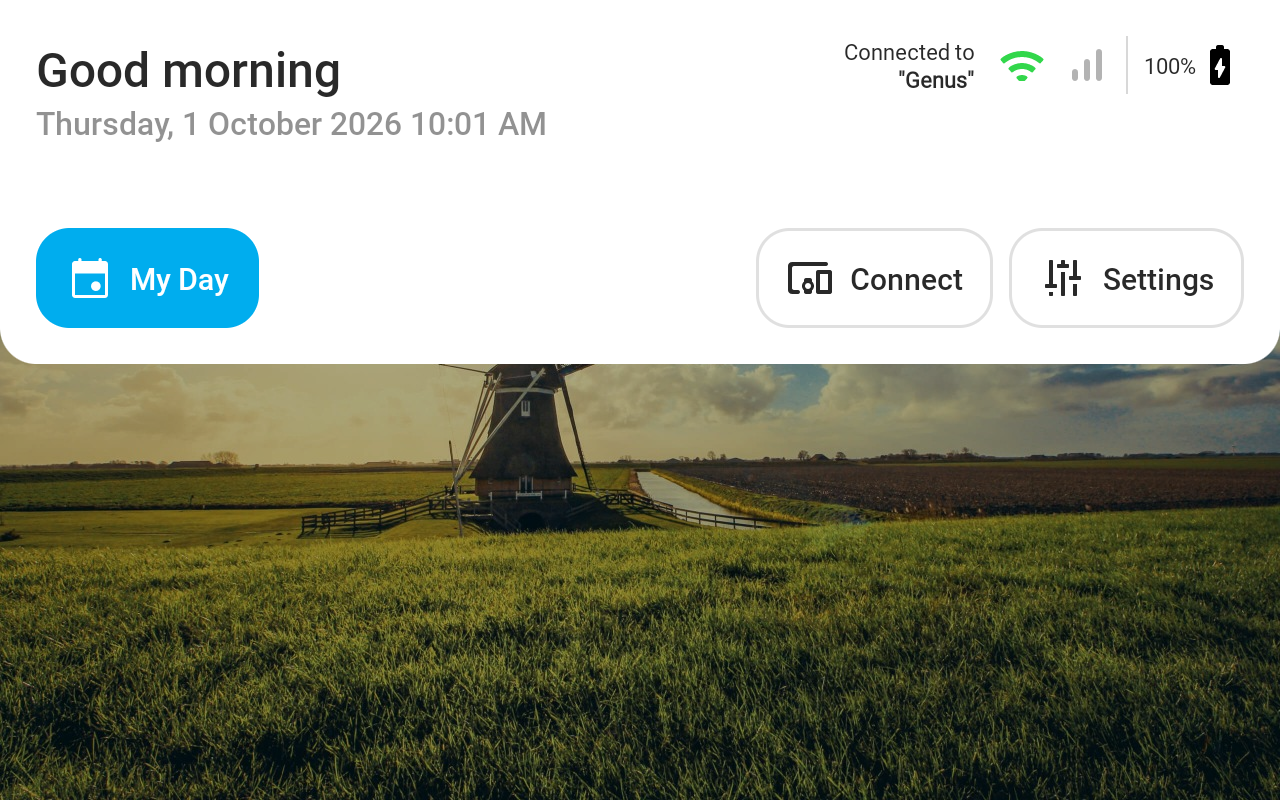
- More features to choose from. The Call Me button on the home screen (Main screen: Call Me) and the parts of Connect (Connect: Phones, Connect: Communities, Connect: Buttons, Connect: Devices (and sensors) and Connect: Other Apps) can now be locked or hidden as well.
- Lock or hide, not both. A feature you lock is not offered in the hide list, and the other way round.
- Always reachable. Menu: Settings and Settings: Reset Genus can be locked but not hidden, so the Genus can always be reset in an emergency.
- A PIN for every organisation. Since October every care organisation has a PIN. Organisations that had none got a random four-digit PIN, which a health administrator can change. The portal asks for a PIN of at least four digits.
- Genus 4.4.0. Hiding works from Genus 4.4.0 (December). An older Genus still shows the features you hide.
See the Genus configuration and settings, PIN lock and hidden features.
A new voice. Since October the Genus reads texts aloud with a new voice: messages, appointment reminders and alarm messages. It was chosen because it sounds natural in Dutch and in English, and it speaks a little faster than the old voice. The same voice is used for every language of the Genus.
Since Genus 4.3.1 (October), spoken texts play at the same volume as the other sounds of the Genus, such as the ringtone. See messages and videos.
Better translations on the Genus. From Genus 4.3.2 to 4.5.0, the Greek and Portuguese texts on the Genus were corrected, and in Spanish, French, Catalan, Basque and Galician the Genus is now called by its name everywhere. See supported languages.
A first Genus Assist button. Genus 4.4.0 and 4.5.0 (December) could already pair a first version of the Genus Assist wrist button, under Connect → Buttons. How Genus Assist grew into nurse call for care homes is told in nurse call in care homes.
Community Portal
Section titled “Community Portal”A calendar for each client. Since December, a client’s page in the Community Portal has a calendar icon next to the message and video call buttons (the tooltip says Calendar). It opens the client’s calendar in a Day, Week, Month or Agenda view.
- Adding. Click an empty time to add an appointment, with a title, a description, a start and end time or All day. Click one of these appointments to change or delete it, or drag it to another time.
- On the Genus. The appointments appear in My Day on the client’s Genus, and the Genus reminds the client of them.
- Nedap ONS. If your organisation uses Nedap ONS, the client’s ONS appointments appear in the day and week views. They cannot be changed in the portal.
- Subscribed calendars. Online calendars the Genus is subscribed to appear as well, but cannot be changed either.
Repeating appointments followed in January 2026 (winter 2026). In September 2026 the calendar was rebuilt, with appointments from family members, a colour per source and ONS appointments in every view. See one calendar for the client, the family and the care team and the client calendar.
Nedap ONS only where it is used. A client’s contact information has an Integrations part for linking the client to Nedap ONS. Since November it appears only when your care organisation uses Nedap ONS. On request, Genus can also show only the ONS Agenda or only the ONS Planning for an organisation, instead of both. See Nedap ONS.
Read message out loud from the start. New care organisations have the switch Read message out loud in Send message from the start (October). See reading messages aloud.
More of the portal in Spanish. In December the Spanish translation of the Community Portal was extended, including the new dashboard. The remaining texts followed in March 2026. See supported languages.
Genus app
Section titled “Genus app”The app in another language than the phone. Android lets you choose a language for each app. Since the Genus app 2.3.9 for Android (November), you can use this to set the Genus app to another language than the rest of your phone. See getting started with the Genus app.
Video calls on Android. In the Genus app 2.3.8 for Android (October):
- Buttons within reach. On newer Android phones, the buttons at the bottom of the call screen now stay above the phone’s navigation bar.
- The GC200 the right way round. The app now shows the image from a GC200 the right way round. The Genus app for iPhone got the same correction in version 2.2.5, at the end of September.
See making a video call.
Devices and integrations
Section titled “Devices and integrations”Battery level of the Genus 4G GPS Button. Since Genus 4.3.1 (October), the details of a Genus 4G GPS Button on the Genus show its last reported battery level for up to four hours. See alarm buttons.
Video calls by external identifier. Integration partners can start video calls to a Genus through the API. Since December they can name the client by the external identifier the care organisation entered, as the Alarm API already allowed. The client must belong to the care organisation of the partner’s API token. See the video calls API.
Platform and security
Section titled “Platform and security”- Kept up to date. In October the services behind Genus were moved to current versions of the software they are built on.
- Ready for Android 16. The Genus app 2.3.8 for Android is built for Android 16, the newest version of Android.
- The Day Overview on the home screen. The Night heading lists the appointments between midnight and 06:00, and an appointment that has started stays in the list as normal until it ends (Genus 4.3.1). See My Day.
- Appointment reminders. A new reminder replaces one that is still on screen, and the Genus announces the start of an appointment once (Genus 4.3.1). See reminders read aloud.
- Calling two rooms at once. In a call to two Genus devices of the same client, each Genus shows only the caller (Genus 4.3.1). See calling two rooms at once.
- Long messages. The Genus shortens a long message or medicine reminder where needed, so its answer buttons stay visible (Genus 4.5.0).
- Times in your own time zone. Times you set in the Community Portal for a scheduled or repeating message, and the times in a Genus Routine, are in the time zone of your computer (December).
- Smaller fixes. Several improvements make the Genus more stable (Genus 4.3.1). The Genus app for Android is more stable (2.3.8). In the Business Portal, clicking an agreement in a list opens it (December).
Availability
Section titled “Availability”- The Community Portal, the Business Portal and the platform were updated automatically.
- The Genus updates itself. Genus 4.3.1 (October) brought the quieter speech, the calendar fixes and stability improvements, as well as “How are you feeling?”. Genus 4.3.2 (November) brought the first translation corrections; Genus 4.3.3 (November) only internal improvements. Genus 4.4.0 (December) brought hidden features and the Greek corrections, and Genus 4.5.0 (December) the fix for long messages, together with the video messages described in video on the Genus.
- Family members get the changes by updating the Genus app from Google Play or the App Store: version 2.3.8 for Android in October, and 2.3.9 for Android and 2.2.6 for iPhone in November. The November versions also belong to “How are you feeling?”.
- The Professional App 1.0.3 for Android (December) is described in the Professional App release.