

Alarms for integration partners
Care organisations rarely work with Genus alone. A care home may have a nurse call system, a home care team an alarm platform, and an organisation may run its own monitoring. Until now, an alarm on the Genus stayed inside Genus or went to one of the alarm receiving centre connections Genus had built. Every other platform needed an integration of its own.
This release opens alarms up in both directions. Since September 2025 a partner’s system can raise an alarm on a client’s Genus, answer it and cancel it. Since December 2025 a care organisation can forward its alarms and alerts to any platform that accepts them over HTTP. That platform answers through the same API.
What’s new
- Integration partners can create an alarm on a client’s Genus, react to it and cancel it from their own system, using the serial number of the Genus or the client’s external identifier.
- Integration partners decide per alarm what the client sees and hears, whether family members are notified, and whether the care organisation’s escalation follows.
- Integration partners receive the address of the Genus for a voice connection with every alarm Genus forwards.
- Care organisations can forward alarms and alerts to a partner platform of their choice, switched on in the Community Portal.
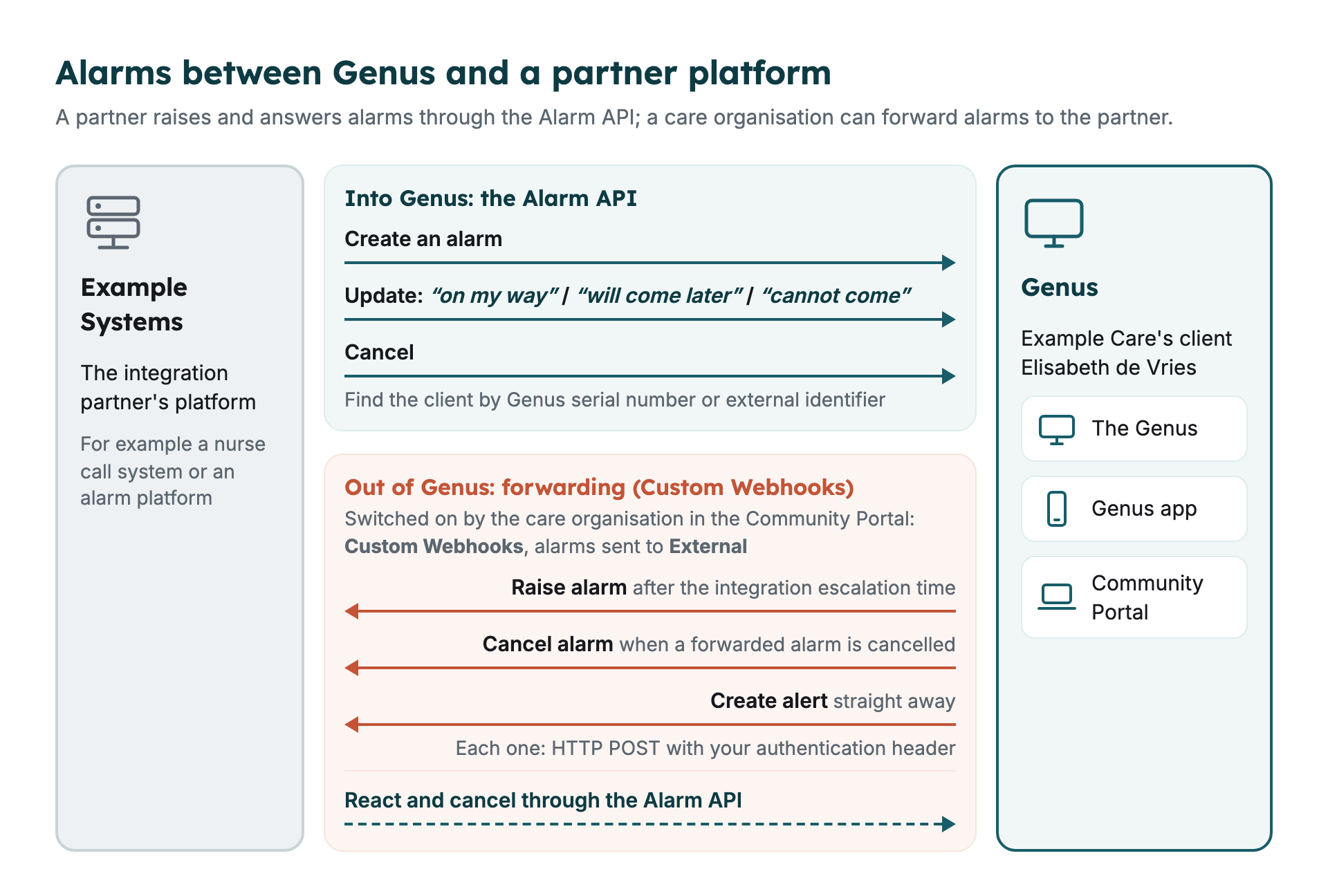
For integration partners: the Alarm API
Section titled “For integration partners: the Alarm API”The Alarm API lets a partner’s system, such as Example Systems, take part in the whole life of an alarm. It works on the client’s active alarm, so a partner does not need to keep track of alarm numbers.
| Call | What happens |
|---|---|
| Create | Genus raises an alarm on the client’s Genus, with an optional message. |
| Update | The partner reacts to the active alarm: on my way, will come later or cannot come, with the name of the person and an optional message. |
| Cancel | Genus cancels the active alarm, also on the Genus itself. |
Each call names the client in one of two ways:
- the serial number of the client’s Genus, or
- the client’s external identifier: a code Genus creates for each client of a care organisation. A care professional finds it on the client page in the Community Portal, in the Alarm settings block.

What the client sees and hears
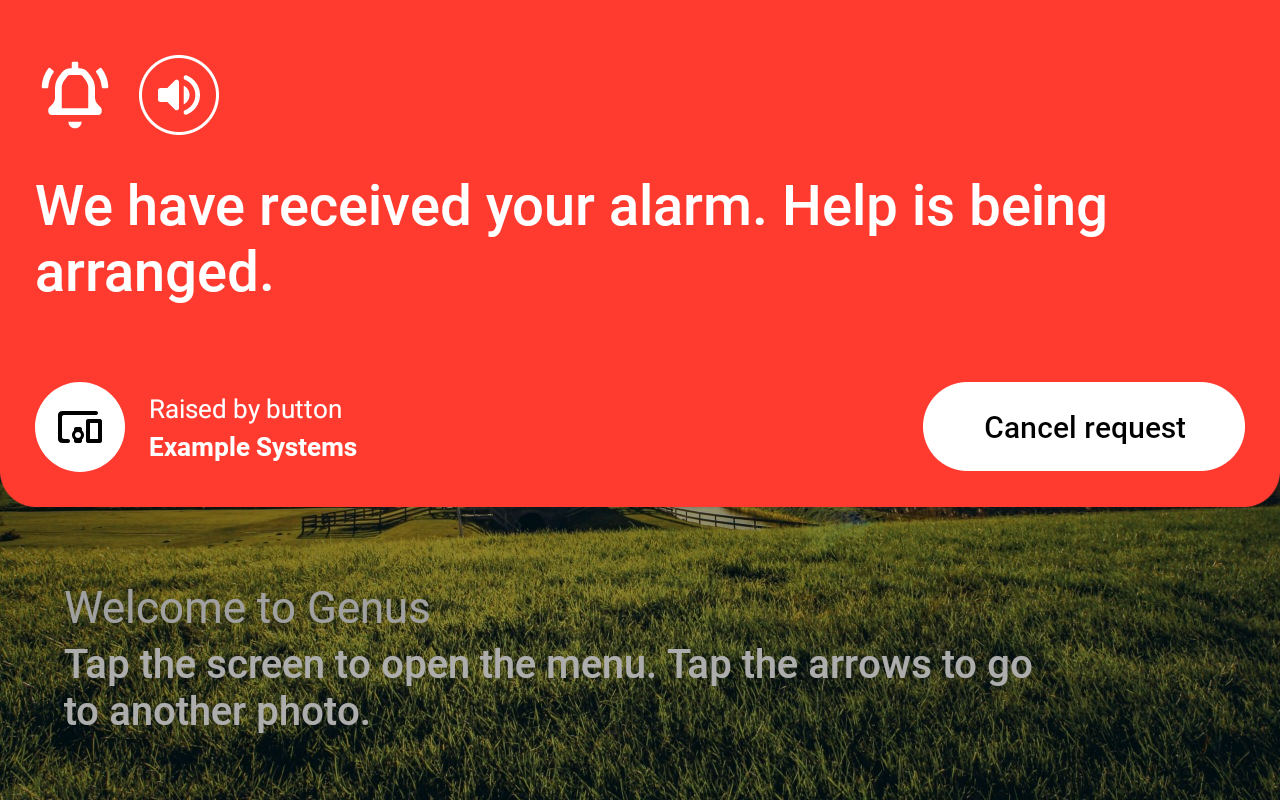
Section titled “What the client sees and hears”When a partner creates an alarm, the client’s Genus shows the red alarm screen with the partner’s message, for example We have received your alarm. Help is being arranged. Without a message, the Genus shows its usual text, Assistance has been requested. Wait for feedback. A source name, such as the name of the partner’s system, appears under Raised by button.
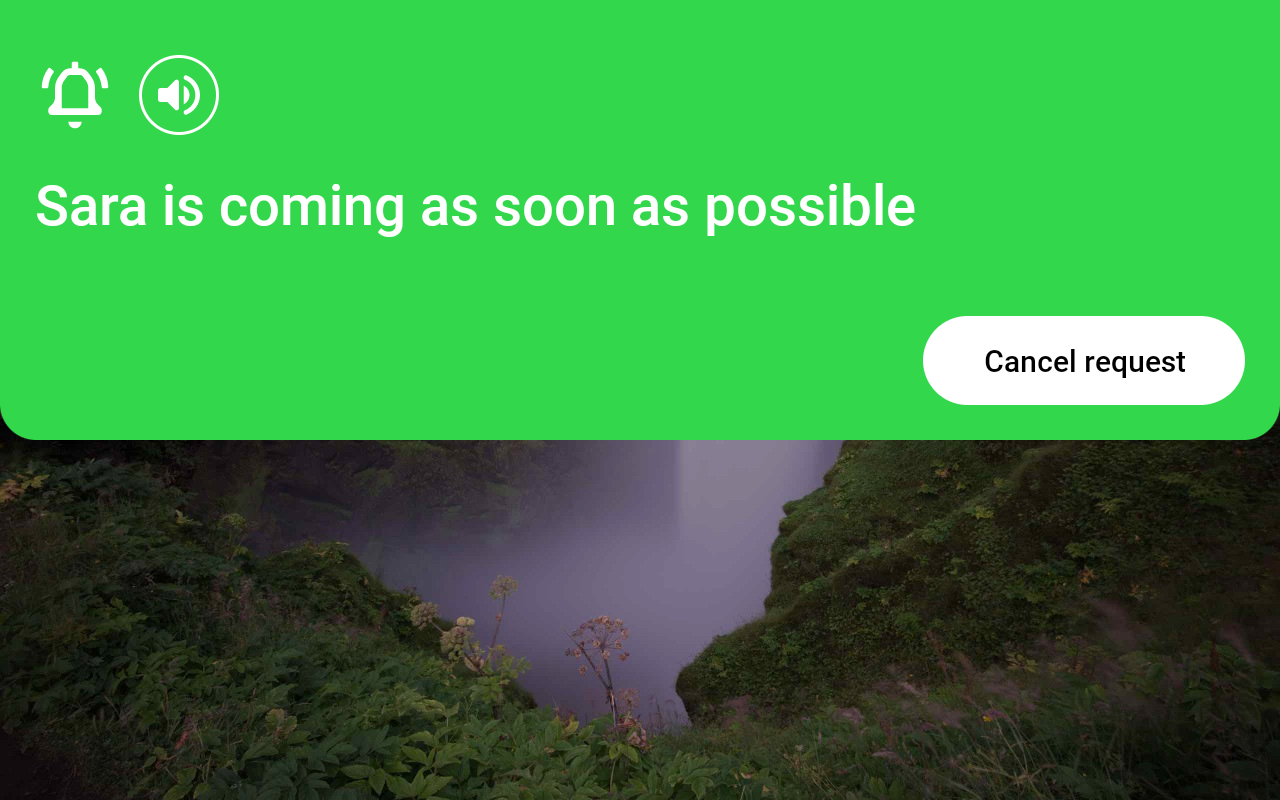
A partner’s reaction appears on the Genus as it does for a reaction from the Professional App or the Genus app. When a partner sends on my way with the name Sara, the Genus says Sara is coming as soon as possible. A message sent with the reaction replaces that text. If the partner later sends a new message, for example because a colleague takes over, the Genus updates the text on screen.
Messages on the alarm and on reactions can be read aloud on the Genus. How the Genus reads alarms aloud is described in the day on the Genus.
Choices per alarm
Section titled “Choices per alarm”When creating an alarm, the partner chooses:
- The message on the Genus, and whether it is read aloud.
- Family members. Whether the client’s family members receive the alarm in the Genus app. When they don’t, the care organisation’s escalation starts straight away instead of first giving the family time to respond.
- Escalation. Whether the alarm goes on through the care organisation’s escalation: its care team and, if the organisation has one, its alarm receiving centre. A partner that handles the alarm itself can leave this off.
- The source name shown on the Genus.
In the Community Portal the alarm appears with the partner’s message as its title. The steps of an escalation are explained in escalation and teams.
In the autumn of 2025 Genus published a reference for the API, so partners can build against it without asking for a specification first. Every call, field and error code is now described on the Alarm API page in the partner area. How to get access is on integrating with Genus.
A voice address with every forwarded alarm
Section titled “A voice address with every forwarded alarm”Since September 2025 an alarm from the Genus carries the SIP address of that Genus. A SIP address is the address a telephony platform uses to set up a voice call with the Genus.
Genus passes the SIP address on when it forwards an alarm to a partner platform, described below, so the platform knows straight away where to call. For an alarm from a Genus 4G GPS Button it sends the phone number of the button instead.
For care organisations: forwarding alarms to another platform
Section titled “For care organisations: forwarding alarms to another platform”Some care organisations want their alarms in a platform they already use, such as an alarm centre or a partner’s care platform. With forwarding, Genus passes alarms on to that platform over HTTP. The platform answers through the Alarm API, so the conversation goes both ways.
Forwarding uses three addresses on the partner’s platform:
| Address | Genus calls it when |
|---|---|
| Raise alarm | An alarm reaches the forwarding step of the escalation. |
| Cancel alarm | A forwarded alarm is cancelled. |
| Create alert | Genus raises an alert for the client, for example from a routine. |
With each alarm the platform receives an alarm number, the client’s external identifier, the kind of button that raised it and the SIP address. Every call carries an authentication header that the partner chooses, so the platform can check that the call comes from Genus. The full description is on forwarding alarms to another platform.
Switching it on
Section titled “Switching it on”Genus first sets up the partner’s three addresses and authentication header for the care organisation; they are not entered in the portal. The authentication value is stored encrypted. Then a health administrator such as Lotte Visser switches forwarding on:
- Open Community settings in the side menu.
- In the Integrations block, switch on Custom Webhooks.
- Under Active integrations, set Choose integration to send alarms to to External.
- Click Save settings.
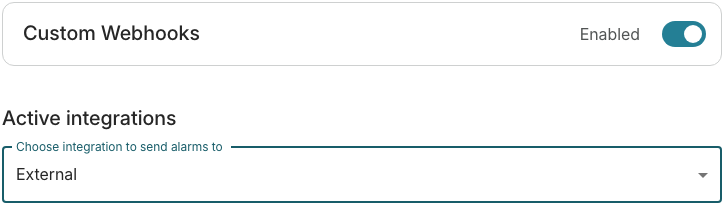
From then on, Genus forwards an alarm when nobody in the care organisation has answered on my way in time. It waits for the Integration escalation time, set under Community settings → Escalation handover times. That is the moment an alarm receiving centre would receive it. In the alarm’s history the step is shown as External.
Availability
Section titled “Availability”The Alarm API and forwarding work on the Genus platform and needed no app update for partners or care organisations. A partner needs an API token from Genus; forwarding is set up by Genus together with the partner.
The Genus updates automatically. An alarm carries the SIP address of the Genus from Genus 4.2.0, and the Genus closes the alarm screen after a cancellation through the API from Genus 4.2.1. Messages on the alarm screen, reading them aloud and updated reactions need Genus 4.3.0, released in September 2025.
The partner documentation now lives in the partner area of this wiki, see the integrations overview. In 2026 the API learned to recognise an alarm or reaction that a partner sends twice, described in the summer 2026 update.