

Genus update: autumn 2024
This autumn the Genus learned to switch on its night screen by itself, and care organisations began to choose its times (a night screen that turns itself on). Installers got a redesigned Deployer app that transfers a returned Genus to a new client and replaces a broken one (the Deployer app). In December the platform behind Genus was renewed. This page collects everything else that changed from October to December.
The Genus
Section titled “The Genus”Medicine reminders from the Mantelzorger App. Some families keep their loved one’s medication in the separate Mantelzorger App. Since Genus 3.4.0 (October) they can link it to the Genus, so the schedule does not have to be kept twice.
- On the Genus, open MENU → Connect → Other apps and choose the Mantelzorger App under Add a new system.
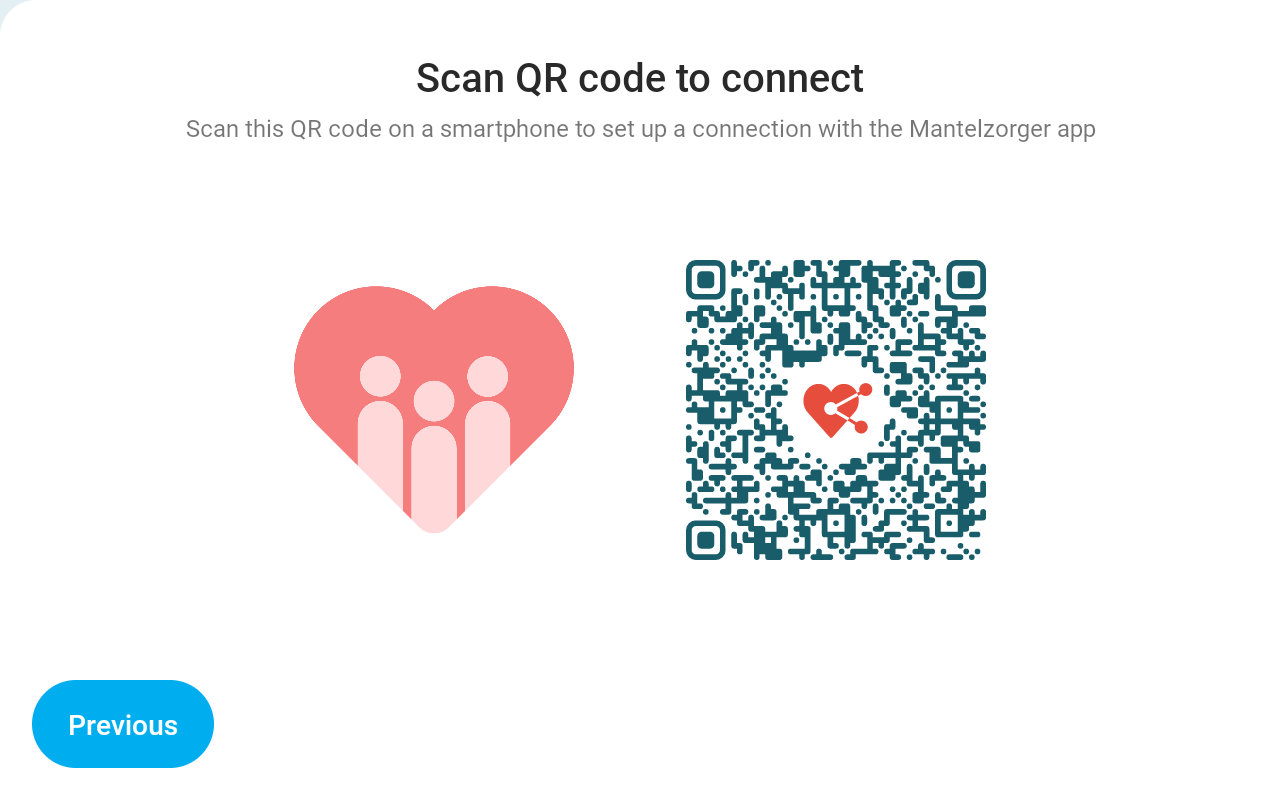
- The Genus shows a QR code with Scan QR code to connect. Scan it with a smartphone.
- Sign in with the Mantelzorger App account. The Genus then shows Mantelzorger App connected!
From then on each medicine moment in the Mantelzorger App arrives on the Genus as a medicine reminder, at the scheduled time. The client answers Yes or No, and the answer is passed back to the Mantelzorger App. Changes made in the app are followed on the Genus; see medicine reminders.
Deleted photos are removed online. A photo deleted on the Genus is also removed from Genus’s online storage (since October).
The photos that are still on a Genus stay stored online, so they can be put on a replacement Genus (the Deployer app). See deleting a photo.
Updates that do not wake the client. A Genus often updates itself at night in a bedroom. Since October, with Genus 3.4.2, an update plays no notification sound, the Updating Genus screen is dark and the screen stays dark while the software restarts.
A Genus that has just been switched on also looks for an update as soon as it has internet, so a device that spent time in storage brings itself up to date. See what the client notices.
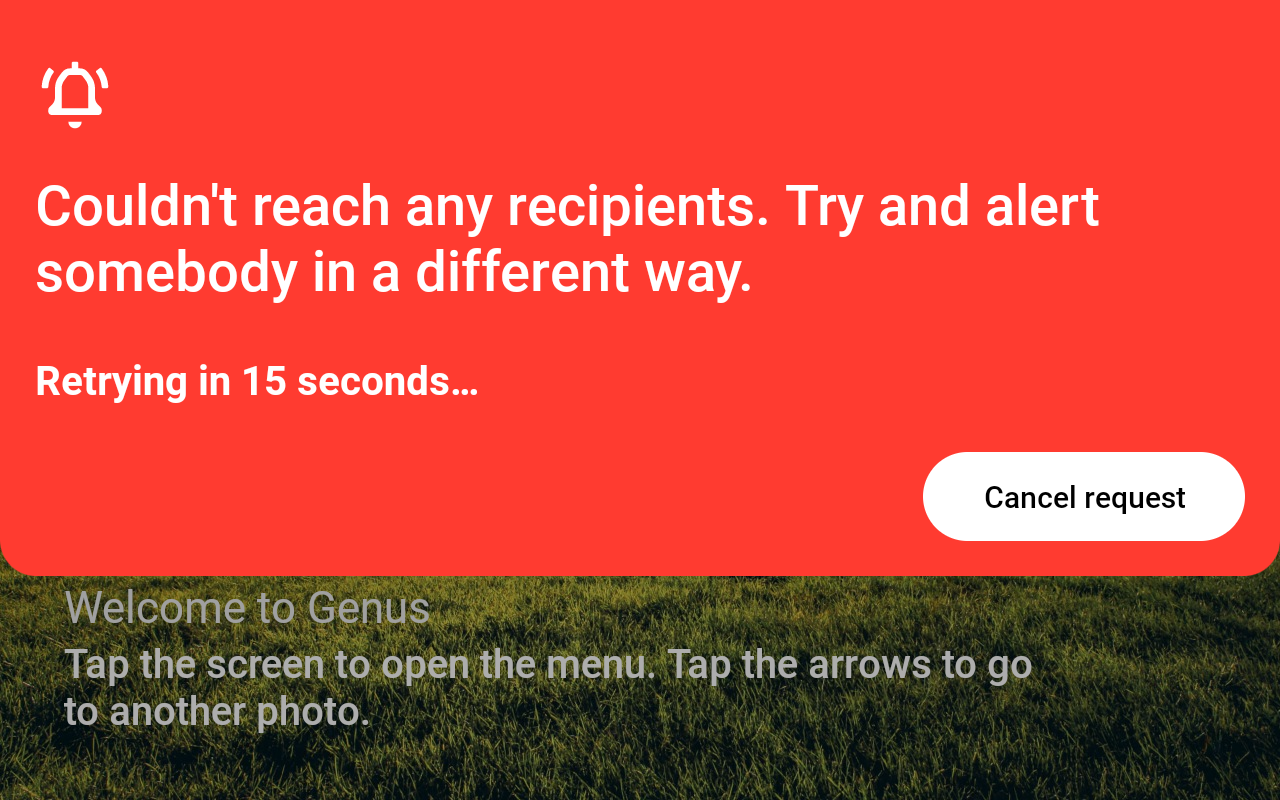
A request for help that is still on its way. If a request for help cannot be delivered at once, the Genus keeps trying by itself until it is sent or the client cancels it (Genus 3.4.2). Meanwhile the screen says Couldn’t reach any recipients. Try and alert somebody in a different way. and counts down to the next try. A Genus without any internet connection says so at once; see without internet.
Darker nights. Since Genus 3.4.5 (November) the clock on the night screen is dark grey instead of white. Since Genus 3.5.0 the red No internet connection available pop-up no longer lights up the room while the night screen is on. The Genus service not available pop-up introduced in July is no longer shown at all. See night screen and day start and the Genus is offline.
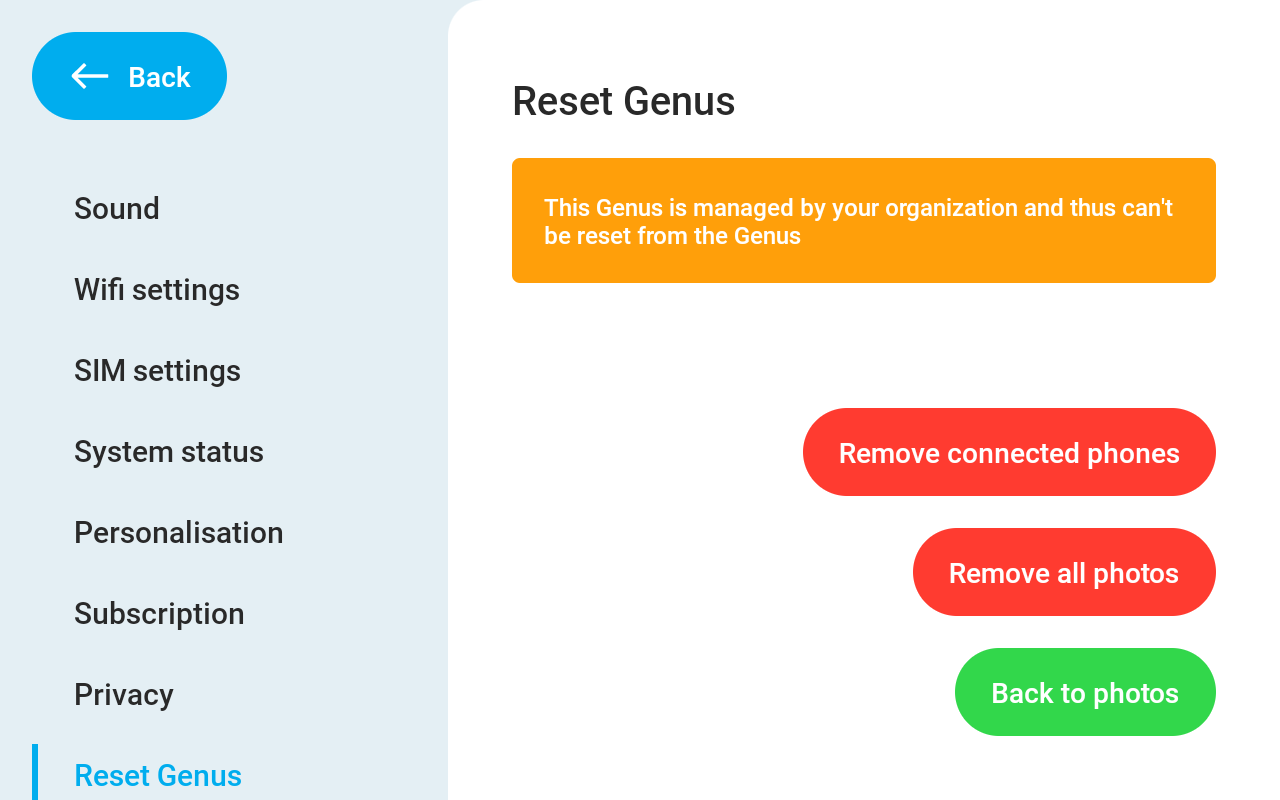
Two reset options on a Genus of a care organisation. Such a Genus cannot be reset from its own settings. Since Genus 3.5.0 (November) Settings → Reset Genus offers two smaller actions instead: Remove connected phones and Remove all photos. Removing the photos puts back the care organisation’s starting photos, or the standard tips if it has none, and also removes them online. See resetting the Genus.
The system test after setup. The system test checks the buttons, speaker, camera, sensors and connections. Since Genus 3.5.0, MENU → Settings → System status → Perform system test runs it on a Genus that is already in use, so a device in a client’s home can be checked without resetting it. See the system test.
The battery level in the menu. Since Genus 3.5.0 the menu shows the battery percentage with an icon, and a charging icon while the Genus is on its adapter. See the menu.
Fewer choices where they are not needed. Since Genus 3.5.0, Genus can hide items under Connect (Phones, Communities, Other apps or Buttons) and switch off the day start screen for a care organisation, on request. See hidden features for what a care organisation can hide itself today.
Messages read aloud a little softer. Since Genus 3.4.1 (October), messages read aloud play a little softer (messages that read themselves aloud).
A warning for airplane mode. Since Genus 3.4.2, MENU → Settings → SIM settings shows Warning: Airplane mode is turned on! Please disable it when airplane mode is on, which explains why there is no mobile connection.
Community Portal
Section titled “Community Portal”The client’s Genus settings at a glance. Since October the client page shows the Genus settings as an overview: the day start, temperature and battery alerts with their values. The pen opens Edit Genus settings, where each alert is a block with its own switch. The organisation’s Integrations page was redesigned in the same way.
The redesigned Community Portal of 2025 changed these pages again (the redesigned Community Portal); see a client’s Genus settings.
One name for the device. Since October the Community Portal calls the device a Genus everywhere. Examples are Genus settings, Genus ID and the alerts Genus offline and Genus shut down.
Genus app
Section titled “Genus app”Neutral wording on Android. When someone responds to a request for help, the Genus app 2.2.8 for Android (December) shows, for example, Mark will be there soon instead of Mark is on his way. See the Emergency notification screen.
Ready for the renewed platform. The Genus app 2.2.8 for Android and 2.1.2 and 2.1.3 for iPhone (December) work with the renewed Genus platform described below.
Business Portal and deployment
Section titled “Business Portal and deployment”- The customer’s name in the device export. Since October, Export Genus devices on the reseller page also lists the name of each Genus’s customer.
- No duplicate customers. Since October a reseller cannot add a private customer with the same first and last name as an existing one, or a business customer with the same company name. A business customer needs a company name. See adding resellers, customers and communities.
- Open in a new tab. Since October a middle click on a row of any table opens it in a new browser tab.
- Volumes for a new configuration. Both volume sliders of a new community configuration start at 70%.
- A reseller’s own community as a parent community. Some resellers have their own community in which every Genus they set up appears (summer 2024). Since November Genus can set such a community up as a parent community. Alarms are never passed on to a parent community. Its night screen settings and hidden menu items apply only when the care organisation has none of its own.
- A steadier automatic setup. The automatic setup of a new Genus is steadier since Genus 3.5.2 (end of November). See setting up automatically.
- Support at a distance. Since Genus 3.4.2 Genus support can restart a Genus and start an update from a distance. See what Genus support can do.
Platform and security
Section titled “Platform and security”- A renewed platform. In December the platform behind Genus was renewed. The Genus (from Genus 3.5.2) and the Genus apps were adapted to it.
- E-mails from within the EU. Since October the Business Portal sends its e-mails, such as the subscription e-mails, through a mail service in the European Union.
- Up-to-date portals. In October the Community Portal and the Business Portal moved to current versions of the software they are built with.
- A steadier Genus. The software on the Genus is more stable (Genus 3.5.3, December).
- A steadier Genus app for Android. Version 2.2.8 (December) is more stable.
Availability
Section titled “Availability”- The Community Portal, the Business Portal and the platform were updated automatically.
- The Genus updates itself. Genus 3.4.0 (October) brought the Mantelzorger App and the removal of deleted photos online, Genus 3.4.1 the softer reading voice, and Genus 3.4.2 the quieter updates, the requests for help that keep trying, the airplane mode warning and support at a distance. Genus 3.4.5 (November) dimmed the night screen clock. Genus 3.5.0 brought the reset options, the system test, the battery level, the hidden menu items and fewer pop-ups at night. Genus 3.5.2 (end of November) brought the steadier setup, and Genus 3.5.3 (December) more stability. Genus 3.4.3 and 3.5.1 contain small corrections. The night screen settings of Genus 3.4.0 belong to a night screen that turns itself on, and replacing a Genus in Genus 3.4.2 to the Deployer app.
- Family members get the changes by updating the Genus app: version 2.2.8 for Android and 2.1.2 and 2.1.3 for iPhone (December).