

Times on the client's own clock, and dates and numbers the way you write them
Most clients and their care teams live in the same time zone, so a time on screen means the same to everyone. That changes when a client lives abroad, or when a care professional checks on a client from another country. And not everyone writes 2:05 PM, Oct 01 or 21.5 the same way.
With this release every Genus works on its own clock. Its routines, its temperature alerts and the days of its client report follow the time zone of the client’s Genus, and so do the times in the Community Portal’s sensor graphs. The Genus finds its time zone itself, so there is nothing to set up.
Care professionals also choose how the portal writes times, dates and numbers.
What’s new
- Care professionals see sensor times, the day and night rhythm and alert details on the clock of the client’s Genus. When their own clock shows a different time, the portal says so, and one switch shows their own time instead.
- Care professionals set routine times in the client’s own time, wherever they work from.
- Care professionals read client reports built from the client’s own days, from midnight to midnight at the client’s home.
- Everyone using the Community Portal chooses how times, dates and numbers are written: 24 hours or AM/PM, the day or the month first, a decimal comma or a decimal point. A new language now applies straight away, for every role.
- Clients hear their calendar reminders in the language of their Genus.
Who notices a difference
Section titled “Who notices a difference”Almost every Genus is in the Netherlands, and so are most of the care teams that use the portal. For them the times stay as they were. What they do notice are the new notation settings, and numbers in graphs written the way their language writes them, such as 21,5 in Dutch.
The time zone of the Genus matters in two situations:
| Situation | What you notice |
|---|---|
| The client’s Genus is in another time zone, for example in Greece, Portugal or the Canary Islands | Routines, temperature alerts, the days of the client report and the times in Trends all follow the client’s clock. |
| You work from another time zone than the client | Sensor times are shown in the client’s time, with a line that says so and a switch to your own time. Routine times are the client’s times, and the routine dialog says so. |
When your computer shows the same time as the client’s Genus, the portal shows no extra lines or switches.
For care professionals: sensor graphs on the client’s clock
Section titled “For care professionals: sensor graphs on the client’s clock”Open a client and look at Trends. When your computer’s clock differs from the client’s Genus, a line above the cards says which time you are looking at:
- Times are shown in the time zone of the Genus (Europe/Amsterdam). The portal starts here, so 07:15 means 07:15 at the client’s home.
- Switch off Time of the Genus to see every time in your own time zone. The line then says Times are shown in your time zone, followed by your zone.
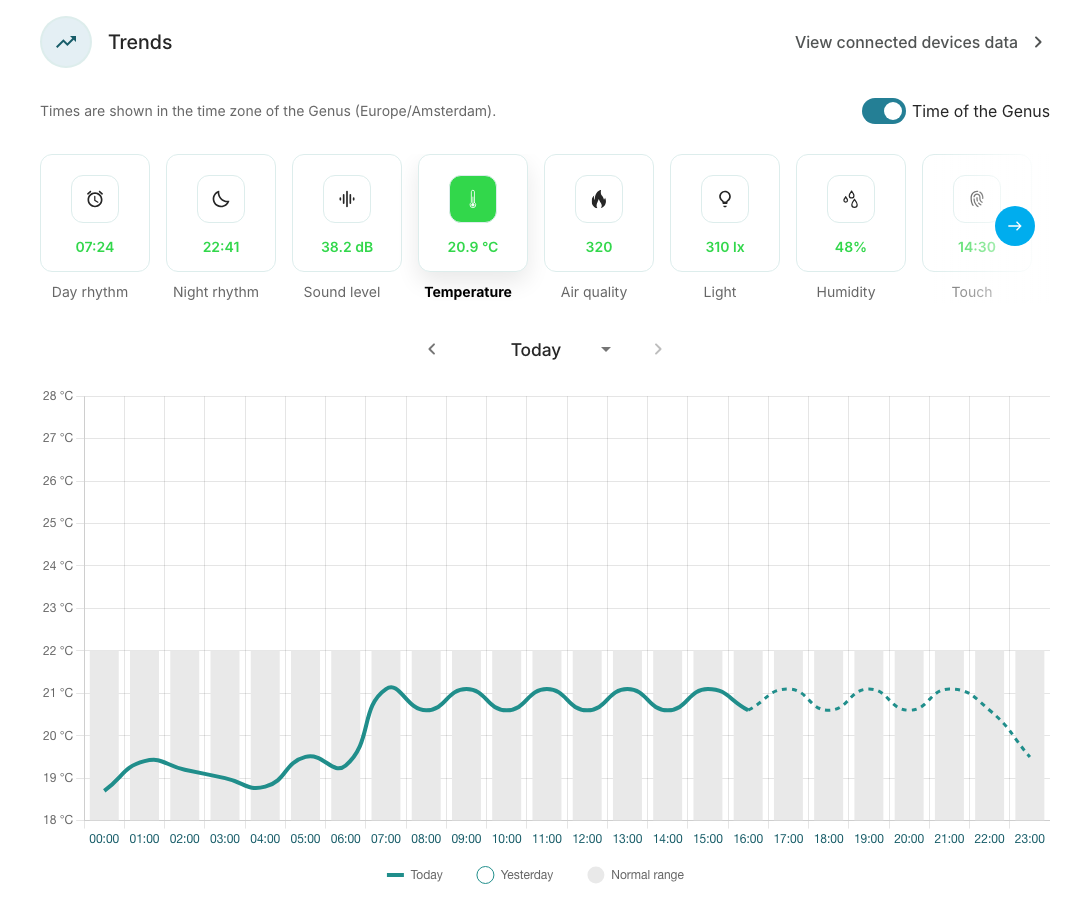
Sensor graphs and trends has the details.
For care professionals: alerts
Section titled “For care professionals: alerts”The alerts follow the client’s clock as well. Temperature alerts come during the day and the evening at the client’s home, not at night.
The details of an alert are clearer:
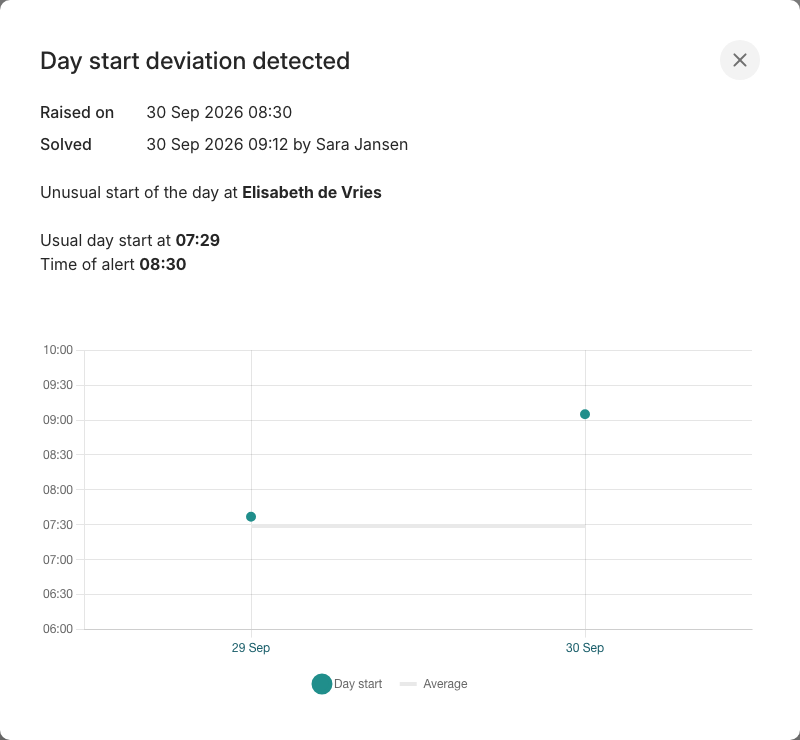
- The day of the alert. The graph in the details of a temperature alert shows the day the alert was raised. The details of a day start alert show the day rhythm up to the day of the alert.
- Hours and minutes. The details of a day start alert give Usual day start at and Time of alert in hours and minutes on the client’s clock, such as 07:29.
- The battery threshold. The details of a battery alert give the threshold that was set.
For care professionals: routines on the client’s clock
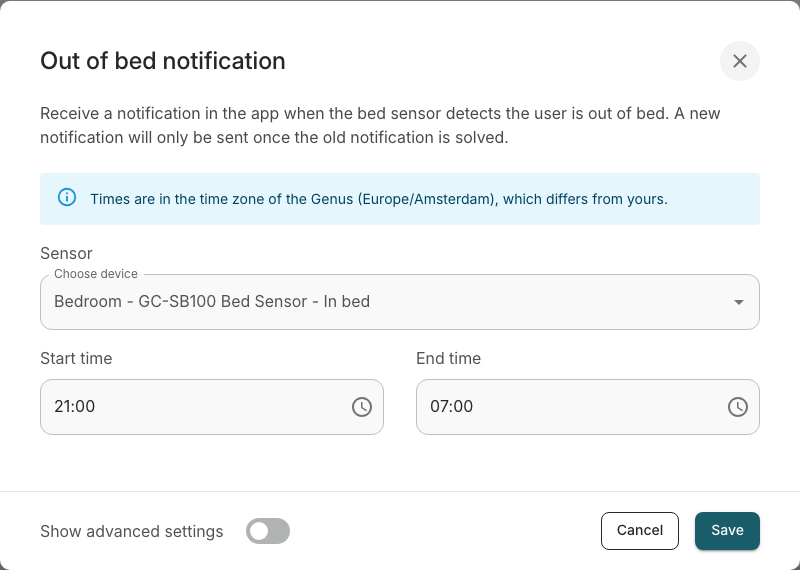
Section titled “For care professionals: routines on the client’s clock”The start and end times of a routine are times at the client’s home. An Out of bed notification from 21:00 to 07:00 watches the client’s evening and night, wherever you are when you set it up.
When your computer’s clock differs from the client’s Genus, the routine dialog says Times are in the time zone of the Genus (Europe/Amsterdam), which differs from yours. Enter the times as the client lives them.
Routines explains how routines check their times and days.
For care professionals: the client report on the client’s days
Section titled “For care professionals: the client report on the client’s days”Every day in the client report is a day at the client’s home, from midnight to midnight on the clock of the Genus. Today, the findings and the period you pick all follow the client’s calendar.
- The default period is the last seven days, today included: the same days as Last 7 Days.
- Bed times under In bed and Out of bed in the details of Rest & recovery are the client’s times.
- Everything per day is counted on the client’s days: visits, showers, fridge openings, steps, heart rate, photos, calls, alerts, temperature, humidity and air quality.
For everyone using the Community Portal: times, dates and numbers your way
Section titled “For everyone using the Community Portal: times, dates and numbers your way”The portal writes times, dates and numbers the way your language does. If you prefer another notation, choose it on your profile.
- Click your name at the top of the portal and choose Profile.
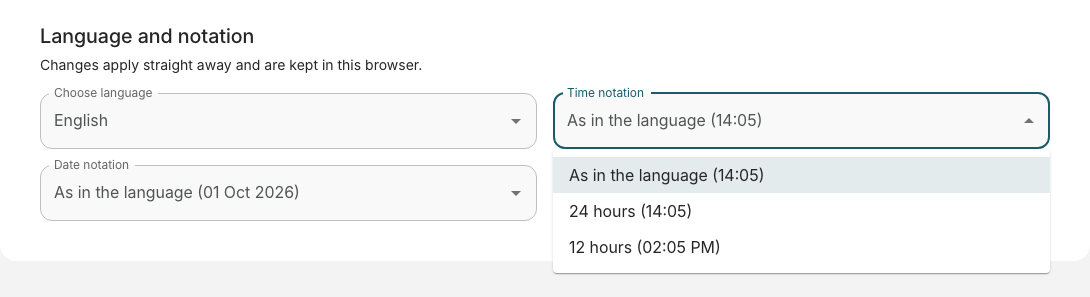
- Under Language and notation, choose the Time notation, the Date notation and the Number notation. Each option shows an example.
| Setting | Options |
|---|---|
| Time notation | 24 hours (14:05) or 12 hours (02:05 PM) |
| Date notation | Day before month (01 Oct 2026) or Month before day (Oct 01, 2026) |
| Number notation | Decimal comma (12.345,6) or Decimal point (12,345.6) |
Each setting starts at As in the language, which follows the language you use the portal in.
Supported languages lists the languages and the defaults.
For clients: calendar reminders in the language of the Genus
Section titled “For clients: calendar reminders in the language of the Genus”The Genus reads out a reminder 10 minutes before an appointment and again when it starts. These spoken reminders now come in all eleven languages of the Genus, greeting included. A Spanish Genus, for example, says Buenas tardes, tiene una cita dentro de 10 minutos, followed by the title.
All-day appointments, such as a birthday, are shown in My Day and have no reminder.
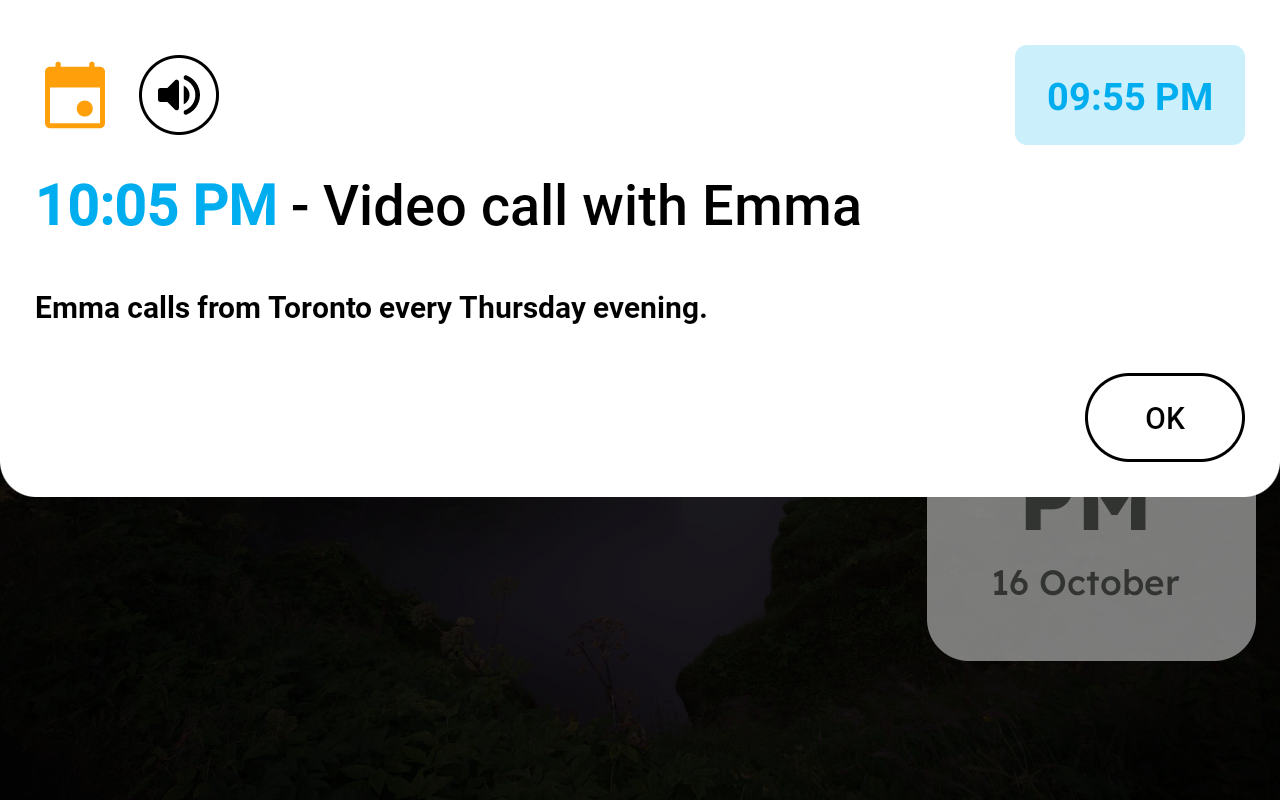
My Day describes the reminders on the Genus.
For integration partners
Section titled “For integration partners”In the Reporting API, the days of bed detections, step counts and the environment are the client’s own days, in the time zone of the client’s Genus, whatever offset you send. Visits, routine events and hourly step counts are still returned in the offset of your request. Requests and responses stay the same.
Fixes and improvements
Section titled “Fixes and improvements”- Values of connected sensors are written in your number notation, decimals included, on the cards and graphs under View connected devices data and in the battery levels of connected devices.
- The routine report (Get report under Genus Routines) lists the alarms and alerts of the days you choose, as days at the client’s home.
Availability
Section titled “Availability”Available in the Community Portal and on the Genus platform since November 2026. Nothing needs to be installed, and it works for every Genus, including those on Genus 4.15.0. The calendar reminders change on the Genus without an update.
The Genus app for family members follows the clock of the Genus from version 2.6.0, released in November 2026 for Android and iPhone. When the clocks of the phone and the Genus differ, the app shows sensor times in the time of the Genus, says which time zone it uses, and offers the switch Time of the Genus to show the phone’s time instead. The app remembers that choice for each Genus. Earlier versions show sensor times in the time zone of the phone.
Clients with Genus PAL have no Genus in the home, so sensor graphs, routines and the client report do not apply to them. The notation settings work for every user of the Community Portal.