

Nedap ONS, reworked
Care organisations that work with Nedap ONS keep their client records there: who is in care, under which name, and in a care home who lives in which room. Until 2026 Genus took only the appointments from ONS. Names and room numbers were typed in again in the Community Portal, and when a resident moved out, someone had to remember to reset the room’s Genus.
This year the connection was rebuilt around what ONS already knows. A client’s name and room number now come from ONS. In a care home a Genus can follow an ONS room and move on to the next resident by itself. A health administrator decides in the Community Portal what Genus takes from ONS.
What’s new
- Health administrators choose per care organisation what comes from ONS, under Community settings → Integrations.
- Care professionals no longer type names and room numbers that are already in ONS: Genus copies them and keeps them up to date.
- Care homes can link a Genus to an ONS room instead of a client. Genus then follows whoever lives in the room.
- New residents can start with a clean Genus: it can reset itself when ONS shows someone new in the room.
- Care professionals update a Genus from ONS straight away with Refresh.
For health administrators: choosing what comes from ONS
Section titled “For health administrators: choosing what comes from ONS”Since June the ONS settings of your organisation are in the Community Portal.
- Go to Community settings and scroll to Integrations.
- Switch Nedap Ons to Enabled.
- Switch on what Genus should take from ONS.
- Click Save settings at the top of the Integrations block.
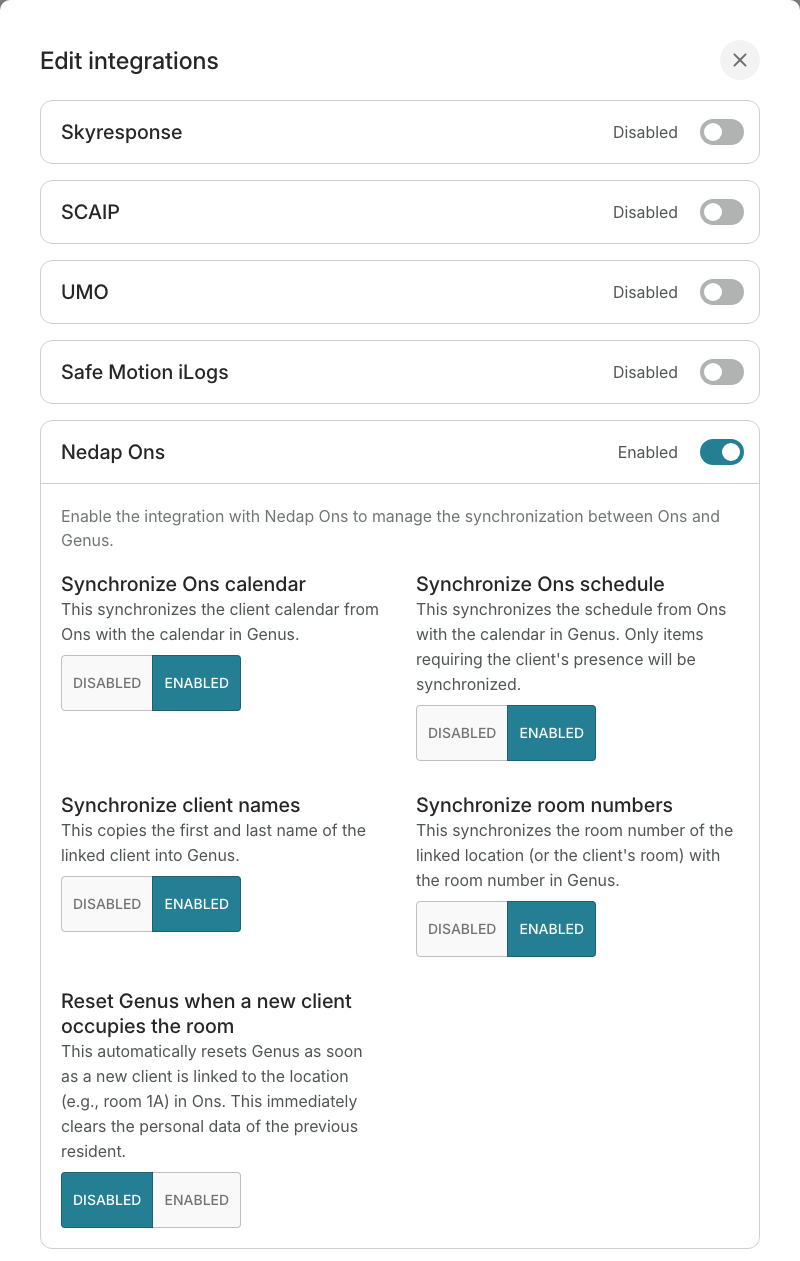
| Setting | What it does |
|---|---|
| Synchronize Ons calendar | Shows the appointments from the client’s ONS agenda. |
| Synchronize Ons schedule | Shows the client’s planned care visits from ONS planning. |
| Synchronize client names | Copies the first and last name of the linked ONS client into Genus. |
| Synchronize room numbers | Copies the client’s room in ONS into the room number in Genus. |
| Reset Genus when a new client occupies the room | Resets a Genus that is linked to an ONS room when ONS shows a different resident, or nobody, in that room. |
For care professionals: names and room numbers from ONS
Section titled “For care professionals: names and room numbers from ONS”Since January Genus copies the client’s name from ONS when you link a Genus to an ONS client. Since March the room number can follow too, and since June Genus keeps both up to date, if your organisation has switched them on.
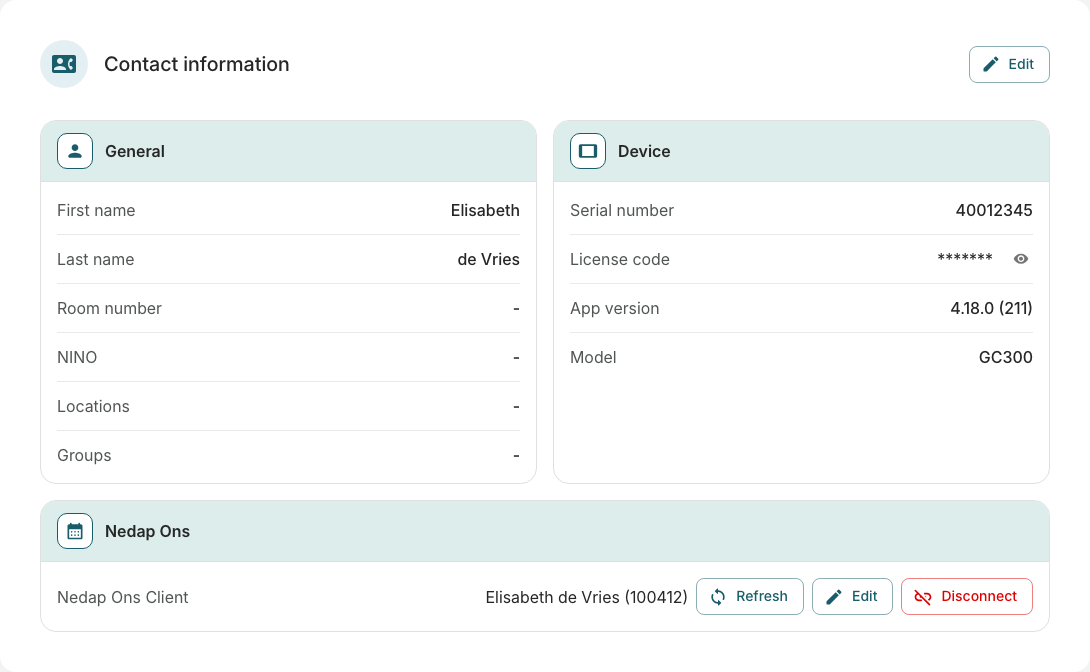
A change of name or room in ONS reaches Genus by itself, within about an hour.
Refreshing straight away
Section titled “Refreshing straight away”Next to the linked client or room, Refresh updates the Genus from ONS at once, for example right after a move has been recorded in ONS. It updates the name, the room number and, for a room, the resident. Appointments refresh by themselves. Admins and Team Leads can refresh, link and disconnect.
For care homes: following an ONS room
Section titled “For care homes: following an ONS room”In a care home the Genus usually belongs to the room, not to one resident. Since June you can link it to the room in ONS:
- Open the client and go to Contact information.
- Under Integrations, click Connect next to Nedap Ons Location.
- Find the room in the list, or type part of its name in Search in Nedap Ons.
- Click Connect next to the room.
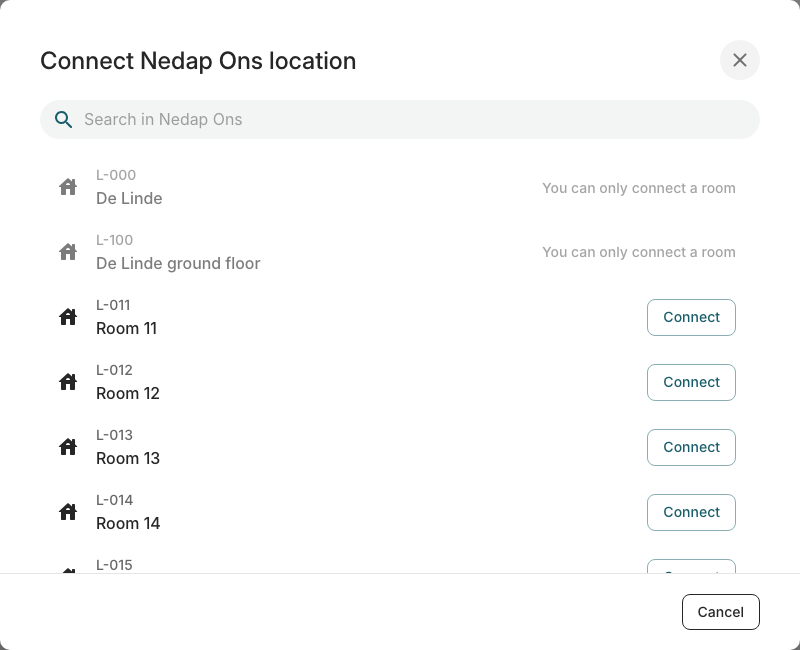
Genus then looks up who lives in the room according to ONS. That resident’s name becomes the client’s name and the room becomes the room number, if those settings are on. The resident’s ONS appointments appear on the Genus, together with the appointments planned for the room itself.
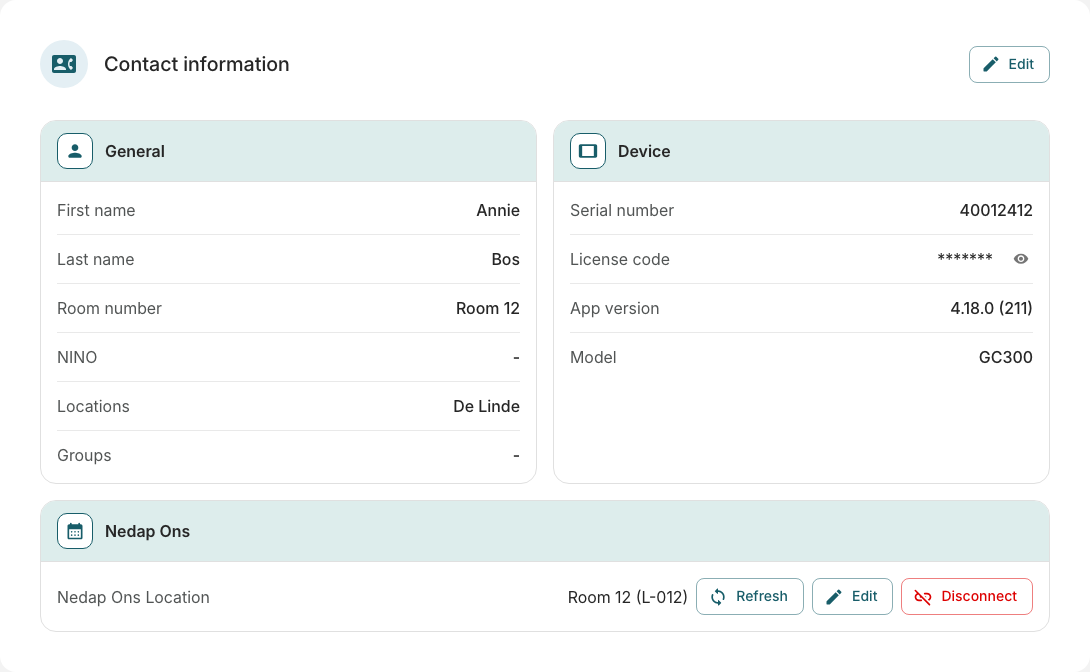
When ONS shows a new resident in the room, Genus follows. With Reset Genus when a new client occupies the room switched on, the Genus first resets itself, exactly like Reset Genus on the client page: the previous resident’s data is removed and family members’ phones are unlinked. The links with care organisations and the connected devices stay. The same happens when the room becomes empty in ONS. See resetting a Genus for a new client.
Fixes and improvements
Section titled “Fixes and improvements”- ONS appointments on the Genus are refreshed more often, so a change in ONS reaches My Day sooner (June).
- A linked client you can’t see. When Genus cannot retrieve the linked client from ONS with your organisation’s connection, the client page says You’re not allowed to view the connected Ons client (March).
- Connections limited to part of ONS. Clients in a department further down the ONS organisation can be linked (June).
- Moving day. Genus switches to the new resident once their stay in the room has started according to ONS (July).
Availability
Section titled “Availability”The Community Portal and the platform were updated automatically; no app update is needed. Genus sets up the connection with ONS for each care organisation, and linking rooms needs its latest version.
The full steps are on the Nedap ONS page. Since September, ONS appointments also appear in the Genus app and in every view of the client calendar in the Community Portal: see one calendar for the client, the family and the care team.