

Choose which messages the Genus reads aloud
A spoken message helps a client who cannot read the screen well, or who is across the room when a reminder appears. Another client is startled by a voice, or doesn’t need every notice read out. What suits one client doesn’t suit the next, and the care team usually knows best.
The Community Portal now has a Spoken messages setting with twelve messages in four groups. A health administrator sets a default for all clients of the organisation, and a care professional can give one client their own settings. From Genus 4.18.0 the Genus reads aloud what was chosen, and has the same switches in its own sound settings.
What’s new
- Health administrators choose which messages the Genus devices of all their clients read aloud.
- Care professionals with the Admin or Team Lead role give one client their own choice of spoken messages.
- Clients hear the messages chosen for them, and can switch messages on or off on the Genus under MENU → Settings → Sound.
The twelve spoken messages
Section titled “The twelve spoken messages”The setting covers the moments at which the Genus can speak. Until anyone chooses, every Genus uses the defaults below.
| Group | Message | Default |
|---|---|---|
| Help requests | Before a help request is sent | Off |
| Help has been requested | On | |
| Someone responds | On | |
| A help request could not be sent | Always on | |
| Reminders | Before an appointment | On |
| When an appointment starts | On | |
| Medicine reminders | On | |
| Messages | Messages from family and carers | On |
| Messages from routines | On | |
| Genus | Turning off | Off |
| Low battery | Off | |
| No internet | Off |
A message that is not read aloud still appears on the Genus as usual. It plays a chime and shows its speaker button, so the client can tap to hear it.
For health administrators: a default for all clients
Section titled “For health administrators: a default for all clients”The Genus settings in Community settings are now shown as tiles. The Spoken messages tile lists the four groups, with a tick for each message that is read aloud. Its label says Genus default until you set your own default.
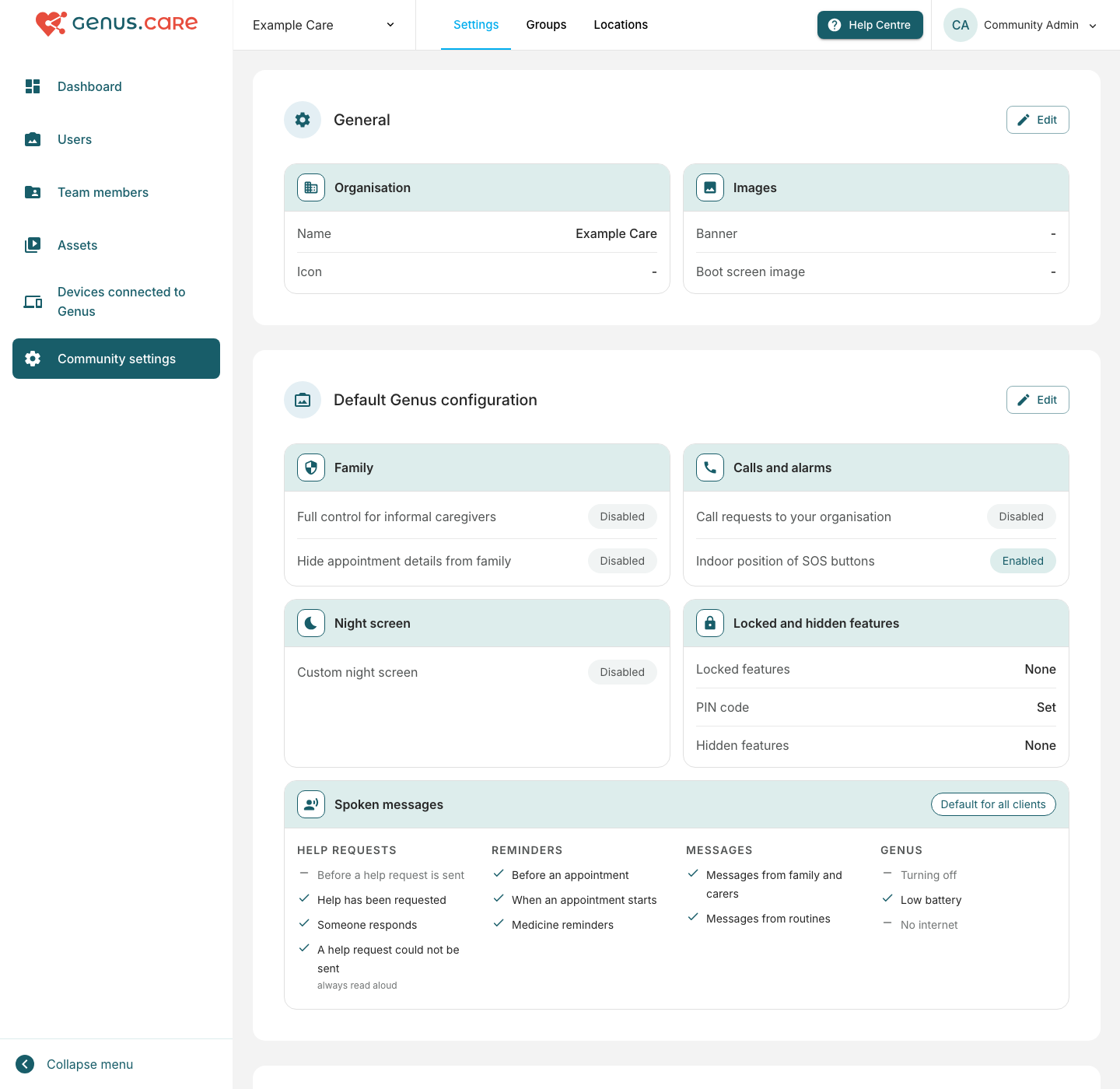
- Click Community settings in the side menu.
- Click Edit next to Default Genus configuration.
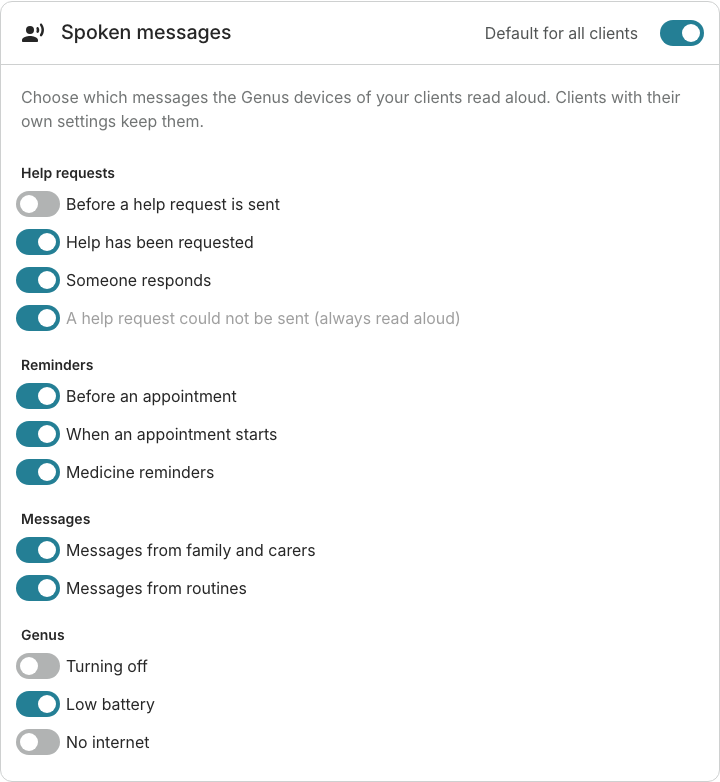
- Scroll to Spoken messages and switch it on. The switch then reads Default for all clients.
- Switch the messages on or off.
- Click Save.
For care professionals: own settings for one client
Section titled “For care professionals: own settings for one client”On the client page, the Genus settings are now tiles too. The Spoken messages tile shows what the client’s Genus reads aloud and where that comes from: Own settings, the default of your organisation (for example Default of Example Care), or Genus default.
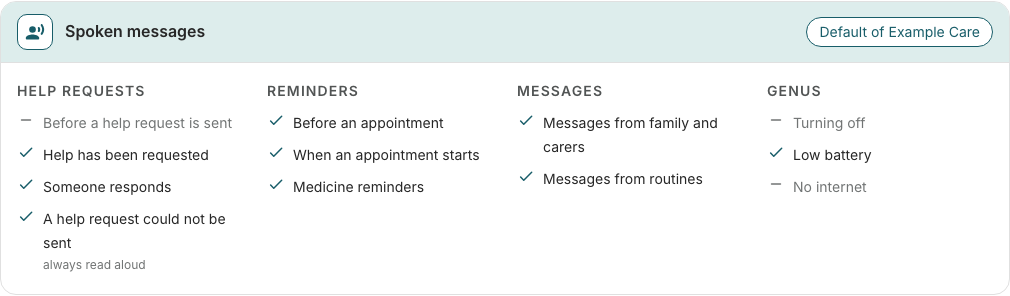
- On the client page, go to Genus settings and click Edit.
- Scroll to Spoken messages and switch it on. The switch then reads Own settings for this client, and the messages start as the client has them now.
- Switch the messages on or off.
- Click Save changes.
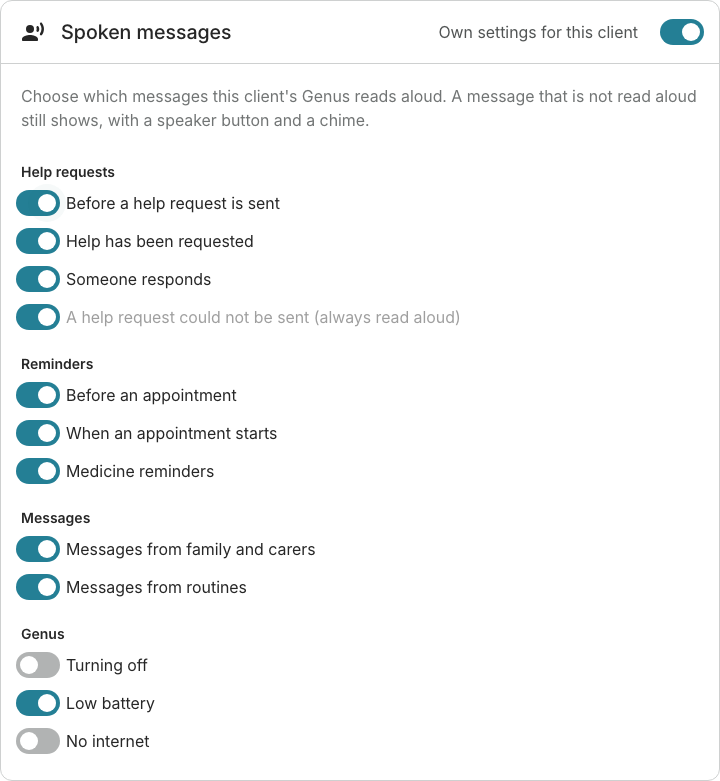
Switching Own settings for this client off returns the client to your organisation’s default. Admins and Team Leads can change a client’s Genus settings.
For clients: spoken messages on the Genus
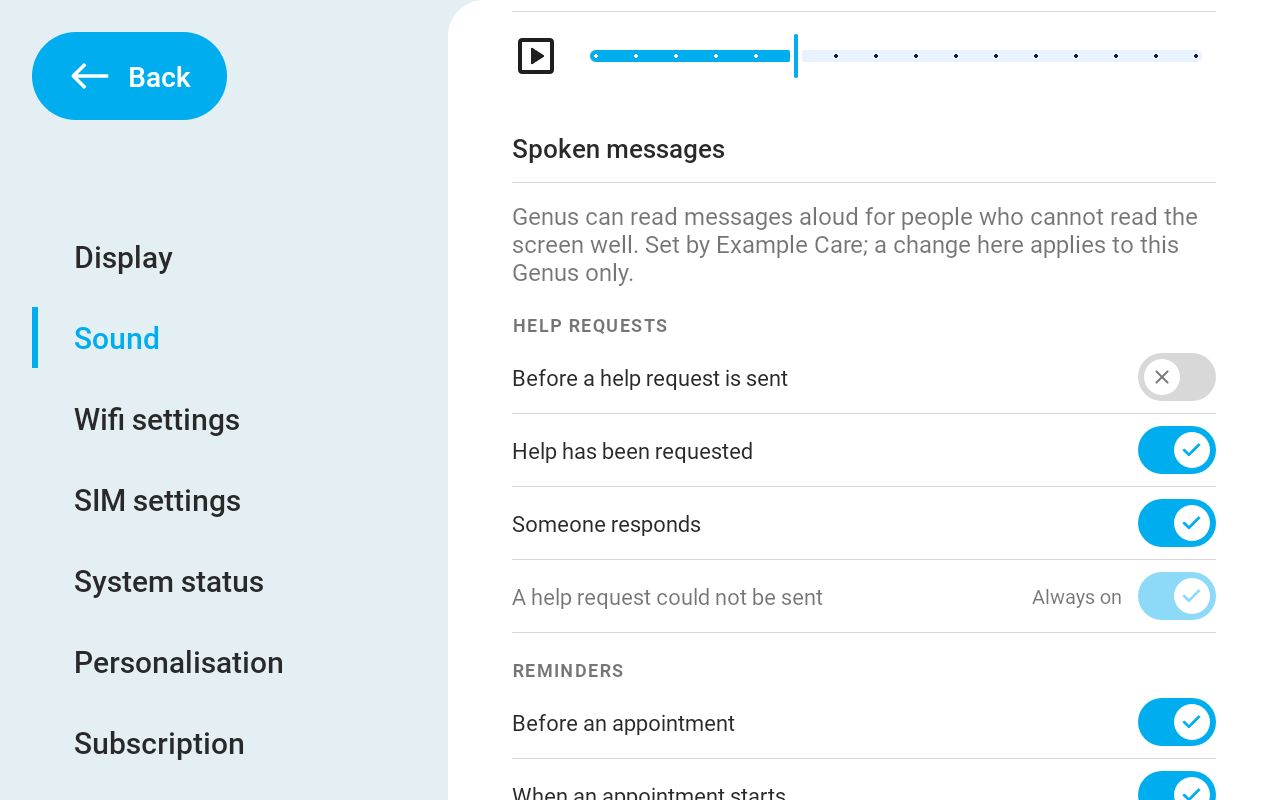
Section titled “For clients: spoken messages on the Genus”The Genus has the same twelve messages under MENU → Settings → Sound → Spoken messages, with a switch for each one. They replace the single switch Read Genus messages aloud. While the client follows the organisation’s default, the screen names the organisation: Set by Example Care; a change here applies to this Genus only.
Availability
Section titled “Availability”- The Community Portal received the Spoken messages setting and the settings tiles automatically in November 2026.
- Genus 4.18.0 was released in November 2026 and follows the choice. The Genus updates itself; see updates. Until a Genus has that update, it keeps its own Read Genus messages aloud switch, and the edit dialog in the portal says that the client’s Genus will apply the settings after its next update.
- Genus PAL has no screen and no spoken messages setting.
Read more in configuring a Genus from the portal.