

Nurse call in care homes
At night in a care home, a resident who needs help is not always next to her bed. She may be in the bathroom, or in the corridor on her way back from the lounge. The carer on duty needs to know who needs help and where to go, and the resident needs to know that her call went through.
This release brings nurse call to the Genus. Genus Assist buttons connect to the resident’s own Genus, and in a care home with a Genus in every room, an alarm says where help is needed. The resident hears that help is coming, and a request that nobody answers keeps coming back to the team.
What’s new
- Clients can raise an alarm with a Genus Assist wrist button, alert pull cord or alert push button. Their Genus says that the request was received and who is coming.
- Care professionals see where help is needed, for example Assistance requested near 12, in the Professional App for Android and on the dashboard of the Community Portal.
- Care professionals are notified again about an alarm until someone responds that they are on the way or coming later.
- Health administrators switch on indoor location, set how often each team is notified again, and choose the name under which a team member is announced to clients.
- The client list in the Community Portal shows each client’s team and can be filtered by team.
Genus Assist: a button where help is needed
Section titled “Genus Assist: a button where help is needed”There are three kinds of Genus Assist button:
- a wrist button (GC-BW100) that the client wears,
- an alert pull cord (GC-BP300), for example in the bathroom,
- an alert push button (GC-BP100, or the waterproof GC-BP200), for example next to the bed.
Each button connects to the client’s own Genus over Bluetooth. There is no separate nurse call system or wiring to install.
| On the button | What happens |
|---|---|
| Press once | An alarm is raised for the client. |
| Hold down, near the client’s own Genus | The client’s open alarm is cancelled. |
From Genus 4.10.0 in May 2026, holding the button down raises an alarm too. See the spring 2026 update.
Pairing a button with the Genus
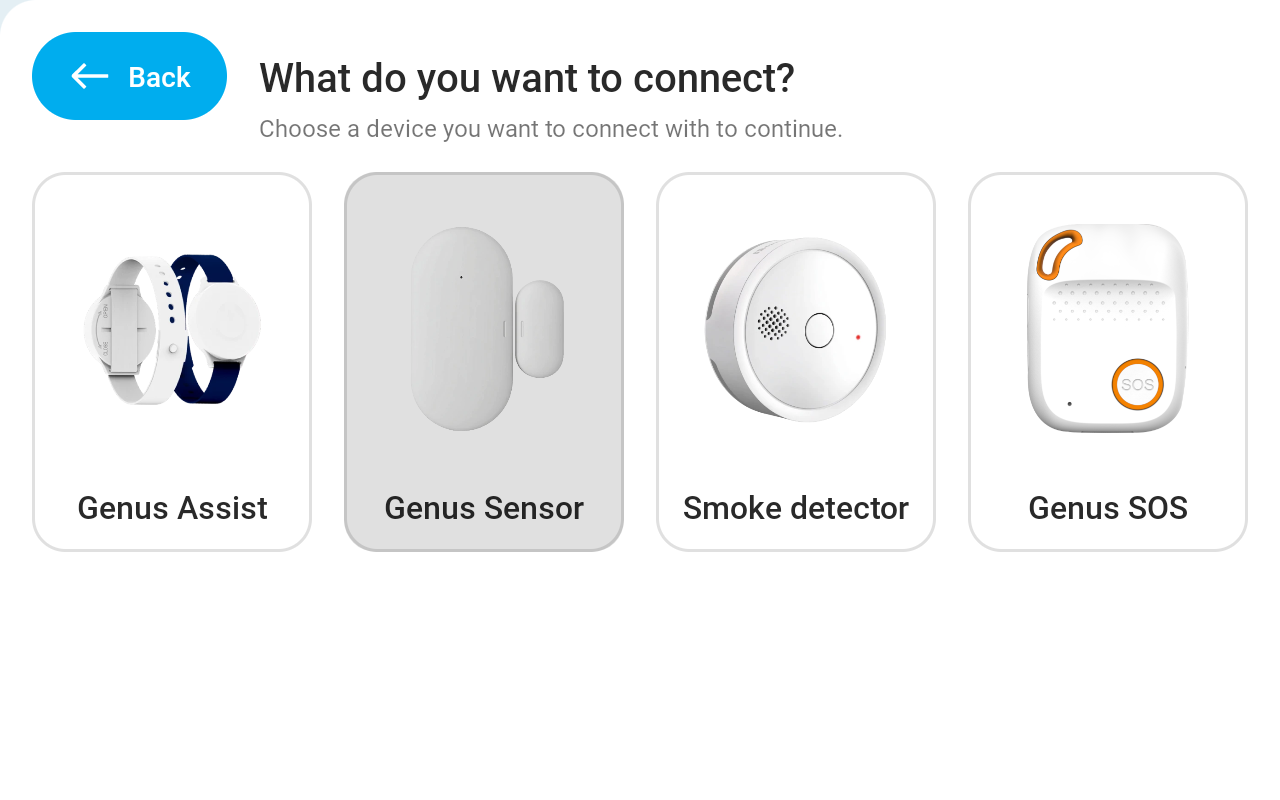
Section titled “Pairing a button with the Genus”- On the client’s Genus, open Connect → Devices (sensors) and choose Add a new device.
- Under What do you want to connect?, choose Genus Assist.
- Hold the button close to the Genus, within about 30 centimetres. Press it once and tap Search.
- The Genus shows Searching for button, then Setting up button while it connects.
- At Button setup successful, tap Choose room and pick the room, such as Bathroom. For some types of button the Genus shows Close instead, and the button is ready.
- Open the new button in the list of devices and change its Name to say where it is or who wears it, such as Pull cord bathroom. Carers see this name with every alarm.
The full steps for every kind of button are on alarm buttons.
On the Genus: the client hears that help is coming
Section titled “On the Genus: the client hears that help is coming”A button press now gets an answer the client can hear, also when she cannot read the screen.
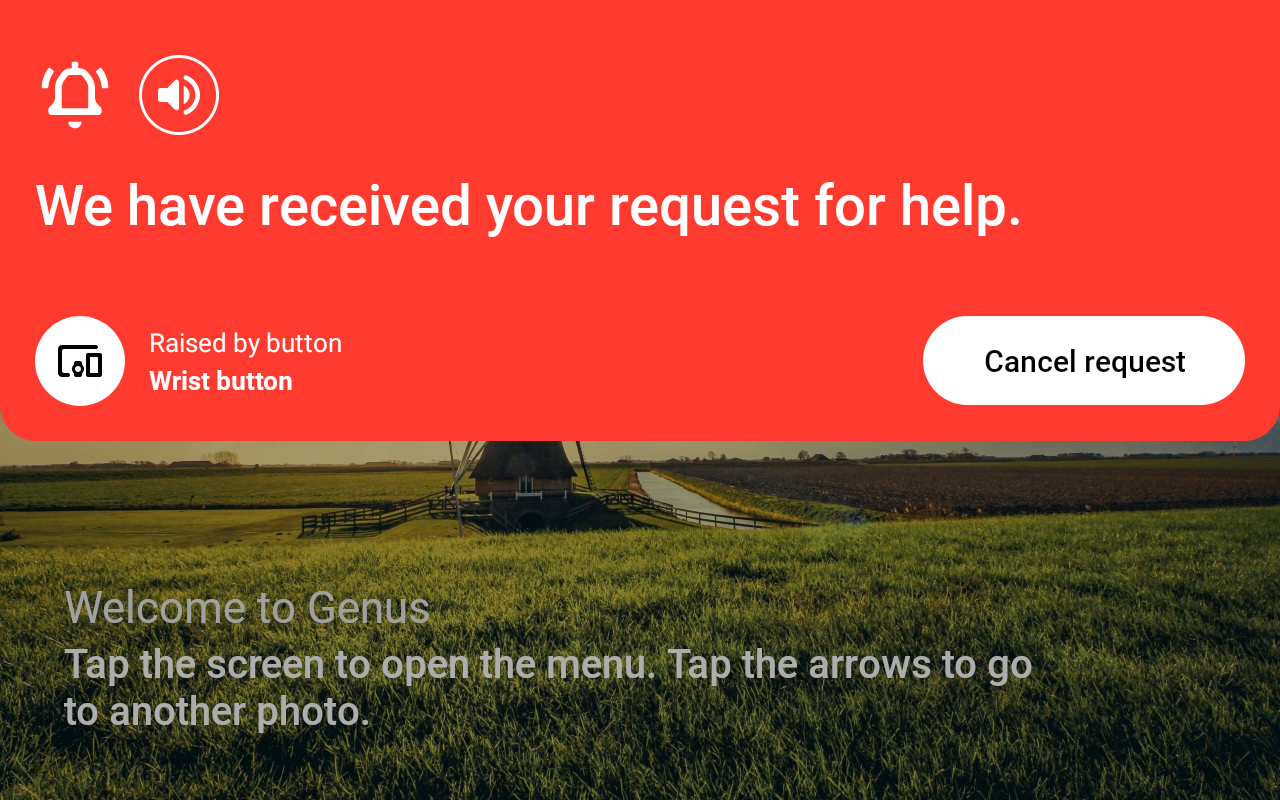
Without indoor location, the client’s Genus turns red: Assist request will be sent in 5 seconds…, with the name of the button under Raised by button. An accidental press can still be stopped with Cancel request. When the request has gone out, the Genus says Assistance has been requested. Wait for feedback.
With indoor location, there is no countdown. The alarm is raised straight away, and the client’s own Genus says We have received your request for help.
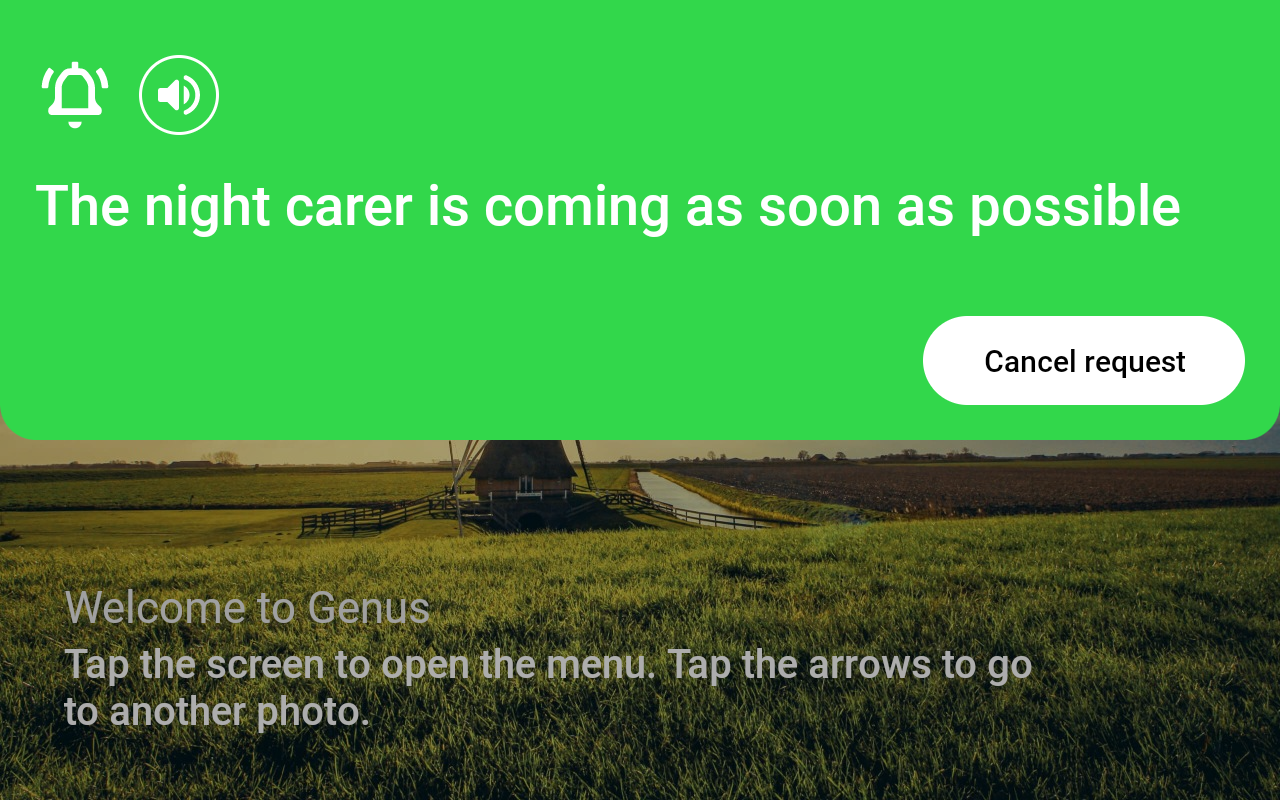
When a carer responds, the Genus says who is coming and shows it on screen:
| The carer responds | The Genus says |
|---|---|
| I am on my way | The night carer is coming as soon as possible, on a green screen |
| I am coming later | The night carer will react later, on an orange screen |
| I can’t come right now | Nothing changes on the Genus |
The night carer is the display name that Ruben Mulder’s organisation gave him; see display names below. When the alarm reaches the care organisation, the red screen reads Assistance has been forwarded to Example Care. Wait for feedback.
More about what the client sees and hears is on asking for help.
For care professionals: where help is needed
Section titled “For care professionals: where help is needed”In a care home where every resident has a Genus in her room, an alarm from a Genus Assist button can say where the button was pressed: near which Genus, or near which gateway (Gateway Pro, GC-GW400).
- Annie Bos presses her wrist button in the corridor outside her room.
- Annie’s alarm is raised straight away, and her own Genus confirms it.
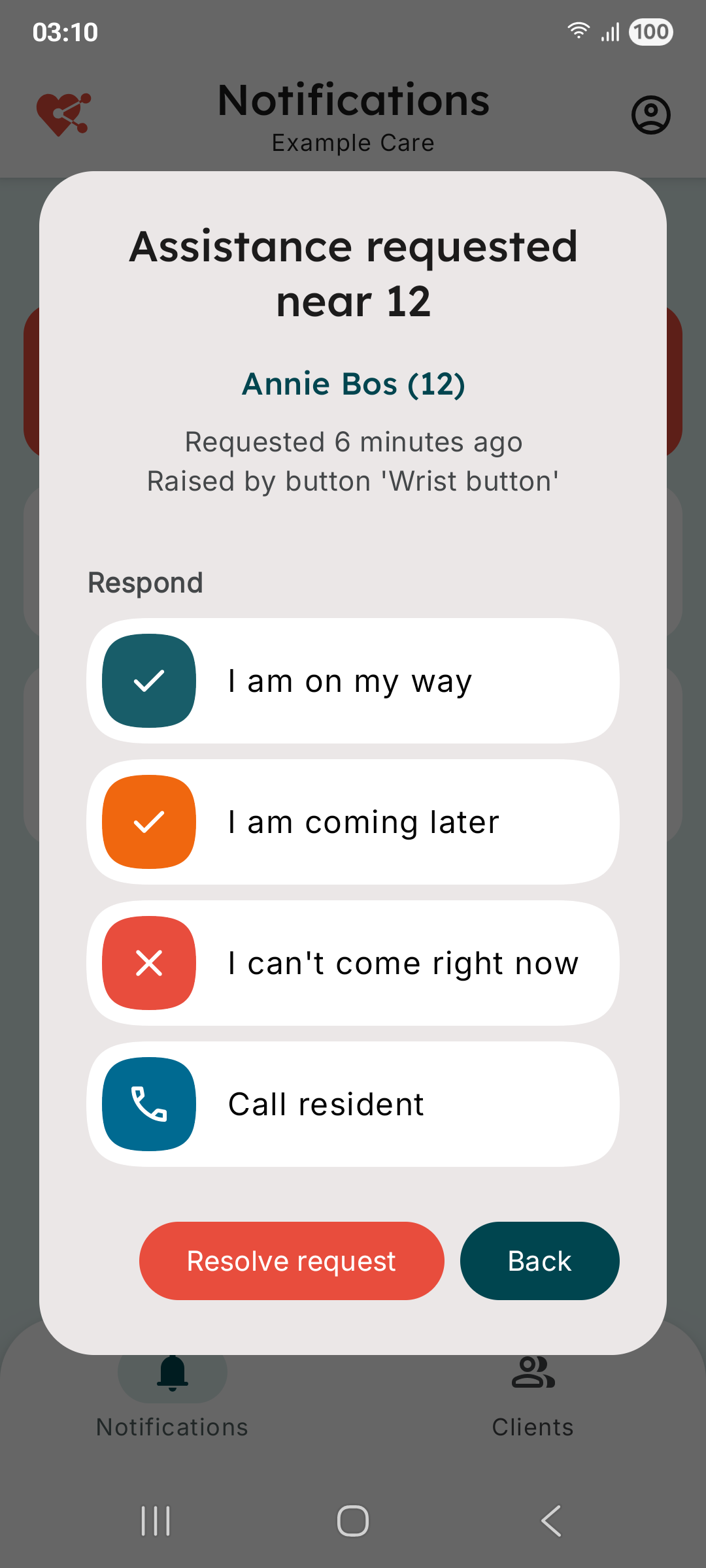
- Shortly afterwards the alarm gets its title, which says where the button was pressed: Assistance requested near 12. When Annie is close to two rooms, it reads Assistance requested near 12 and 14.
- The alarm then follows Annie’s usual escalation. See how an alarm reaches someone.
Ruben Mulder works the night shift in De Linde. He sees where to go on each of these screens:
- The notification on his Android phone: Assistance requested near 12, with Annie Bos has pressed the assist button.
- The notifications list of the Professional App: Annie Bos (12) (Wrist button), with Assistance requested near 12.
- The request itself: the title, Annie Bos (12), Raised by button ‘Wrist button’, and the options I am on my way, I am coming later, I can’t come right now and Call resident. Resolve request closes it.
- The dashboard of the Community Portal: Assistance requested near 12 in the Situation column.
Without indoor location, the alarm has no place in its title. Carers then see Assistance requested and Annie Bos has pressed the assist button, and the dashboard shows Contact requested.
How to respond to an alarm in the app is described on responding to notifications.
Switching on indoor location
Section titled “Switching on indoor location”Indoor location is a setting for the whole organisation, and it is off by default. A health administrator switches it on under Community settings → Default Genus configuration → Enable Genus SOS button indoor position tracking, and clicks Save settings.
Despite its name, the setting is about Genus Assist buttons. The portal warns Do NOT enable this if you are not using the Genus SOS buttons! Once it is on, it applies to every Genus of the organisation.
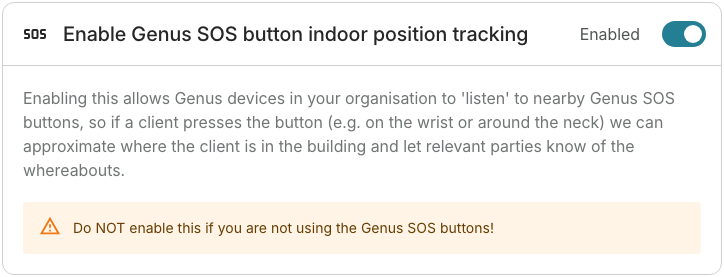
The setting is also described on configuring a Genus from the portal.
Display names: how carers are announced
Section titled “Display names: how carers are announced”Some carers would rather not share their full name with every resident. Some residents are confused by a name they don’t know. A health administrator can therefore give each team member a display name for clients.
- In the Community Portal, open Team members and click the team member.
- Under Information, fill in Display name (what clients will see), for example Ruben or The night carer.
- Click Save changes.
When Ruben responds I am on my way, Annie’s Genus says The night carer is coming as soon as possible. The display name also appears in the Client display name column of the team members list.
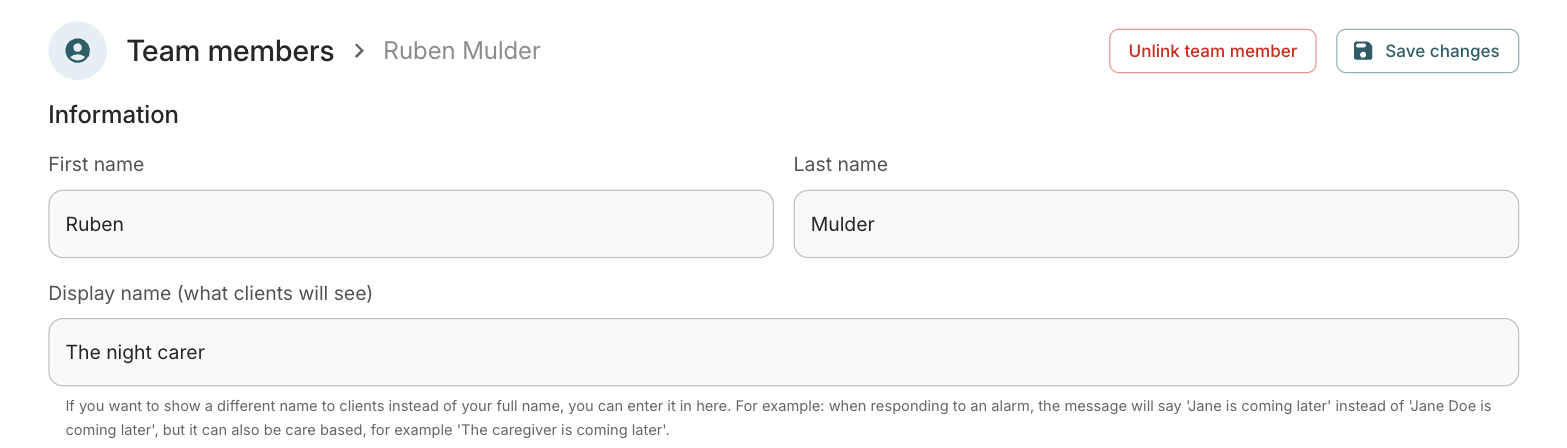
The other team member settings are on team members and teams.
Repeat notifications until someone responds
Section titled “Repeat notifications until someone responds”A notification is easy to miss: the phone is in a pocket, or the carer is busy with another resident. Each team now has a Repeat notification every (minutes) setting. While nobody has responded, the team gets the alarm again at that interval. The Professional App notifies them again, and the Community Portal shows the Alarm pop-up again.
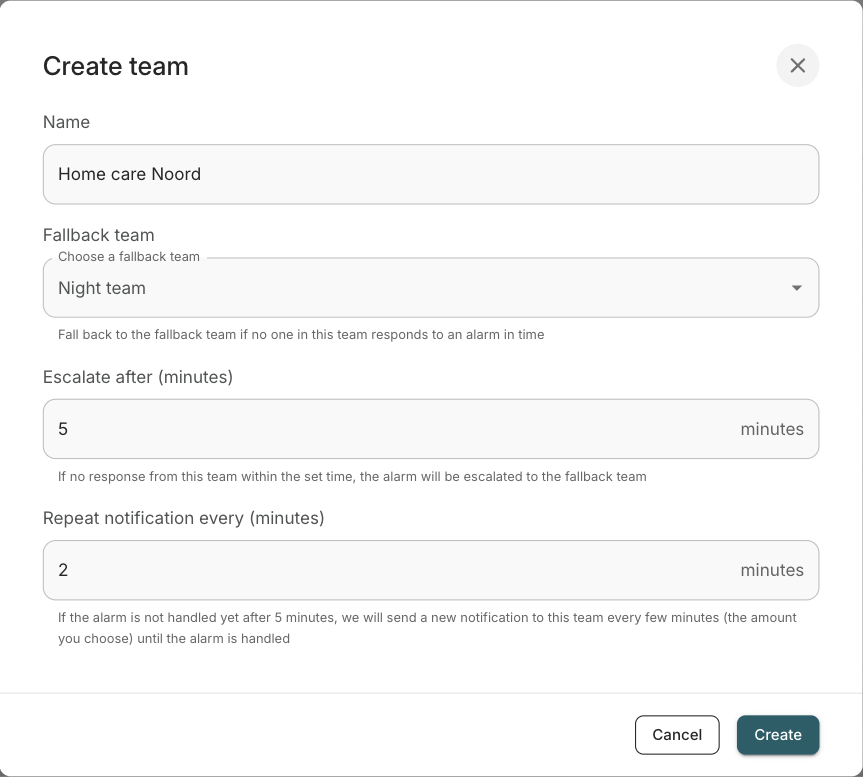
- Interval. The first repeat comes one interval after the alarm reached the team, then one every interval. The shortest interval is 1 minute. Existing teams were set to 5 minutes.
- When it stops. As soon as someone responds I am on my way or I am coming later, or when the alarm is cancelled or resolved. I can’t come right now does not stop the repeats.
- Each team its own interval. After the alarm has moved on to the fallback team, both teams get repeats, each at its own interval.
- Clients without a team. When an alarm goes to all teams at once, it is repeated every few minutes.
- On the phone. In the Professional App for Android, a repeat replaces the earlier notification for the same alarm instead of adding another one.
The whole chain is explained on escalation and teams.
Community Portal: clients by team
Section titled “Community Portal: clients by team”In an organisation with several teams, a care professional usually looks for the clients of one team. The client list under Users now has a Team column. Click Filters and choose a team under Select a team to see only that team’s clients.
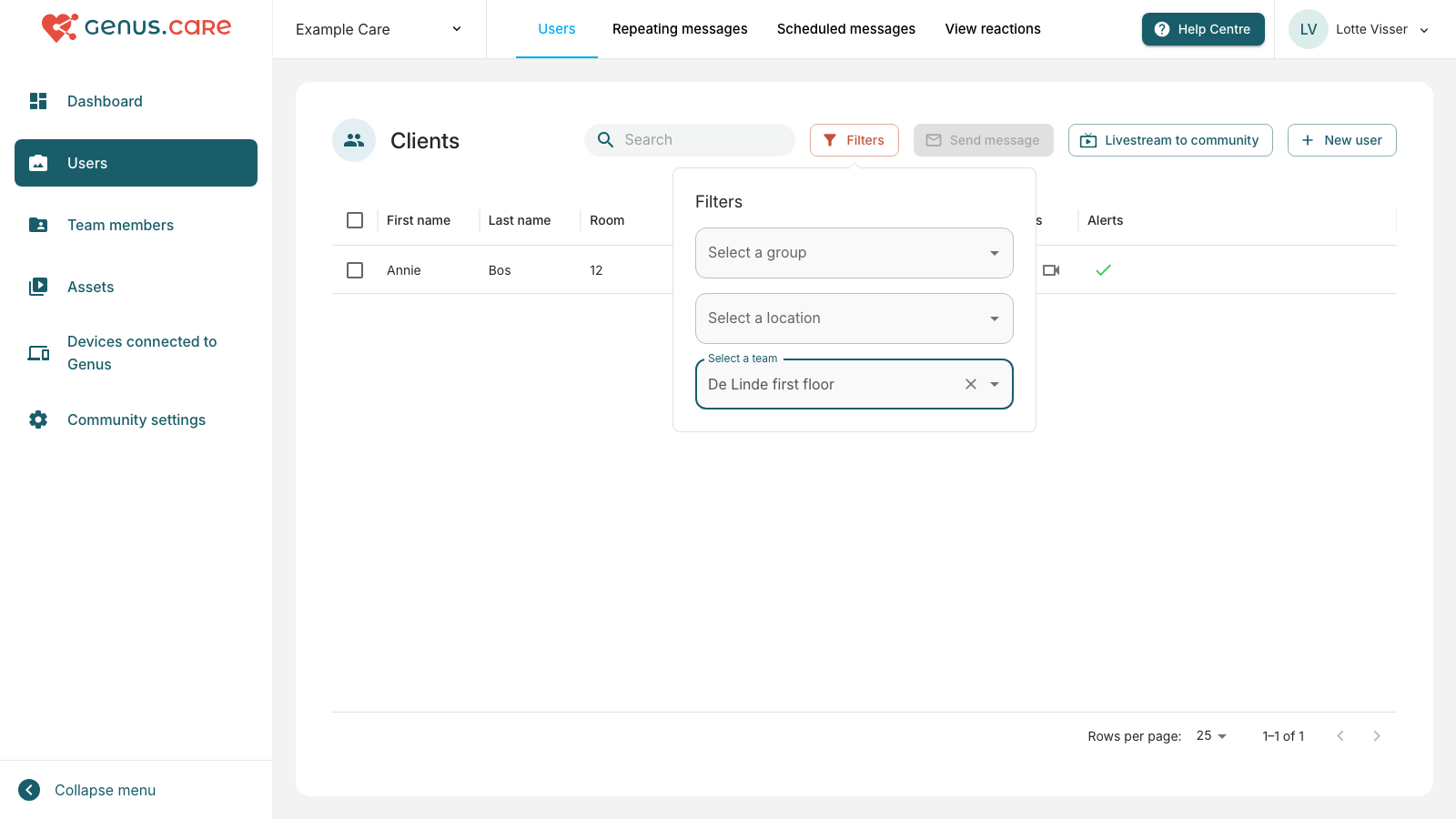
See clients and the client page.
Fixes and improvements
Section titled “Fixes and improvements”- Older buttons. A Genus Assist button gets its full range when it is paired with Genus 4.7.2 or later. Pair buttons from before that version again.
- On the Genus. When an alarm reaches the care organisation, the red screen changes its text, and the spoken voice sounds more even from one message to the next.
- Closed alarms leave the phone. When an alarm is cancelled or resolved, its notification disappears from the Android phone (Professional App 1.3.0).
- The button’s name. An alarm from a Genus Assist button carries the button’s name, so carers know which button was pressed (Genus 4.6.1).
- Battery. Genus Assist buttons are listed with their battery level and when they were last seen, among the client’s connected devices in the Community Portal and the Professional App for Android.
Availability
Section titled “Availability”- The Genus updates automatically. Genus Assist buttons work from Genus 4.6.1 (February 2026). The short sound, the buttons’ full range and the single alarm screen come with Genus 4.7.2 (March 2026). The GC200 does not support Genus Assist.
- Indoor location, display names, repeat notifications and the team column came to the Community Portal automatically between January and March 2026. Indoor location stays off until a health administrator switches it on.
- Care professionals get repeat notifications by updating to Professional App 1.3.0 for Android from Google Play. The Professional App for iPhone followed in August 2026; see the Professional App on iPhone.
- Genus PAL is not part of this release: Genus Assist buttons are paired with a Genus.