

Know when a device stops reporting
A sensor or alarm button that stops working rarely says so. A battery runs flat, a plug is pulled or a device ends up out of range, and it simply goes quiet. Routines that depend on it stop firing, and an alarm button that is switched off cannot call for help. Often nobody notices until the device is needed.
From June 2026 Genus keeps an eye on the Genus and the devices around it, and notices when one goes quiet. A Genus 4G GPS Button that stops reporting now raises an alert for the family and the care team. A new page in the Community Portal shows when each sensor and button was last heard from, and how full its battery is.
What’s new
- Family members and care professionals get an alert when a Genus 4G GPS Button stops reporting. The alert closes itself as soon as the button reports again.
- Health administrators and team leads get a new Devices connected to Genus page in the Community Portal. It lists every sensor and button of their clients, with its battery level and when it was last seen.
- The Genus itself is watched too, from Genus 4.11.0.
- Alarm receiving centres connected over UMO are told when the Genus, a sensor or a Genus 4G GPS Button goes offline, and when it is back.
What you see when a device goes quiet
Section titled “What you see when a device goes quiet”What you see depends on the device:
- A Genus 4G GPS Button that stops reporting raises an alert for the family and the care team.
- Sensors and buttons paired with the Genus, such as the GC-SB100 bed sensor, the GC-SC100 chair sensor and door and movement sensors, show when they were last heard from on the new Devices connected to Genus page.
- The Genus itself keeps its mark in the client list of the Community Portal, as before.
For family members and care professionals: a Genus 4G GPS Button goes quiet
Section titled “For family members and care professionals: a Genus 4G GPS Button goes quiet”When a Genus 4G GPS Button stops reporting, Genus raises an alert for the client. It names the button by the name it was given, for example Button with name ‘SOS button’ is offline! The alert comes when the button has been out of contact for a longer time, so a short gap in mobile coverage does not raise one.
- Family members connected to the client receive it in the Genus app.
- Care professionals of the client’s care organisation see it in the Professional App and get a notification with the client’s name as its title and the alert as its text (on iPhone since Professional App 1.0.1, October 2026).
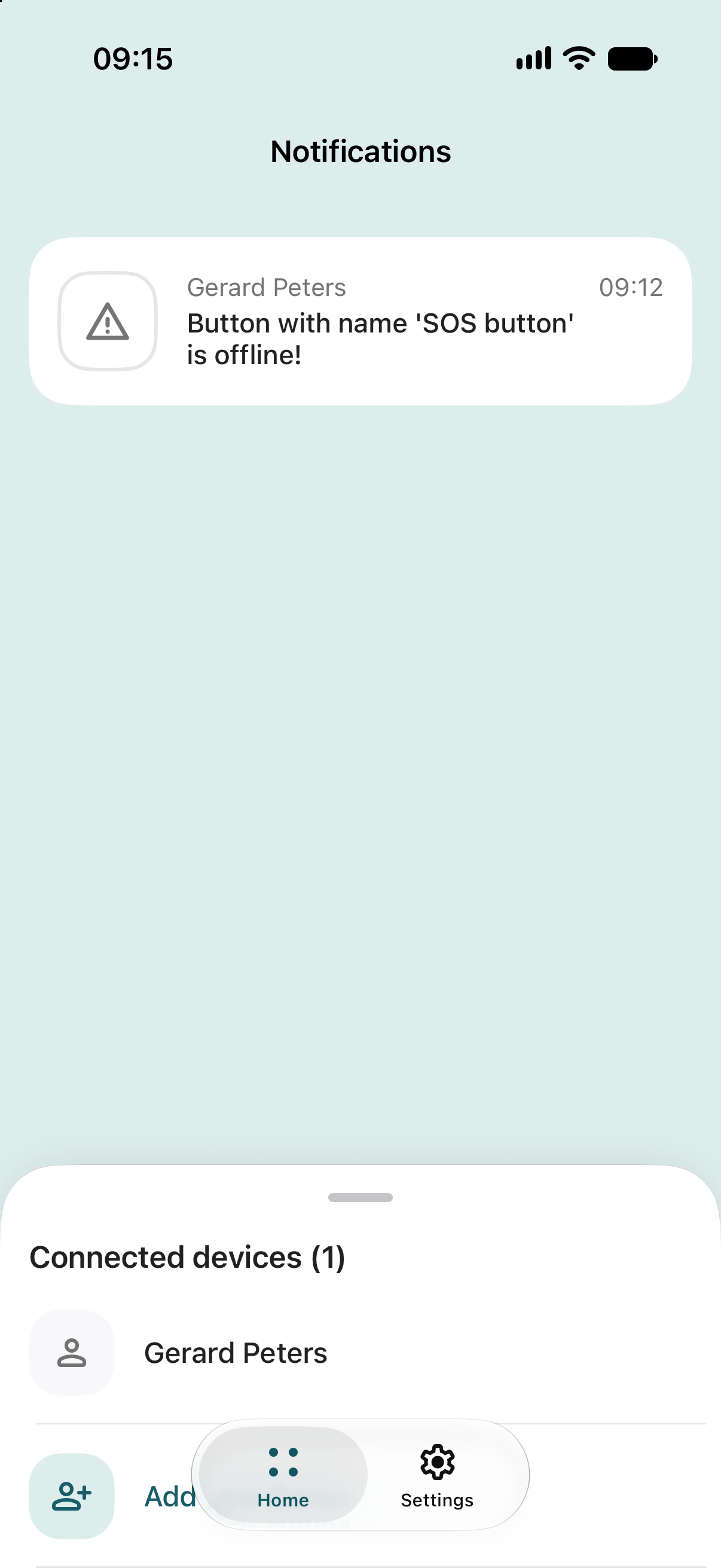
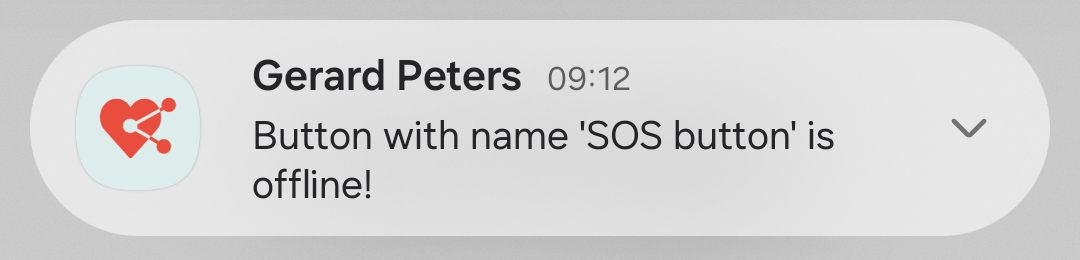
Check the button with the client: is it charged, switched on and within reach of the mobile network? You don’t need to close the alert yourself. As soon as the button reports again, Genus closes the alert and shows it as solved by Genus.
For health administrators and team leads: Devices connected to Genus
Section titled “For health administrators and team leads: Devices connected to Genus”Open Devices connected to Genus in the side menu of the Community Portal. Users with the Admin or Team Lead role see this item; team members don’t.
The page lists every sensor and button paired with the Genus devices of your organisation’s clients, the most recently added first.
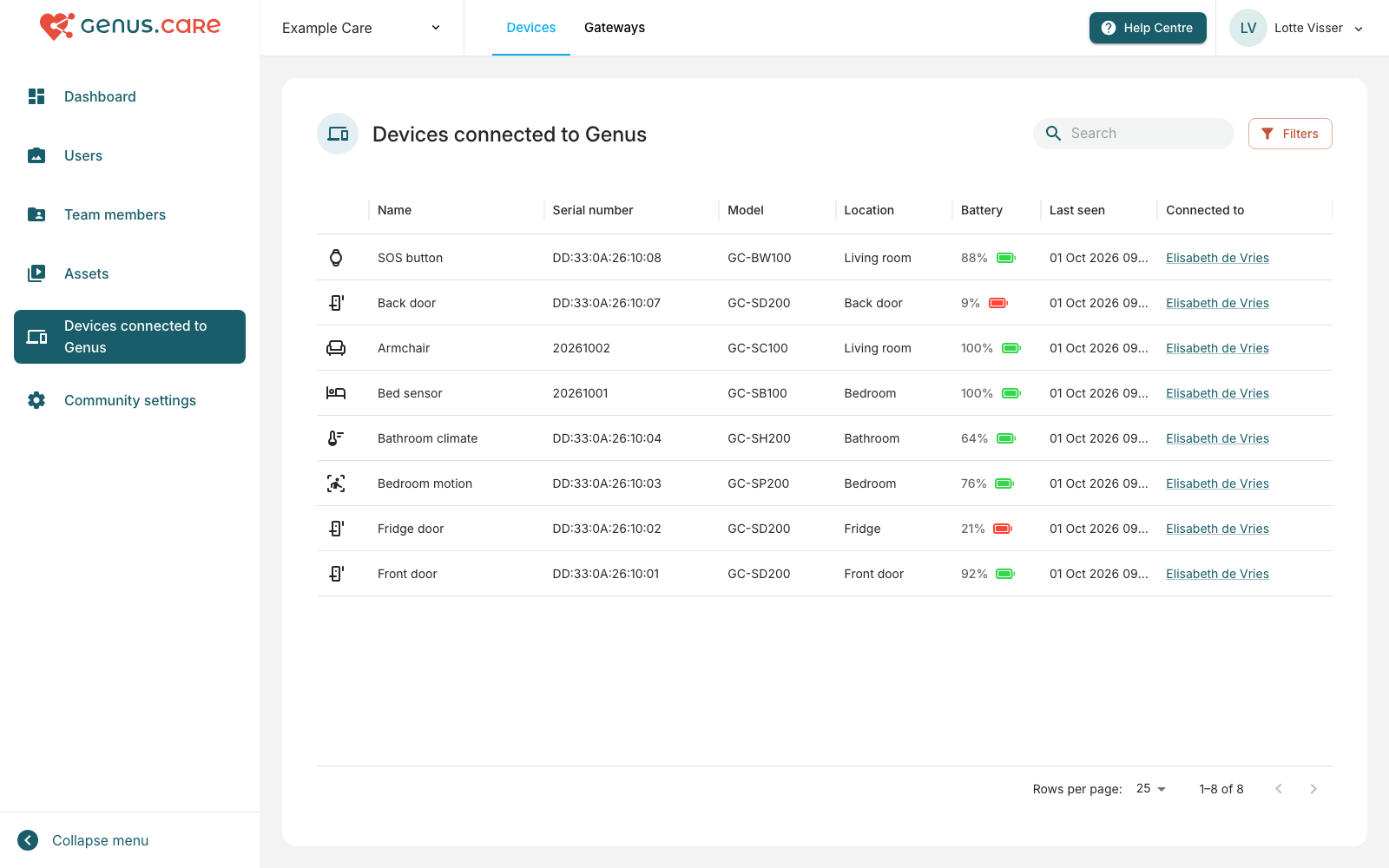
| Column | What it shows |
|---|---|
| Name | The name the device was given when it was added |
| Serial number | The device’s serial number or identifier |
| Model | The kind of device |
| Location | The room the device was placed in |
| Battery | The most recent battery level the device reported, with a coloured battery icon |
| Last seen | When Genus last received a message from the device |
| Connected to | The client, with the room number if there is one. Click the name to open the client. |
The battery icon goes from green to orange to red as the level drops.
Finding devices that need attention
Section titled “Finding devices that need attention”- Devices that have gone quiet. Click the Last seen column header to sort by it, with the oldest at the top. Devices that have never reported stay at the bottom, whichever way you sort.
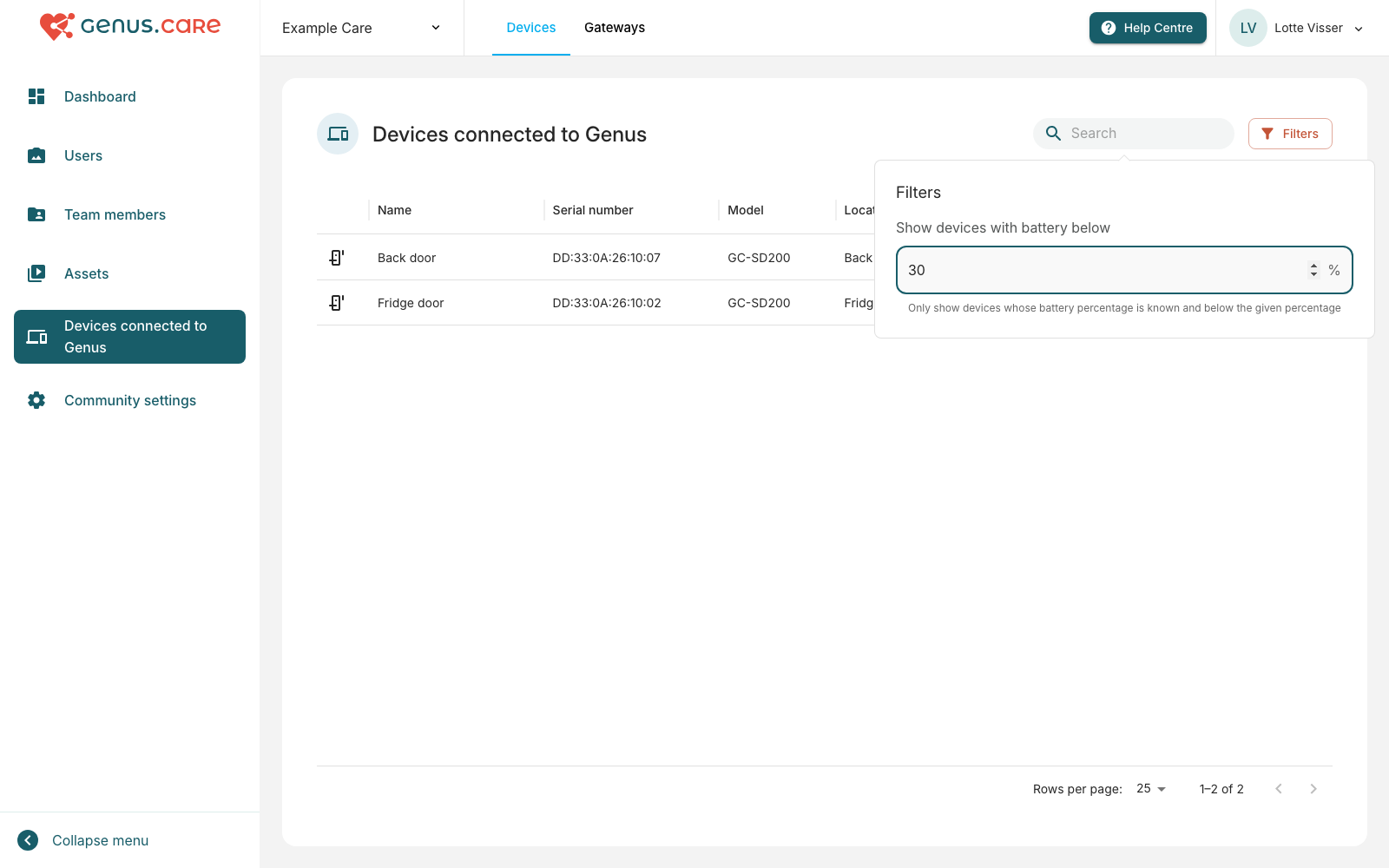
- Low batteries. Choose Filters and enter a percentage under Show devices with battery below. The list then shows only the devices whose battery level is known and lower than that percentage.
- One device. Search by the device’s name, its serial number or its own identifier (for example its MAC address, with or without colons).
On the Genus
Section titled “On the Genus”From Genus 4.11.0, Genus watches the Genus itself as well. It knows when the Genus stops reporting, when its power adapter is unplugged or plugged in again, and when the Genus switches itself off because its battery is almost empty.
For alarm receiving centres connected over UMO
Section titled “For alarm receiving centres connected over UMO”If your organisation works with an alarm receiving centre over UMO, the centre now receives these messages about the client’s devices:
| What happens | What the centre receives |
|---|---|
| The Genus stops reporting, or reports again | An offline or online message for the Genus |
| The power adapter of the Genus is unplugged, or plugged in again | An adapter unplugged or adapter plugged in message |
| The Genus switches itself off because its battery is almost empty | A battery low message for the Genus |
| A sensor stops reporting, or reports again | An offline or online message, with the kind of sensor (for example door, bed or chair) |
| A Genus 4G GPS Button stops reporting, or reports again | An offline or online message for the button |
If your organisation passes alerts on to Skyresponse, the Genus 4G GPS Button alert is passed on there as well. Read more about connecting an alarm receiving centre.
Availability
Section titled “Availability”The changes reached Genus in three steps:
- June 2026: Genus starts watching the Genus and the devices paired with it.
- July 2026: the alert when a Genus 4G GPS Button stops reporting, and the messages to alarm receiving centres.
- September 2026: the Devices connected to Genus page.
The Community Portal and the Genus receive the update automatically. The Genus itself is watched from Genus 4.11.0. Family members see the Genus 4G GPS Button alert after updating the Genus app from the App Store (2.4.0 or later) or Google Play (2.5.0 or later). The Professional App shows the alert without an update. The alert also applies to Genus PAL.