

Genus update: spring 2026
Spring 2026 rounded off nurse call in care homes (nurse call), added Pontosense Silvershield presence and fall detection (Pontosense Silvershield) and reworked the Nedap ONS connection (Nedap ONS, reworked). In June Genus began to keep an eye on the Genus and the devices around it, the first step towards alerts when a device stops reporting (device monitoring). This page collects everything else that changed from April to June.
The Genus
Section titled “The Genus”Clients can ask each other for a call. From May, a client can also use Call Me on the Genus to ask another client of the same care organisation for a call, for example a friend two rooms down the corridor. The other client’s Genus plays a short sound and asks Call me requested: Hendrik Smit has requested to call you, would you like to call right now? Call starts a video call to the client who asked, and Reject turns the request down.
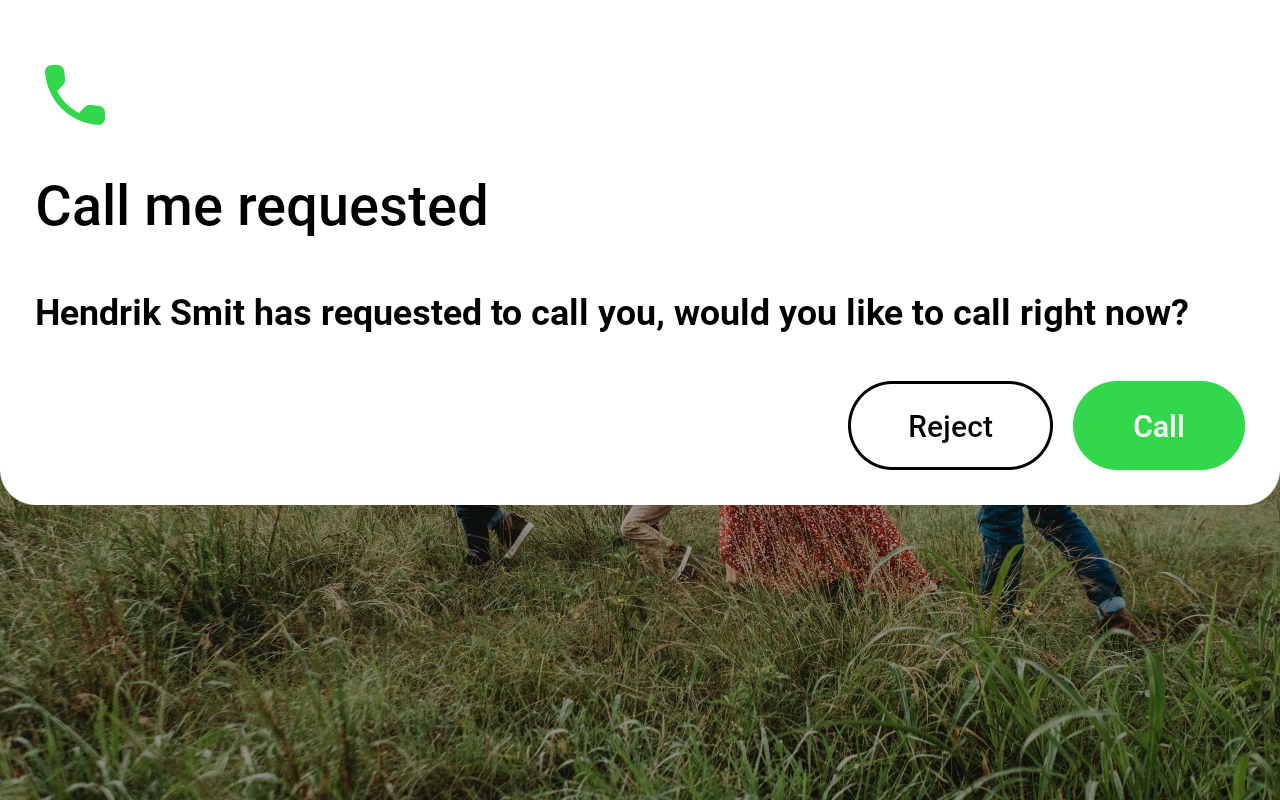
The setting is off by default. Switch it on for each client under Genus settings → Edit → Community specific settings → Allow the user to request a call of another Genus user in this community. Both clients need it, and only clients of your own organisation appear in Call Me, marked Another Genus user from your community. See calls and Call Me and a client’s Genus settings.
No pop-ups during a call. Messages, reminders and other questions that arrive during a video or voice call now wait until the call has ended. Alarm screens still appear straight away.
A day start alert that follows the client. The Daystart alert under Lifestyle monitoring warns when nobody has been detected by the client’s usual start of the day. Since May, Genus works out that usual start for each client from their own recent days. One late Sunday does not shift it. See lifestyle monitoring.
Long labels fit. The labels of the large buttons on the Genus now shrink to fit long translations.
Community Portal
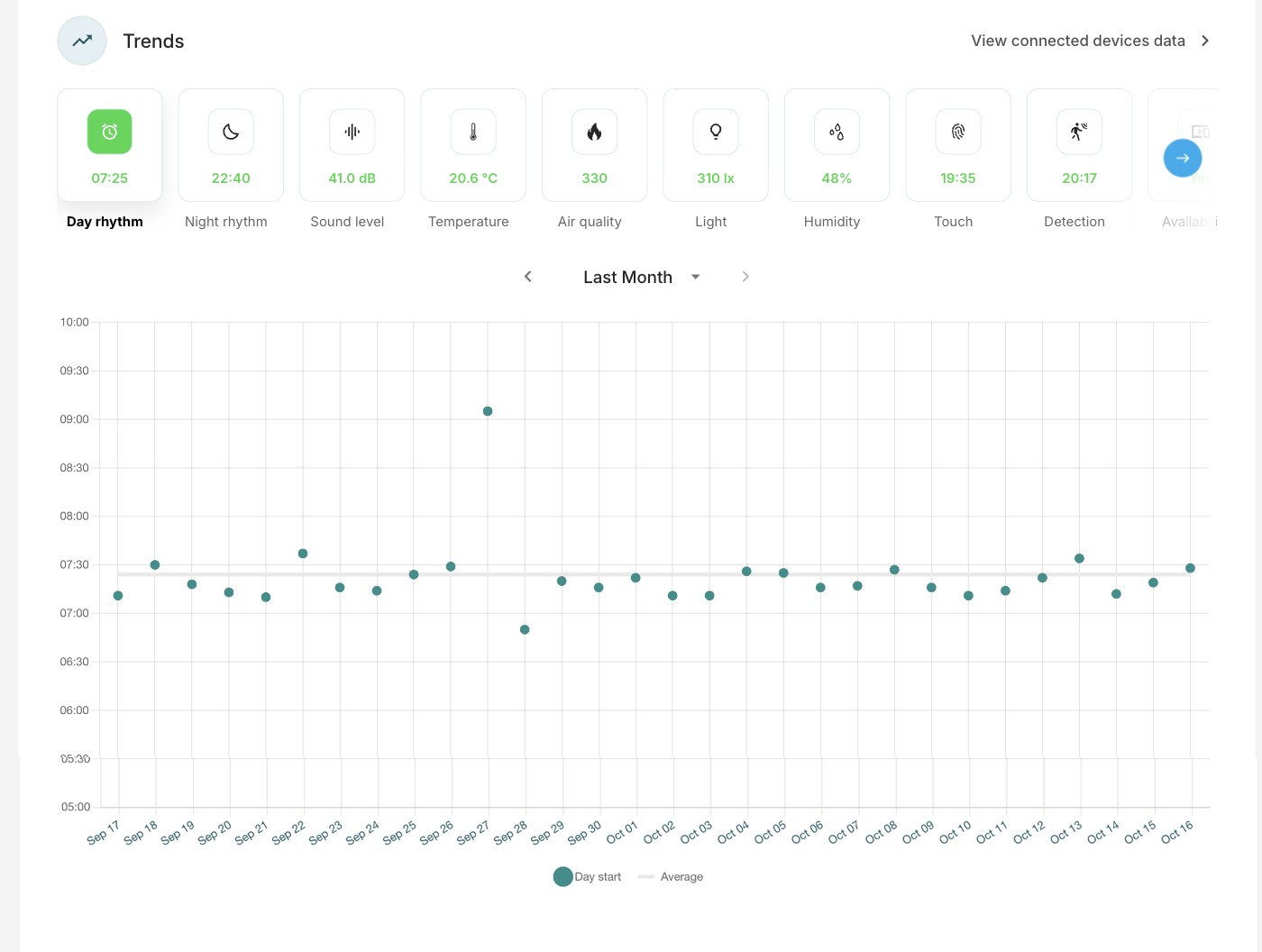
Section titled “Community Portal”Sensor graphs over a period. Since May a menu above the graphs under Trends on the client page offers Today (the last 24 hours), Yesterday, Last 3 Days and Last 7 Days, or Custom Range… for any period of up to 7 days. The arrows beside the menu move to the previous or next period of the same length.
- Day rhythm and Night rhythm show the first movement of each day, or the last, against the client’s average. They go back further: Last 7 Days, Last 14 Days, Last Month, or a custom period of up to 31 days.
- Normal range. The bars behind the line are now labelled Normal range instead of Average, which says better what they show.
See sensor graphs and trends.
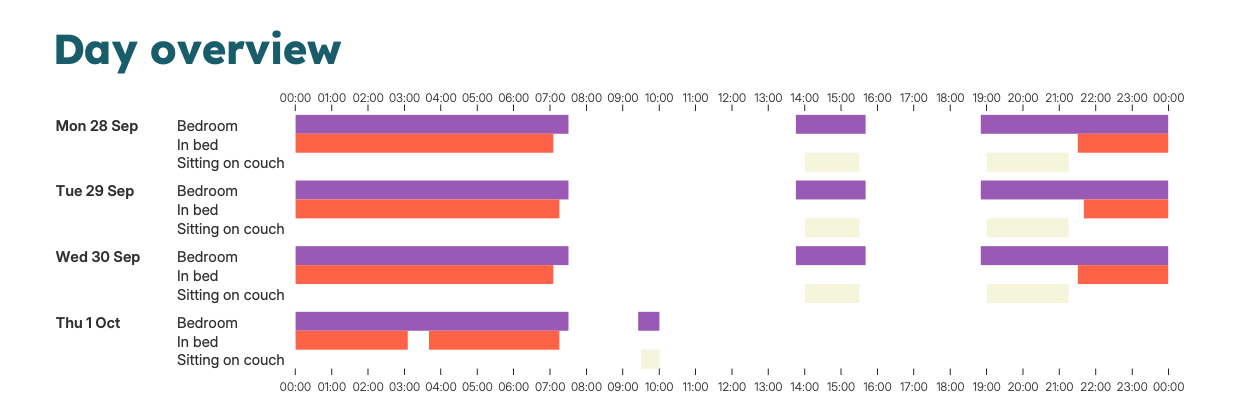
A clearer routine report. Get report in the Genus Routines block produces a document that was redesigned in May. It opens with a front page for the client, the period and your organisation. A Report overview follows, with summary blocks such as average visits to a room per day and per night. Then the Day overview draws a bar for each room on each day, and the report ends with the alarms and alerts and the Genus Routines that went off. The pages are numbered, and the report uses the language you work in and the Genus’s time zone. See routines. Since September 2026, the client report gives the fuller picture across six areas of daily life.
Rename a device from the portal. In Connected devices on the client page, the menu of each device now has Edit, to change its Name. For a Genus 4G GPS Button you can also change the Phone number of its SIM card, which matters when an alarm receiving centre calls the button back.
Resetting a Genus keeps its devices. When a health administrator resets a Genus for a new client with Reset Genus, the sensors, alarm buttons, Genus 4G GPS Buttons and Genus Routines now stay with it. A factory reset on the Genus itself removes them. See resetting a Genus for a new client.
Help Centre. The Help button in the top bar is now called Help Centre. See help and guided tours.
Professional App
Section titled “Professional App”Call Me requests as a phone notification (version 1.5.0 for Android, April). When a client asks to be called with Call Me on the Genus, the phone now shows Call me requested with Elisabeth de Vries has requested to be called.
The location of a Genus 4G GPS Button alarm on a map (version 1.5.0). An alarm that comes with a location, such as one from a Genus 4G GPS Button, now has Show location. It opens Last known location: a map with a marker, when the position was received (Last received …) and Open in Maps to navigate there. While the map is open, it keeps checking for a newer position.
- Open alarms stay current. An open alarm refreshes itself, so you see when a colleague has responded.
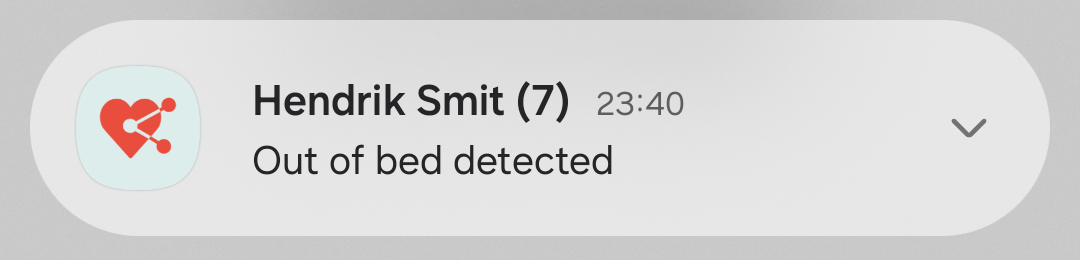
Alerts as a phone notification (version 1.6.0 for Android, April). Each new alert, such as an unusual start of the day or a routine that went off, now also arrives as a notification on the phone, titled with the client’s name and room number, with the alert as its text. When the alert is solved, the notification disappears. See notifications in the Professional App.
Business Portal and deployment
Section titled “Business Portal and deployment”Four more languages for setup. In a customer’s Configuration for setup, Select the language now also offers Greek, Catalan, Basque and Galician. A Genus that an installer sets up with the Deployer app then starts in that language straight away. See setup configuration.
Devices and integrations
Section titled “Devices and integrations”Holding a Genus Assist button raises an alarm. From Genus 4.10.0 (May), a long press on a Genus Assist button raises an alarm, just like a single press. To cancel an alarm, the client uses the Genus. See alarm buttons and nurse call.
Temperature and humidity from a Genus Sensor. A Genus Sensor that measures temperature and humidity and is paired from Genus 4.11.0 on sends its readings every few minutes.
Voice calls from an alarm receiving centre over 4G. An alarm receiving centre can call the Genus back during an alarm on the SIP address that comes with the alarm, over Wi-Fi and over the mobile network. See alarm receiving centres.
The button’s own number when alarms are forwarded. When Genus forwards an alarm from a Genus 4G GPS Button to another platform, it sends the phone number of the button, so the receiving party can call the client where they are. See alarm forwarding.
Platform and security
Section titled “Platform and security”- A hardened Community Portal. The server behind the Community Portal was hardened.
- Kept up to date. The servers and the Community Portal were moved to newer versions of the software they are built on.
- A steadier Genus. Several fixes in Genus 4.9.1 and 4.11.1 make the Genus more stable.
- The charger icon. The icon for a disconnected charger now only appears when the charger is disconnected and the battery is below 100% (Genus 4.11.1). See troubleshooting.
- Client calendar. The week and day views open at 08:00 instead of midnight. See the client calendar.
Availability
Section titled “Availability”- The Community Portal, the Business Portal and the platform were updated automatically.
- The Genus updates itself: Genus 4.9.0 and 4.9.1 in April brought improvements to calls over 4G and stability fixes. Genus 4.10.0 in May brought calls between clients, no pop-ups during calls and the new long press on Genus Assist buttons. Genus 4.11.0 and 4.11.1 in June brought the labels that fit, the Genus Sensor readings and the other fixes.
- Care professionals get the new notifications and the location map by updating the Professional App for Android from Google Play: version 1.5.0 and 1.6.0, both in April.
- There was no new version of the Genus app this quarter.