

Genus update: summer 2026
This summer brought one shared calendar for the client, the family and the care team (the calendar release) and a client report that covers six areas of daily life (the client report). Genus PAL, an alarm button without a screen, was launched (Genus PAL), and the Professional App arrived on iPhone (the Professional App on iPhone). New devices and data joined as well: the GC-SB100 bed sensor and GC-SC100 chair sensor (bed and chair sensors), heart rate and steps from iLogs Safe Motion (iLogs), and alerts when a device stops reporting, with a new page that lists every connected device (device monitoring). This page collects everything else that changed from July to September.
The Genus
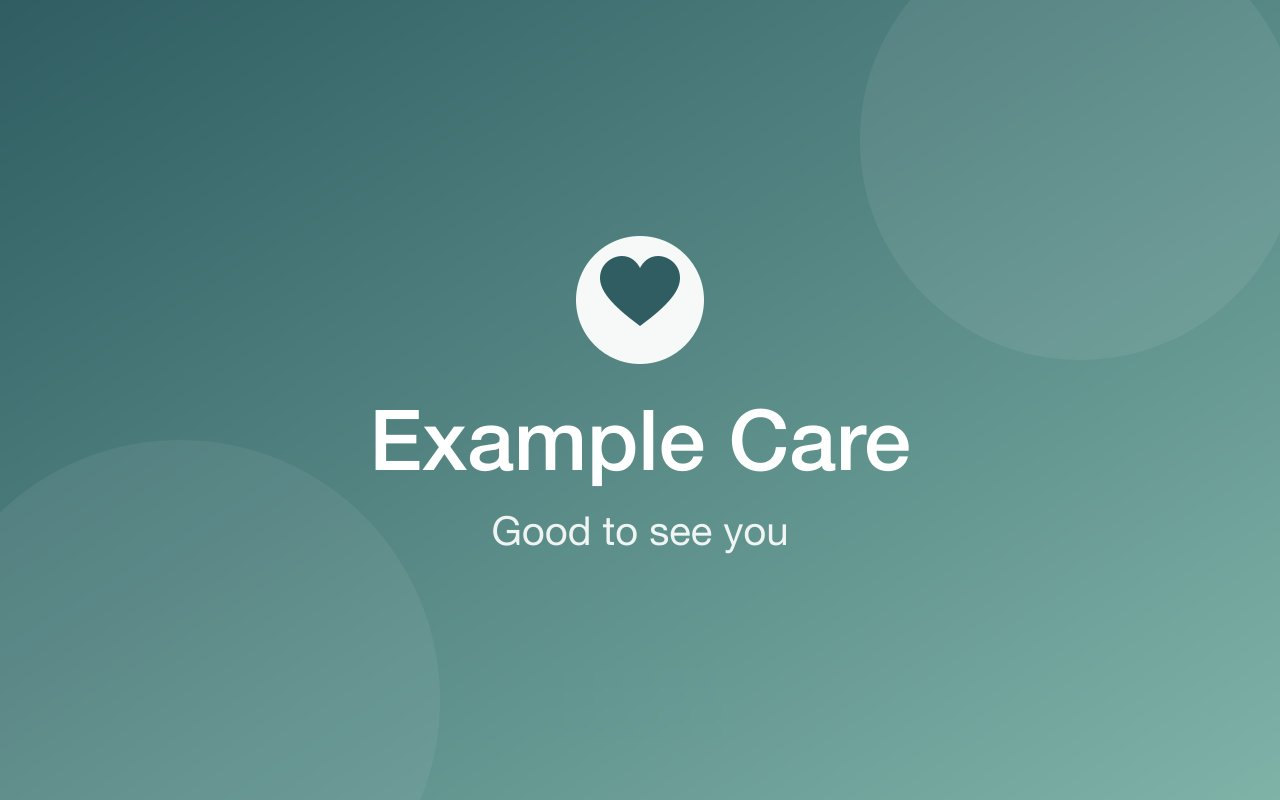
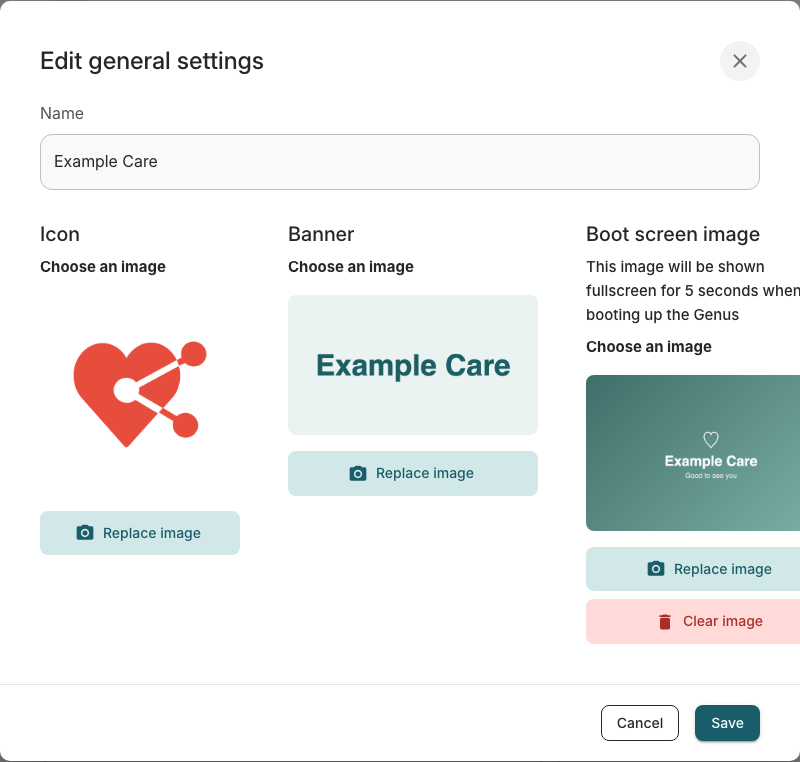
Section titled “The Genus”A care organisation’s own image when the Genus starts. A health administrator can upload a boot screen image under Community settings, in the Boot screen image field. When the Genus starts up, it shows the image full screen for five seconds, so the client sees their care organisation as soon as the screen comes on. Clear image removes it again. If a Genus is connected to more than one care organisation, it shows each organisation’s image in turn. A landscape image of 1280 × 800 pixels fills the screen exactly. Read more about the Genus configuration.
New Terms of Service. The Terms of Service shown while a Genus is set up have been replaced by a new version, in English and Dutch. Among other things they now cover service availability and maintenance, how long data is kept, video content that users add, and the fact that Genus products are not medical devices. See setting up the Genus.
Community Portal
Section titled “Community Portal”Serial numbers in a client’s device list. The Connected devices block on a client’s page has a new Serial number column, and each device name is followed by its location, for example Movement sensor (Kitchen). When you contact support about a device, you can read its number from the screen instead of from the device in the client’s home. See the client page.
Lists show 25 rows per page. Lists such as the client list, team members and messages show 25 rows per page, and you can switch to 50 or 100.
The Community Portal in Portuguese. The Portuguese translation of the Community Portal is now complete. See supported languages.
Routine templates in alphabetical order. When you add a Genus Routine to a client, the templates are listed alphabetically, so the one you need is easier to find.
Genus app
Section titled “Genus app”Resolve request, for every Genus. Family members can close a call for help from the Genus app with Resolve request. This came with Genus PAL but works for every Genus. The Genus PAL release explains how it works, and calls for help in the Genus app has the steps.
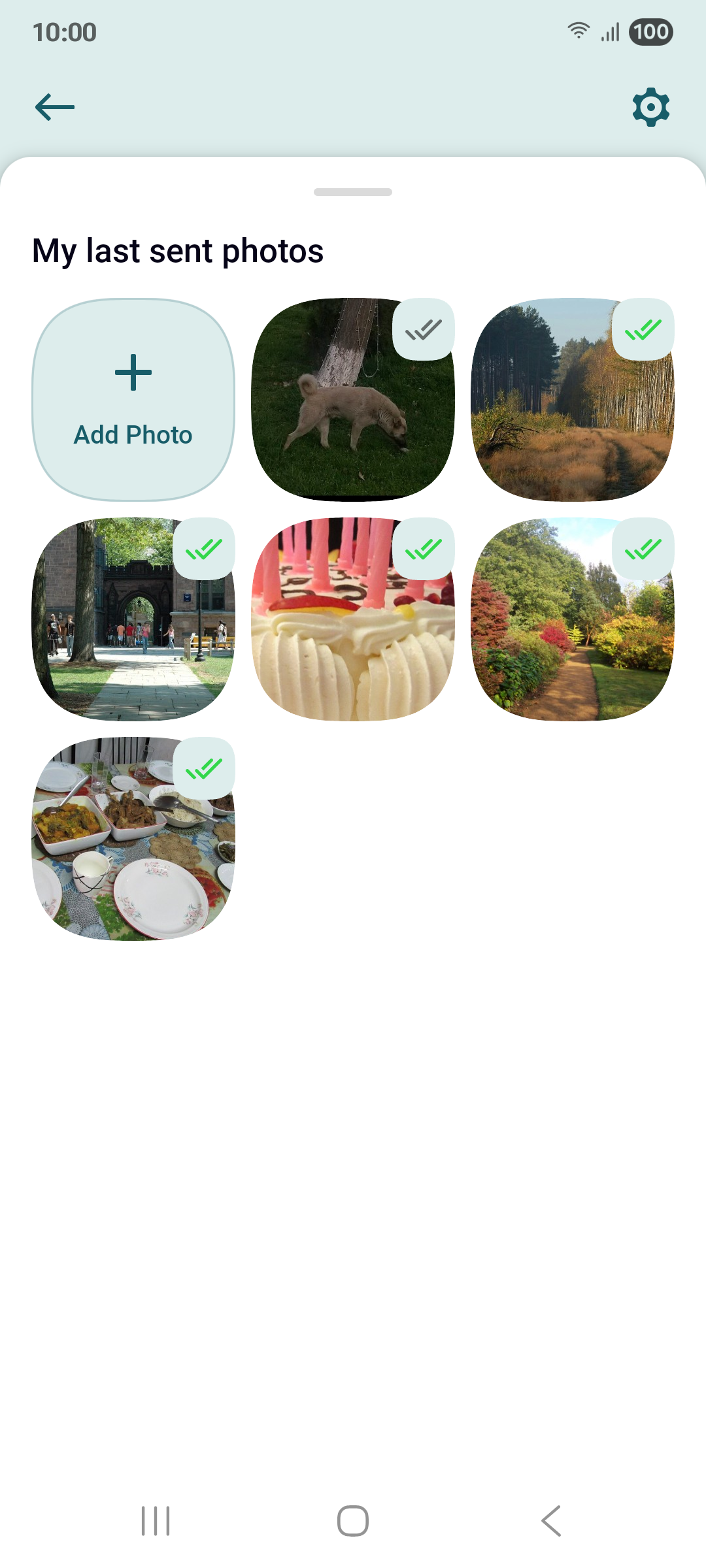
Sent photos on Android. The photos you sent to a Genus now appear in a grid under My last sent photos, with an Add Photo tile at the start. A tick on each photo shows that it was sent, and two ticks that the Genus received it. Tap a photo to see it larger. See staying in touch.
Trends. Under Trends, movement in front of the Genus is now shown in one Movement graph instead of two separate movement graphs. The Day rhythm and Night rhythm graphs show the day start or day end of each day next to the client’s average. This arrived in the Genus app 2.3.0 for iPhone and 2.5.0 for Android. See sensors and insights.
Business Portal and deployment
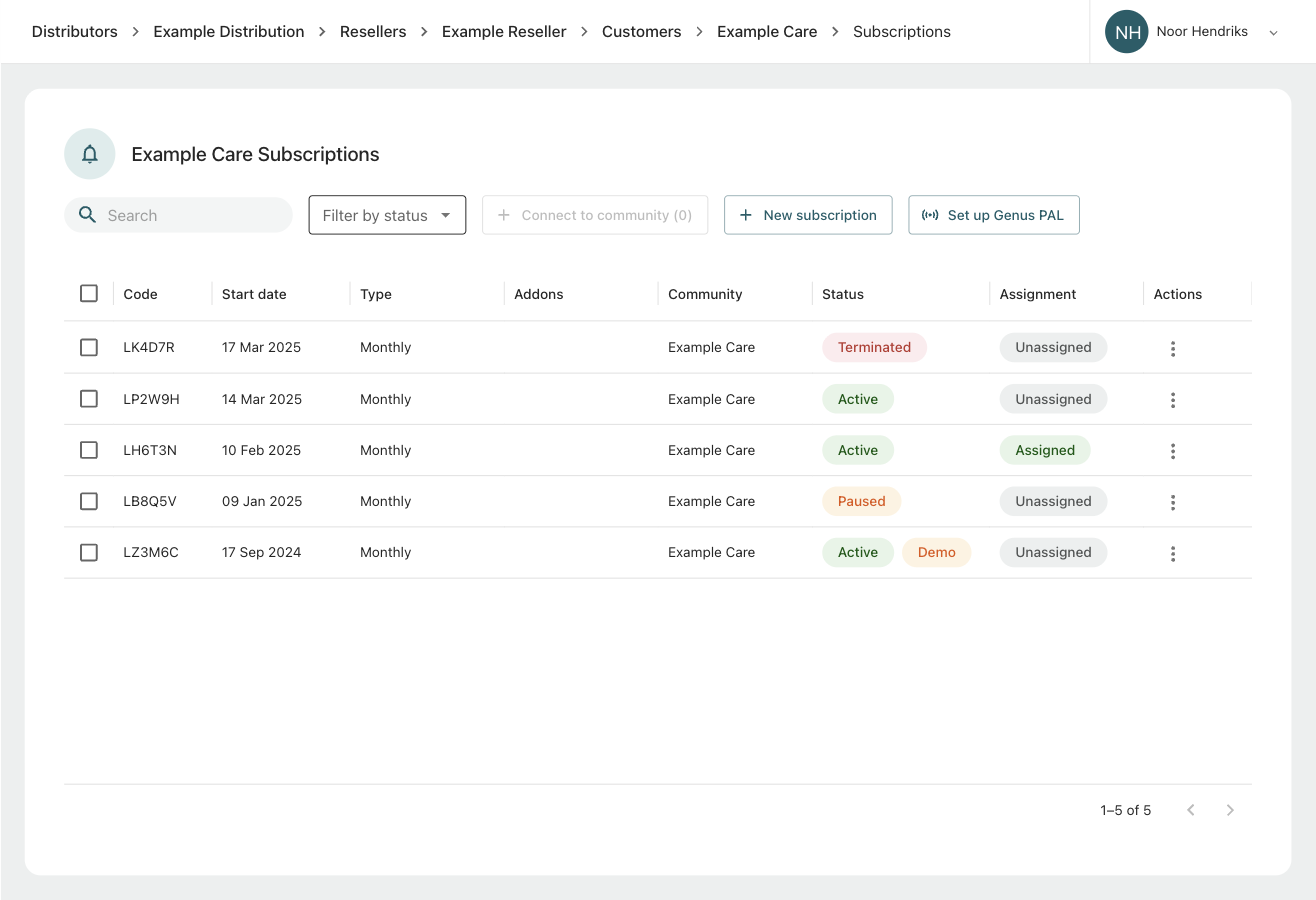
Section titled “Business Portal and deployment”Simpler subscription statuses. A subscription is now Active, Paused or Terminated. The earlier statuses Unused, In use, In use (grace period) and Expired are gone: existing subscriptions that were unused or in use became Active, and expired ones became Terminated. A new Assignment column shows whether a Genus uses the subscription, Assigned or Unassigned. The Deactivate action is now called Terminate. See subscriptions and licences.
Invoicing follows the status. A monthly subscription is invoiced for every month it is Active, also while no Genus is assigned to it. Pause it to stop invoicing. Pause is now offered only for monthly subscriptions. See monthly overviews.
Devices and integrations
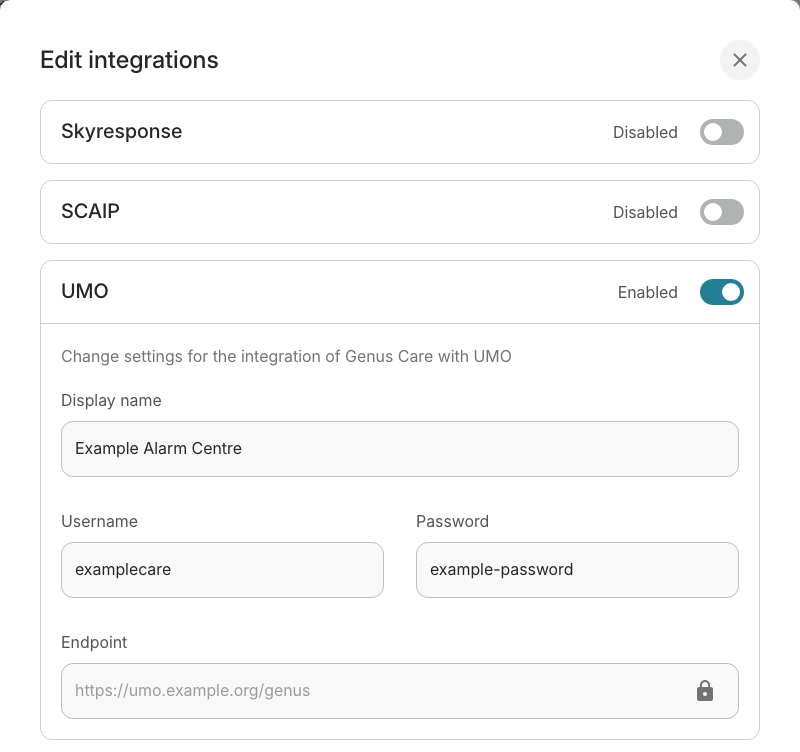
Section titled “Devices and integrations”Alarm receiving centres over UMO. Care organisations whose alarm receiving centre works with UMO can now connect it to Genus. A health administrator switches on UMO under Community settings → Integrations and enters the Display name, Username, Password and Endpoint of the connection. Each client then gets a UMO Device ID in their Alarm settings.
- What the centre receives. Alarms from the Genus and from Genus 4G GPS Buttons. Alerts about an unusual start of the day, the temperature or the air quality, and medicine reminders that were not answered or answered with no. And a message when the Genus or a Genus 4G GPS Button goes offline or runs low on battery. Messages about devices that stop reporting are described in device monitoring.
- A video call from the centre. The messages carry a Camera link. The operator clicks it to start a call with the client’s Genus, which answers automatically.
- Closed in both places. When the operator closes the alarm in the centre, Genus closes it too.
- Speaking to the client, and closing an alarm. Over UMO the operator uses the video call to see and speak to the client. An alarm stays open at the centre until the operator closes it there.
- SCAIP renamed. The integration that was called UMO until now is renamed SCAIP, after the protocol it uses. Existing connections keep working unchanged. Their identifier per client is now called SCAIP Device ID.
See alarm receiving centres.
What the Genus 4G GPS Button says. The Dutch spoken messages of the button now speak of a hulpverzoek (request for help) instead of an alarm, and mention the Genus by name. See alarm buttons.
An alarm sent twice by an integration partner. When a partner creates an alarm through the Alarm API for a Genus that already has an active alarm from the same source with the same message, Genus returns the existing alarm. A reaction that the same person sends twice is recorded once. See the Alarm API.
Platform and security
Section titled “Platform and security”- More resilient. The platform copes better with a fault in one of its parts.
- A hardened platform. The platform was hardened.
- Kept up to date. The platform was moved to current versions of the software it is built on.
- A steadier Genus. Genus 4.12.1 makes the Genus more stable.
- Lists in the Community Portal. The checkbox in the header of a list selects all its rows.
- Calls for help passed on to an alarm receiving centre. Once a call for help has been passed on to an alarm receiving centre or another external party, family members cannot resolve it from the Genus app. Resolve request is dimmed and explains Assistance request escalated, as the video call button already did.
- A steadier Genus app on Android. Several improvements make the Genus app for Android more stable.
- Nedap ONS. The fixes to the Nedap ONS connection from July to September are described in Nedap ONS, reworked.
Availability
Section titled “Availability”- The Community Portal, the Business Portal and the platform were updated automatically.
- The Genus updates itself: Genus 4.12.0 in July brought the boot screen, Genus 4.12.1 in August made the Genus more stable, and Genus 4.14.0 in September brought the new Terms of Service. The boot screen does not apply to Genus PAL, which has no screen.
- Family members get the changes by updating the Genus app from the App Store or Google Play: version 2.3.0 and 2.4.0 for iPhone in July, and 2.5.0 for Android and iPhone in September.
- The Professional App 1.0.0 for iPhone is described in its own release.