

Pontosense Silvershield presence and fall detection
A fall in a client’s room at night can go unnoticed until the next round, above all when the client cannot reach a button or is not wearing one. Care teams also want to know whether a client is in bed or up and about, without asking the client to wear or press anything.
This release adds the Pontosense Silvershield to Genus. The sensor is mounted in the client’s room. When it detects a fall, Genus raises an alarm straight away. It also tells Genus when someone is in the room, in bed or on the couch. Pontosense Silvershield support is a first version, available to care organisations taking part in a pilot.
What’s new
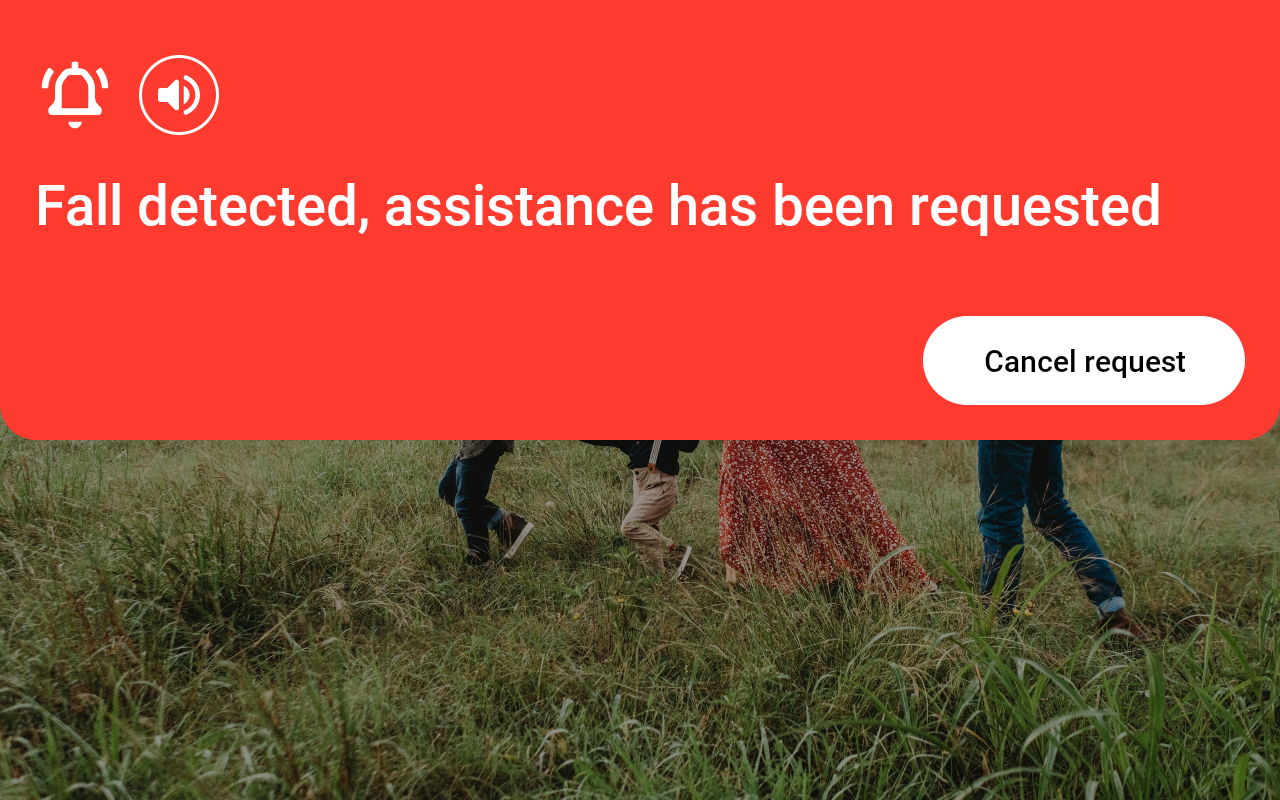
- Fall alarms without a button. When the sensor detects a fall, the Genus says Fall detected, assistance has been requested, and the family and the care team receive the alarm.
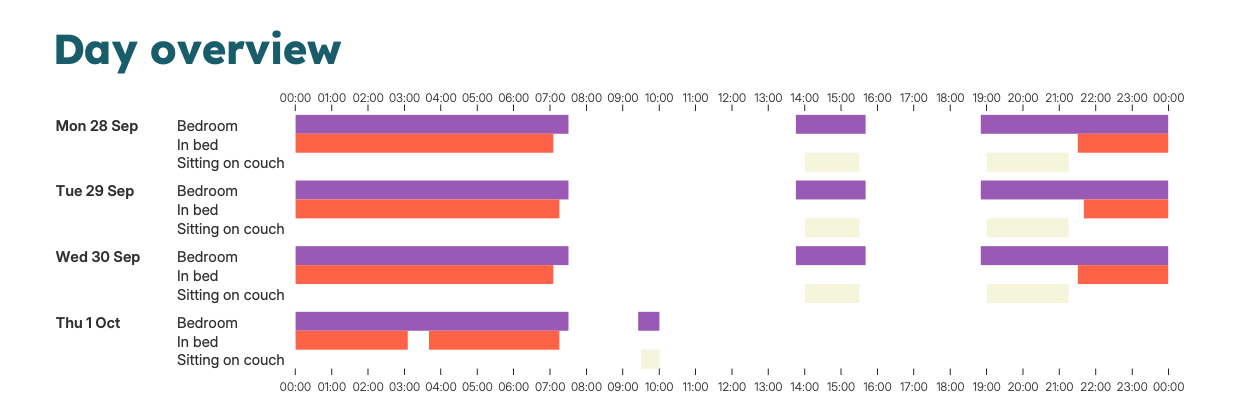
- Presence in the room. Genus records when someone is in the room, in bed or on the couch.
- Added from the Community Portal. Care professionals add the sensor to a client with its serial number.
What the sensor detects
Section titled “What the sensor detects”- A fall raises an alarm, as it happens.
- Presence is recorded without an alarm or alert: when someone is in the room, in bed or on the couch. The care team sees it in the sensor graphs and the routine report.
For care professionals: adding the sensor to a client
Section titled “For care professionals: adding the sensor to a client”The sensor must be installed, connected to the internet and registered for use with Genus before you add it.
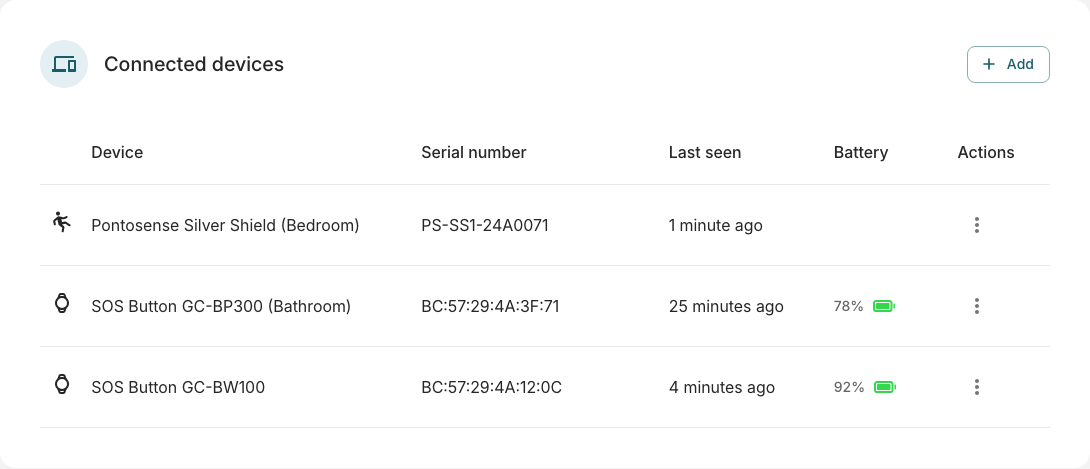
- Open the client and go to Connected devices.
- Click Add.
- Under Select what type of device you want to add, choose Pontosense Silver Shield.
- Under Enter the serial number of the device, type the serial number.
- Click Add.
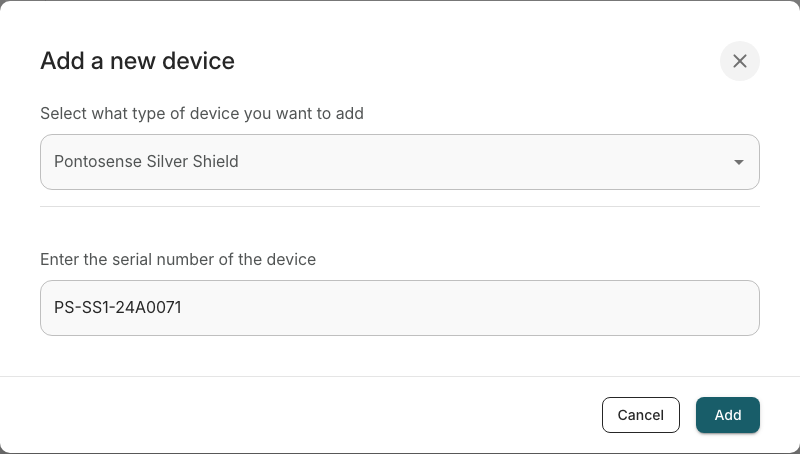
The sensor is added to the client’s Genus and placed in the client’s bedroom.
If the sensor cannot be added, the portal says why:
- Cannot register device, device not found at external party: the serial number is not known for Genus. Check the number, or ask Genus whether the sensor has been registered.
- Cannot register device, already registered to another Genus: the sensor is already linked to a client.
When the sensor detects a fall
Section titled “When the sensor detects a fall”- The Genus in the room shows a red alarm screen and says Fall detected, assistance has been requested. The client can cancel the alarm on the Genus.
- Family members connected in the Genus app and the care team receive the alarm Fall detected, following the client’s alarm settings, as for a press on an alarm button.
- In the Community Portal, the alarm appears on the client page as Fall detected.
How an alarm reaches someone explains who is notified and when.
What care professionals see
Section titled “What care professionals see”Sensor graphs
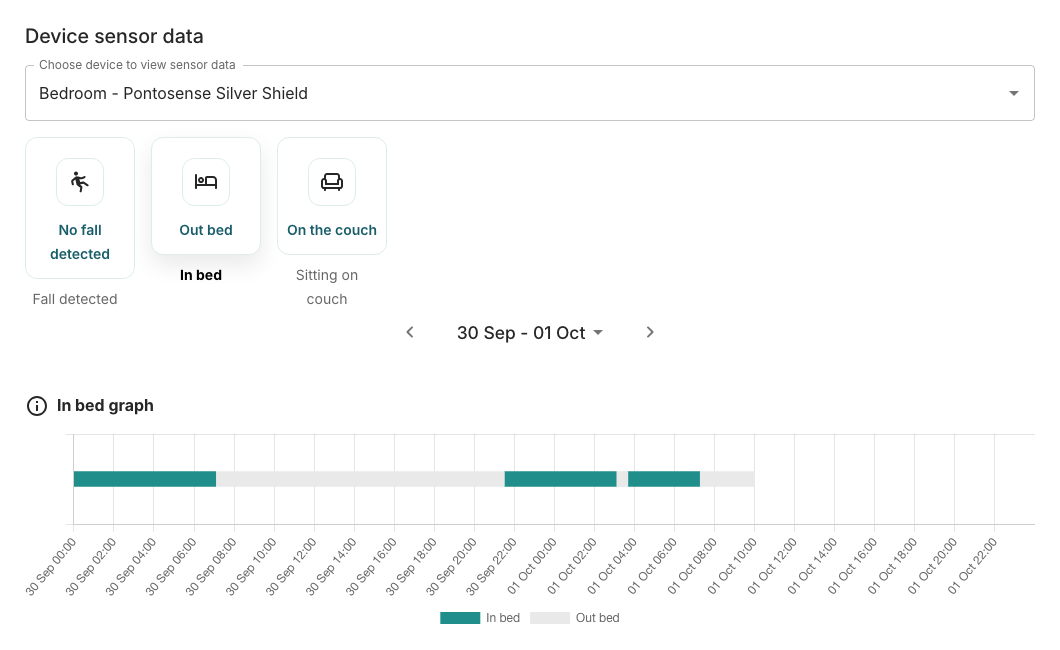
Section titled “Sensor graphs”Open the client and click View connected devices data in the Trends block. Under Choose device to view sensor data, pick the sensor, listed with the bedroom in front of its name. Cards show its detections, such as in bed and on the couch, with the latest state. Click a card to see when the state changed over the period you choose.
The routine report
Section titled “The routine report”The routine report shows the time in the room, in bed and on the couch on its Day overview page. You get the report with Get report in the client’s Genus Routines block.
The Pontosense Silvershield page in the wiki describes the sensor as it works today.
Availability
Section titled “Availability”Pontosense Silvershield support is a first version for a pilot. The option to add a Pontosense Silvershield appears only for care organisations taking part. Distributors and care organisations who want to join can contact Genus.
- The Community Portal received the update automatically at the end of May 2026.
- No update of the Genus, the Genus app or the Professional App is needed.